
1.0 Configuring PuTTY software for USB Serial ...
PuTTY. 1.5 You are now ready to configure the PuTTY Configuration screen. First you must select the Connection Type Serial (As circled in the screen shot above). Once this is selected the screen will change so you can enter the COM # and speed / Baud rate. The baud rate speed is …
Download 1.0 Configuring PuTTY software for USB Serial ...

Information
Domain:
Source:
Link to this page:
Documents from same domain

Table 4.2 Return Air Duct Installation Sizes (Based …
www.hydro-temp.comInstallation Guide (V.8.4) 52 Table 4.2 Return Air Duct Installation Sizes (Based on .05 inches of pressure drop per 100 ft.) Round Duct Rectangular

TH8320U and TH8321U Touch Screen …
www.hydro-temp.comTH8320U AND TH8321U TOUCH SCREEN PROGRAMMABLE THERMOSTATS 69-1706 2 Do not install the thermostat where it can be affected by: Š Drafts or dead spots behind doors and in corners.

AIR PRESSURE SENSING SWITCH WITH ADJUSTABLE …
www.hydro-temp.comSPECIFICATIONS MODEL AFS-222 AIR PRESSURE SENSING SWITCH WITH ADJUSTABLE SET POINT RANGE Mounting Position: Mount with …

Bell & Gossett PL 55 Pump Curve - Hydro-Temp
www.hydro-temp.comBell & Gossett PL 55 Pump Curve 0.0 5.0 10.0 15.0 20.0 25.0 30.0 35.0 40.0 45.0 50.0 55.0 60.0 65.0 70.0 75.0 80.0 85.0 90.0 95.0 100.0 105.0 110.0 1 3 5 7 9 11 13 15 17 19 21 23 25 27 29 31 33 35 37 39 41 43 45 47 49 51

INDUSTRY RESEARCH REPORT Indoor Coil Corrosion
www.hydro-temp.comGeneral Pitting Formicary Tunneling Fig. 1 General Pitting and Formicary Corrosion There are many potential causes of coil leaks in indoor coils, ranging from manufacturing or

EN / ACS550-01/U1 User’s Manual Rev G - Hydro-Temp
www.hydro-temp.comACS550-01/U1 User’s Manual 255 Diagnostics 2 DC OVERVOLT Intermediate circuit DC voltage is excessive. Check for and correct: • Static or transient overvoltages in the input power supply. • Insufficient deceleration time (parameters 2203 DECELER TIME 1 and 2206 DECELER TIME 2). • Undersized brake chopper (if present).
Related documents

a division of Illinois Tool Works Inc. | 6600 Cornell Road ...
www.evercoat.comBody Filler or Putty Epoxy Primer Self-Etch Primer (extends dry-to-sand time) NOTE: All bare metal areas larger than one inch in diameter must be treated with a high quality self-etch or epoxy primer. CLEANING: Surface must be clean and free of dirt, oil, grease and wax

Sol Mech course text Feb10 - Harvard University
esag.harvard.educhildren will be familiar with a substance called silly putty, a polymerized silicone gel. If a ball of it is left to sit on a table at room temperature, it flows and flattens on a time scale of a few minutes to an hour. But if picked up and tossed as a ball against a wall, so that large forces act

Thera-Putty Home Exercise Program Repeat these exercises ...
handtherapyacademy.comThera-Putty Home Exercise Program Repeat these exercises _____ times for _____ times a day and press into the putty. • Make a hook with your fingers • Squeeze your fingers into the putty like you are making a fist. • Place a one -inch thick piece of putty between each pair of fingers and squeeze together. •Place a oneinch thick piece

NO-CALK DRAINS
images.thdstatic.comRemove any excess putty from the top of the drain. In colder temperatures, you may need to wait 15 minutes and tighten again to ensure that all excess putty has been forced out from under the flange. Install the shower base into the final location. Place the rubber pipe gasket over the drainpipe coming up through the No-Calk barrel. Tapered

Putty Installation and configuration guide
intranet.cb.amrita.eduPutty Installation and configuration guide Downloading Putty : Goto https://www.putty.org from your browser. Click on the link mentioned for download. Select / click the Correct version, depending upon your Operating System (32 bit or 64 bit). After downloading putty.exe, open the file by double clicking.

therapeutic putty exercises - Guy's and St Thomas' NHS ...
www.guysandstthomas.nhs.ukGrasp the putty with the little finger side of both hands. Pull the putty apart. Two handed palmar pinch Pinch the putty between your thumbs, index and middle finger tips with both hands, and pull the putty apart. Finger extension Roll the putty into a tube while lifting your straightened fingers. Finger adduction Make a putty rope.
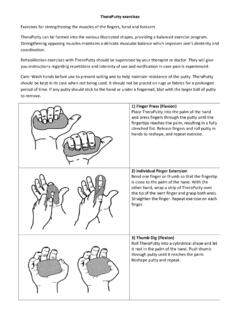
Theraputty Exercises - Isle of Wight NHS Trust
www.iow.nhs.ukthe putty steady below with the other hand, straighten and extend the wrist up while keeping the arm on the table. 12) Wrist Flexion Rest the forearm on a table or arm of a chair, palm up, allowing the hand to hang down over the edge. Grip the TheraPutty with the

イサム塗料株式会社
www.isamu.co.jpCreated Date: 5/18/2018 12:04:34 PM

Theraputty Activities - NHSGGC
www.nhsggc.org.ukthe putty until they press through the palm of the hand and form a fully clenched fist (11c). Release the fingers, roll the putty over to reshape and repeat. Carry out exercise with both hands. 12. Finger Extensions: Complete activities 1, 2 and 3 using a smaller amount of putty than normal. Wrap putty over tip of middle finger (12b-c).