Activate and Access Network Camera
5. Modif y IP address of the camera. 1) Enter IP address modification page. Configuration → Network → TCP/IP 2) Change IP address. 3) Save the settings. Activate and Access Network Camera User Guide 4
Download Activate and Access Network Camera

Information
Domain:
Source:
Link to this page:
Documents from same domain

Hik-Connect Mobile Client
enpinfo.hikvision.comJan 04, 2021 · Draw motion detection area for specific network cameras. onfigure audio and strobe light alarm, light settings, PIR detection for Floodlight camera. Record and set custom audio alarm for devices. Hik-Proonnect loud Service …
Related documents

Wireless IP Camera - ANRAN
anran-cctv.comStart the IP Camera Please connect the camera with the power adapters which came with the box refer to PIC.1, and connect the camera to the router via network cable. About 60 seconds later, the camera . has completed the start and you can start to …

Miniature 1080p WiFi IP Camera User Manual
s3-ap-southeast-2.amazonaws.comMiniature 1080p WiFi IP Camera User Manual Thank you for purchasing this product, the machine uses a unique ultra-portable design, it can be applied in various fields, it is very convenient, safe and bring a colorful life for you, please set your camera correctly in accordance with the guidelines of the quick steps . I. Start

CCTV on IP Network
www.cisco.comNext Steps - IP Cameras The STS group is monitoring the evolution of IP cameras to replace the existing analog cameras Traffic will be sent directly from the IP camera to the data center, eliminating the need for standalone encoders and freeing fiber for Safety and Security to use for other purposes, if needed
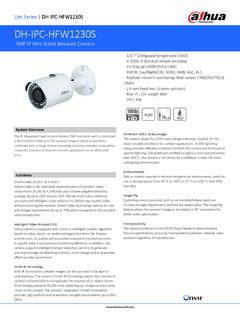
DH-IPC-HFW1230S
www.dahuasecurity.com2MP IR Mini-Bullet Network Camera, 2.8mm, NTSC DH-IPC-HFW1230SP-0360B 2MP IR Mini-Bullet Network Camera, 3.6mm,PAL DH-IPC-HFW1230SN-0360B 2MP IR Mini-Bullet Network Camera, 3.6mm,NTSC IPC-HFW1230SP-0360B 2MP IR Mini-Bullet Network Camera, 3.6mm,PAL IPC-HFW1230SN-0360B 2MP IR Mini-Bullet Network Camera, 3.6mm,NTSC …

DH-IPC-HFW2531S-S-S2
www.dahuasecurity.comIP67: The camera passes a series of strict test on dust and soak. It has dust-proof function, and the enclosure can works normal after soaking in 1 m deep water for 30 minutes. Wide voltage: The camera allows ±30% input voltage tolerance (wide voltage range), and it is widely applied to outdoor environment with instable voltage.
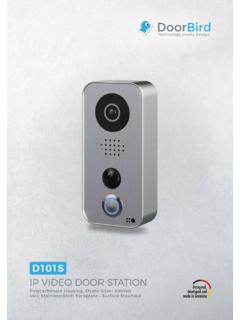
IP VIDEO DOOR STATION - DoorBird
www.doorbird.comCamera HDTV 720 p, dynamic (VGA – HDTV) Lens High-end ultra wide-angle hemispheric lens 180° horizontal, 90° vertical, straightened, IR-capable Night-vision Yes, light sensor, automatic IR-cut filter, 12 IR-LEDs AUDIO Audio components Speaker and microphone, echo and noise cancellation Audio streaming Two-way duplex NETWORK WiFi 802.11 b/g ...

User Manual for IP Camera - Zmodo
www.zmodo.comSep 05, 2013 · This IP monitoring product is the integrated IP network camera which has been designed for network video surveillance. High performance, monolithic SOC chip is utilized as a media processor which integrates video capture, compression, and transmission.