
AL5 ARM GUIDE - robotshop.com
OVERVIEW STEP 5 Under Hardware And Sound click Add A Device. Windows will search for your Bluetooth device. STEP 6 Once Windows finds your device click on it then click NextYou will be presented with a number of Pairing options. STEP 7 For the XBee we have a pairing code to enter (1234) so we choose option and click Next. STEP 8 Enter the code and click Add Device.
Download AL5 ARM GUIDE - robotshop.com

Information
Domain:
Source:
Link to this page:
Documents from same domain

User’s Manual - robotshop.com
www.robotshop.comBLD04A Brushless DC Motor Driver User’s Manual V1.0 MARCH 2010 Information contained in this publication regarding device applications and the like is intended through suggestion only and may

Resistors - robotshop.com
www.robotshop.comSurface mount resistor decoding Example resistor applications ... flair to circuits), and SMD resistors have their own value-marking system. Decoding the color bands Through-hole, axial resistors usually use the color-band system to display their value. Most of these resistors will have four bands of color circling the resistor.

History of Robotics: Timeline - robotshop.com
www.robotshop.comLaw Zero: A robot may not injure a human being, or, through inaction, allow a human being to come to harm, unless this would violate a higher order law 1942 The first “programmable” mechanism, a paint-sprayer, was designed by Willard Pollard and Harold Roselund for the DeVilbiss Company. (US Patent

Potentiometer - RobotShop
www.robotshop.comA linear taper potentiometer (linear describes the electrical characteristic of the device, not the geometry of the resistive element) has a resistive element of constant cross-section, resulting in a ... Precision potentiometers have an accurate relationship between resistance and slider position.
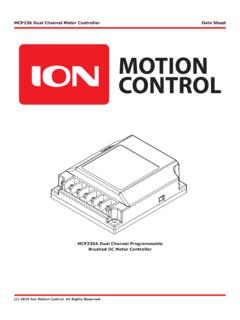
MCP230A Dual Channel Programmable Brushed DC Motor …
www.robotshop.comBrushed DC Motor Controller. MCP230 Dual Channel Motor Controller Data Sheet c 2015 Ion Motion Control. ... for two brushed DC motors • 60 Amps in bridged channel mode for one brushed DC motor ... Wiring Basics The MCP must be wired correctly to ensure safe and reliable operation. The diagram below illustrates a basic configurations for
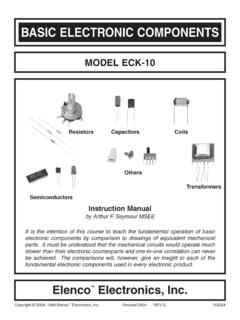
BASIC ELECTRONIC COMPONENTS - Robotshop
www.robotshop.comBASIC ELECTRONIC COMPONENTS MODEL ECK-10 Instruction Manual by Arthur F. Seymour MSEE It is the intention of this course to teach the fundamental operation of basic electronic components by comparison to drawings of equivalent mechanical parts. It must be understood that the mechanical circuits would operate much
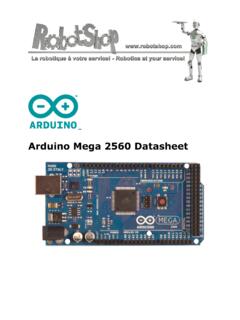
Arduino Mega 2560 Datasheet - Robotshop
www.robotshop.comthe bootloader), 8 KB of SRAM and 4 KB of EEPROM (which can be read and written with the EEPROM library). Input and Output ... Further the main UART (serial port) is located on the same pins (0 and 1), as are external interrupts 0 and 1 (pins 2 and 3 respectively). SPI is available through the ICSP header on

Sound Sensor Module Arduino Datasheet - RobotShop
www.robotshop.comTo do so, you use the Arduino programming language (based on Wiring) and the Arduino® software IDE (based on Processing). Surf to www.arduino.cc and www.arduino.org for more information. 5. Overview High-sensitivity sound detection module with 2 outputs. AO - analog output, real-time output voltage signal of the microphone. ...

Arduino Shields Manual - Robotshop
www.robotshop.comDec 24, 2009 · Arduino LCD&KeyPad Shield (SKU: DFR0009) Introduction The LCD Keypad shield is developed for Arduino compatible boards, to provide a user-friendly interface that allows users to go through the menu, make selections etc. It consists of …

2. 3D Printer Wiring Guide - Robotshop
www.robotshop.comConnect the X Motor to the connector labeled X. Ensure the Red cable is closest to the green screw terminals on the RAMPS board (Wire orders from left to right: red, blue, green and black). Note: If you don't wiring by color order, the motor motion will be incorrect. Step 2. Connect the Y Motor to the connector labeled Y. Ensure the Red cable is
Related documents

Sensor Board - Libelium
www.libelium.com-7- v7.2 Waspmote Plug & Sense! 2.2. General view This section shows main parts of Waspmote Plug & Sense! and a brief description of each one. In later sections

Smart Wireless Sensor Network for Monitoring an ...
www.ijcsit.comSmart Wireless Sensor Network for Monitoring an Agricultural Environment Prof. Mrs. S. S. Patil Prof. V. M. Davande Prof. J. J. Mulani Department of Electronics ...

Windows Vista/7での 不具合について - cutt.jp
www.cutt.jp3 D.3 WebCamの設定 1 2 1 1 1 1 1 1 1 1 1 1 1 1 1 1 1 1 1 1 1 1 1 付録 ②arduinoフォルダー内のjavaフォルダーを削除します。 こうすればIDE が実行できます。 バージョン 017 以上であればこの作業をしなくても大 丈夫だと思います。 D.3 WebCamの設定 Processing でWebCam が動かないとき の問題解決 方法 …

電気通信大学高度技術研修 体験学習 ZigBee無線ハンズオン …
www.ieice.org電気通信大学高度技術研修 体験学習 ZigBee無線ハンズオン セミナー初級編 ~誰でも簡単! Digi XBeeによる無線ネットワーク構築~

Digi XBee Cellular LTE Cat 1 datasheet
www.digi.comRELATED PRODUCTS APPLICATION EXAMPLE Digi is excited to bring together the power and flexibility of the XBee ecosystem with the latest 4G cellular technology,

Digi ConnectCore 6UL datasheet
www.digi.comBLOCK DIAGRAM RELATED PRODUCTS ConnectCard® for i.MX28 Digi Connect® Digi XBee® Modules ConnectCore® 6 Rabbit® Intelligent and connected embedded system-on …

ス ズ キ ドアロック機能 イモビ 別売オプション 備 考 資料番 …
es89.comキーレス無 キーレス付 ha35 h23.12~h25.2 プッシュスタート無車 esp11 esp40 esl24 VS113P 不可 EP070 全ドアの開閉信号を検出する場合、ドア検出ユニット(ep030)が必要です。

環境情報の説明 - suzuki.co.jp
www.suzuki.co.jp※1 ※2 ※3 車名: クロスビー 基 礎 情 報 hybrid mz / hybrid mx: daa-mn71s エンジン: 型式 k10c(ターボ)-wa05a型: 総排気量(l) 0.996

クロスビー 主要装備・主要諸元 - suzuki.co.jp
www.suzuki.co.jpTitle: クロスビー 主要装備・主要諸元 Created Date: 12/5/2018 11:04:27 AM