AMD RAID Quick Start Guide
controllers SoC RAID RAID RAID NvMe (But no NVMe devices are connected to the system) RAID driver installation should happen for AMD and PT controllers SoC RAID SATA RAID RAID Not supported with this release SoC RAID RAID SATA …
Download AMD RAID Quick Start Guide

Information
Domain:
Source:
Link to this page:
Documents from same domain

Command Line Installation - AMD
drivers.amd.comother products described herein. No license, including implied or arising by estoppel, to any intellectual property rights is granted by this document. Terms and limitations applicable to the purchase or use of AMD’s products are as set forth in a signed agreement between the parties or in AMD's Standard Terms and Conditions of Sale.

AMD-RAIDXpert2 User Guide
drivers.amd.comevery precaution has been taken in the preparation of this document, it may contain technical inaccuracies, omissions and typographical errors, and AMD is under no obligation to update or otherwise correct this information. Advanced Micro Devices, Inc. makes no representations or warranties with respect to the accuracy or completeness of the

AMD NVMe/SATA RAID Quick Start Guide for Windows ...
drivers.amd.comSupport includes ATAPI DVD, SATA drives, SATA SSD drives, M.2 SATA drives, NVMe M.2 devices, NVMe HHHL devices or NVMe U.2 devices. The number of disks depends on the number, type, and capacity of the arrays to be created. Max number of NVMe devices 10 Max Controller Count 11: Two controllers with device ID 0x7917, one controller with device ID ...
AMD NVMe/SATA RAID Quick Start Guide for Windows ...
drivers.amd.comc. Select X570/590 Chipset Common Options, then press Enter. d. Select X570/590 Chipset SATA Configuration Options, then press Enter. e. Set X570/590 Chipset SATA0 Enable to Enabled, then press Enter. f. Set X570/590 Chipset SATA1 Enable to Enabled, then press Enter. g. Set X570/590 Chipset SATA Mode to RAID, then press Enter. 6. In the BIOS ...
AMD RAIDXpert User v2.0
drivers.amd.com1 Chapter 1: Introduction This chapter includes the following topics: • RAIDXpert Components (page 2) • Operating System Support (page 3) • Browser Support (page 3)

Fan Control in AMD Radeon Pro Settings
drivers.amd.comThe “Global Tuning” tab contains a number of options related to the “Fan Control Settings” that the user can view and configure at will: • View the current fan speed of the GPU (RPM). • Change the speed configuration from “Automatic” to “Manual”. • Manually set the minimum speed limit using the slider under “Min”.
Related documents
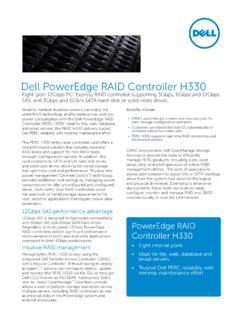
Dell PowerEdge RAID Controller H330
i.dell.comDell’s entry-level RAID controllers cover the spectrum of tiered storage requirements for cost-sensitive applications that require robust data protection. 12Gbps SAS performance advantage 12Gbps SAS is designed for backward compatibility …
Configuring RAID for Optimal Perfromance 1.1 - Intel
www.intel.comfine tuning RAID performance for a specific application. This guide covers Intel® RAID Controllers and Intel® Integrated RAID only. This guide does not cover Intel® Embedded Server RAID Technology II. 2. Performance Measurement Tools When measuring RAID performance it is important to understand how the measurement tool
Intel PCH RAID Configuration Utility - Supermicro
www.supermicro.comFeb 01, 2013 · RAID controllers designed for the Windows OS. 2. Two RAID controllers (AHCI and SCU) are supported by the Intel PCH. The AHCI controller supports SATA drives and the SCU controller supports both SATA and SAS drives (Note: The SCU controller for PCH C602 supports SATA only). 3. The current version (v 3.5) of the Intel PCH RSTe SATA/SAS RAID ...

Intel® RAID Software User Guide for full featured and ...
www.intel.comfeatured and entry level RAID controllers Guidance for configuring different families of Intel® RAID Controllers. Rev 1.4 October 2020 <Blank page> Intel® RAID Software User Guide 3 Document Revision History Date Revision Changes July 2017 1.0 Initial release. June 2018 1.1
Dell PowerEdge RAID Controller (PERC) H310, H710, H710P ...
downloads.dell.comThe Dell PowerEdge RAID Controller (PERC) H310, H710, H710P, and H810 family of storage controller cards has the following characteristics: • Complies with serial-attached SCSI (SAS) 2.0 providing up to 6 Gb/sec throughput.

Configuring a RAID Set - GIGABYTE
download.gigabyte.comRAID Levels Configuring SATA Controllers A. Installing hard drives Install the hard drives/SSDs in the Intel® Chipset controlled connectors on the motherboard. Then connect the power connectors from your power supply to the hard drives. RAID 0 RAID 1 RAID 5 RAID 10 Minimum Number of Hard
Dell PowerEdge RAID Controller H310
i.dell.comDell PowerEdge RAID Controller H310 The PERC H310 is a low-cost, green RAID solution for high-density, entry-level servers. An eight-port 6Gb/s PCI Express RAID controller, the Dell PowerEdge RAID Controller (PERC) H310 offers robust data protection, seamless migration, and the flexibility to use both SATA, SAS, and solid-state drives.

Dell EMC PowerEdge RAID Controller Command Line …
dl.dell.comnumber of controllers, the host name, the operating system information, and the overview of existing configuration. perccli show all. This command shows the list of controllers and controller-associated information, information about the drives that need attention, and advanced software options. perccli show ctrlcount
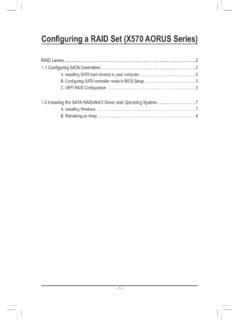
Configuring a RAID Set (X570 AORUS Series) - GIGABYTE
download.gigabyte.comArray screen. Then, select a RAID level (Figure 4). RAID levels supported include RAID 0, RAID 1, and RAID 10 (the selections available depend on the number of the hard drives being installed). Next, press <Enter> on Select Physical Disks to enter the …