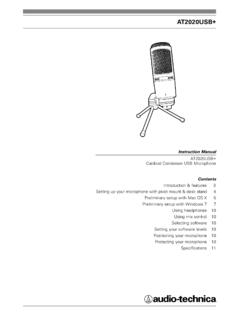
AT2020USB+ - Audio-Technica
acoustic guitar, drums or piano. Experiment with different mic placements to find the best sound for your particular setup. Protecting your microphone Avoid leaving your microphone in the open sun or in areas where temperatures exceed 110° F (43° C) for extended periods. Extremely high humidity should also be avoided.
Download AT2020USB+ - Audio-Technica

Information
Domain:
Source:
Link to this page:
Documents from same domain

System 10 PRO - audio-technica.com
www.audio-technica.comAudio-Technica’s System 10 PRO Rack-Mount is a digital wireless system designed to provide rock-solid performance along with easy setup and clear, natural sound quality.

AT-LP120XUSB User Manual - Audio-Technica
www.audio-technica.comUse the clamp to secure the tonearm so that it does not move. 5 Anti-skate control dial While the record is playing, a force acts on the stylus tip to pull it ... With the tracking force gauge ring facing forward, attach the counterweight to the back of the tonearm, and slowly turn it counterclockwise (to the left). Spindle Platter Locking ring ...
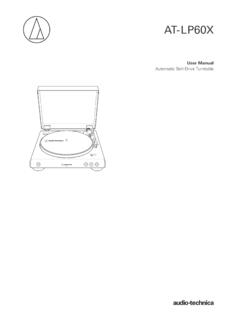
AT-LP60X User Manual - Audio-Technica
www.audio-technica.comtonearm. Stopping the record Once the record has played to the end, the tonearm will automatically return to the tonearm rest. To manually stop the record, do the following. 1. Lower the volume of the amplifier, speakers, etc. sufficiently. 2. Press the STOP button. • Once the record stops playing, the tonearm automatically returns to the ...
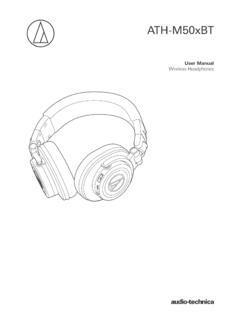
ATH-M50xBT User Manual - Audio-Technica
www.audio-technica.comNotes on use • Be sure to read the connected device’s user manual before use. • Audio-Technica will not be liable in any way for any loss of data in the unlikely event that such losses should occur while using the product. • On public transportation or in other public places, keep the volume low so as not to disturb other people.

AT-LP60XBT User Manual - Audio-Technica
www.audio-technica.com• Read the user manual for the Bluetooth receiver device. • Place the device within 1 m (3.3') of the product to perform pairing correctly. 1. Set your Bluetooth headphones, speakers, etc. to pairing mode. 2. Make sure the AC adapter is connected to an outlet, and then press and hold the wireless function button (about 2 seconds).

AT-LP60XUSB User Manual - Audio-Technica
www.audio-technica.com• Caution guide After purchase, we suggest that you save all packaging materials for possible future storage, moving, or shipping. 2 ... Lifts and lowers tonearm for manual selection. 15 Pre-amplifier selector switch If using an amplifier with a PHONO input jack, set this

AT-LP120XBT-USB User Manual - Audio-Technica
www.audio-technica.comConnect the RCA audio cable. Connect it to either the amplifier's PHONO input jack or its line input jack. The red terminal is the right channel and the white terminal is the left channel. 5 Ground (earth) terminal Connect the amplifier's ground (earth) terminal to this terminal using the RCA audio cable's ground line. 6 USB output
Related documents

EW Symphonic Orchestra User Manual - Sounds Online
media.soundsonline.comworld’s first 64-bit audio engine named PLAY, which powers EastWest/Quantum Leap’s ... Ministry of Rock, Gypsy, QL Pianos, VOTA, QL Brass, QL Guitar and Bass, Hardcore Bass, Goliath, and Colossus. Nick’s studio is located in Venice, California, and is 100% solar powered. ... tion of electronic behavior and acoustic perception have led ...
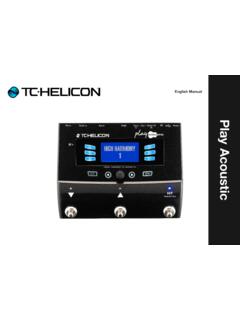
Play Acoustic
mediadl.musictribe.comPlay Acoustic – Reference manual (2014-07-16) 7 Welcome to the Play Acoustic manual! First, thank you so much for purchasing Play Acoustic. We at TC-Helicon are confident that your vocal and acoustic guitar performances will be positively impacted with this great effects processor. As you discovered in the Quick Start Guide (the

INPUT - mediadl.musictribe.com
mediadl.musictribe.comTable of contents d Vocal Cancel feature 59 Lead Mute parameter 59 Headphone Limiter parameter 59 Lead Delay parameter 60 Guitar page (1 ...

Amp modelling & Synth & Multi Effects 取扱説明書
v1.cecdn.yun300.cnsystem 64 input output usb audio midi fs color tap screen exp tuner looper reset 64 65 66-67 ... guitar modeでは楽器のeqキャラクターをキャプチャー可能。 ... 16aacoustic delay tab exp2:synth exp: synth pitch 1 bpm 12 0. 45% pitch 2 o utp xlrout input ds/od reverb
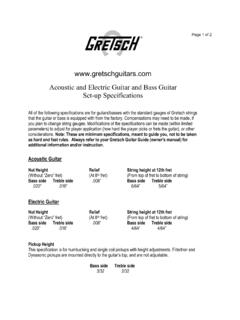
Acoustic and Electric Guitar and Bass Guitar Set-up ...
www.fmicassets.comAcoustic Guitar Nut Height Relief String height at 12th fret (Without “Zero” fret) (At 8th fret) (From top of fret to bottom of string) Bass side Treble side.008” Bass side Treble side.020” .018” 6/64” 5/64” Electric Guitar

TUNE GUITAR TO PITCH BEFORE TAKING MEASUREMENTS.
www.martinguitar.comTUNE GUITAR TO PITCH BEFORE TAKING MEASUREMENTS. Neck Relief – Measured with the Stew-Mac Neck Relief Gauge • Gauge is placed on the first and 12th frets and measurement is taken at the 5th fret. • Measurement is taken in the player position. • Desireable neck relief is -.003" to -.005". • A 4mm Allen wrench is required to make
AUDIO INTERFACE MANUAL
zoomcorp.comports 7-string guitar, 5-string bass and various drop tunings. Comprehensive built-in mixer Using the mixer, you can make a mix for monitoring. When simultaneously recording guitar and vocals, for example, you can adjust volume balance, panning and reverb levels. Moreover, you can also adjust the balance between the built-in mixer and the sound