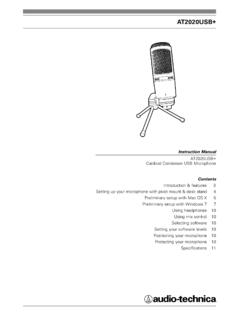
AT2020USB+ - Audio-Technica
8-inch (3.5 mm) stereo jack for connecting your headphones 6. Metal Construction — Tough, durable, resilient design 7. USB Connector — Use the included USB cable to connect AT2020USB+ to your Mac or PC 8. USB Cable Setting up your microphone with included pivot mount and tripod desk stand A. Screw the pivot mount onto the top of the tripod ...
Download AT2020USB+ - Audio-Technica

Information
Domain:
Source:
Link to this page:
Documents from same domain

System 10 PRO - audio-technica.com
www.audio-technica.comAudio-Technica’s System 10 PRO Rack-Mount is a digital wireless system designed to provide rock-solid performance along with easy setup and clear, natural sound quality.

AT-LP120XUSB User Manual - Audio-Technica
www.audio-technica.comUse the clamp to secure the tonearm so that it does not move. 5 Anti-skate control dial While the record is playing, a force acts on the stylus tip to pull it ... With the tracking force gauge ring facing forward, attach the counterweight to the back of the tonearm, and slowly turn it counterclockwise (to the left). Spindle Platter Locking ring ...
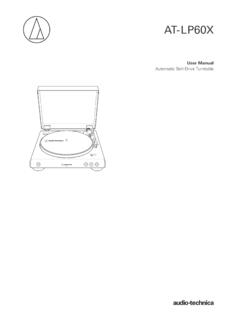
AT-LP60X User Manual - Audio-Technica
www.audio-technica.comtonearm. Stopping the record Once the record has played to the end, the tonearm will automatically return to the tonearm rest. To manually stop the record, do the following. 1. Lower the volume of the amplifier, speakers, etc. sufficiently. 2. Press the STOP button. • Once the record stops playing, the tonearm automatically returns to the ...

ATH-M50xBT User Manual - Audio-Technica
www.audio-technica.comNotes on use • Be sure to read the connected device’s user manual before use. • Audio-Technica will not be liable in any way for any loss of data in the unlikely event that such losses should occur while using the product. • On public transportation or in other public places, keep the volume low so as not to disturb other people.

AT-LP60XBT User Manual - Audio-Technica
www.audio-technica.com• Read the user manual for the Bluetooth receiver device. • Place the device within 1 m (3.3') of the product to perform pairing correctly. 1. Set your Bluetooth headphones, speakers, etc. to pairing mode. 2. Make sure the AC adapter is connected to an outlet, and then press and hold the wireless function button (about 2 seconds).

AT-LP60XUSB User Manual - Audio-Technica
www.audio-technica.com• Caution guide After purchase, we suggest that you save all packaging materials for possible future storage, moving, or shipping. 2 ... Lifts and lowers tonearm for manual selection. 15 Pre-amplifier selector switch If using an amplifier with a PHONO input jack, set this

AT-LP120XBT-USB User Manual - Audio-Technica
www.audio-technica.comConnect the RCA audio cable. Connect it to either the amplifier's PHONO input jack or its line input jack. The red terminal is the right channel and the white terminal is the left channel. 5 Ground (earth) terminal Connect the amplifier's ground (earth) terminal to this terminal using the RCA audio cable's ground line. 6 USB output
Related documents

A Simple Regen Radio for Beginners - ARRL - Home
www.arrl.orgMount the headphone jack on the box rear, close to the PC board and the LM386. Attach the RadioShack 39-inch whip antenna to one of the back corners of the box using a small screw and nut. If you use the RadioShack jack specified for J1 (RS 274-276), connect together pins 2 and 5 and attach that common lead to C8. Ground pin 1 of the jack.

Baofeng UV-5R Manual - baofengtech.com
baofengtech.comnoticeably shorter than normal performance, it is time to buy a new battery. 7.3.-PROLONG BATTERY LIFE: 1. Battery performance will be greatly decreased at a temperature below O t. A spare battery is necessary in cold weather. The cold battery unable to work in this situation may work under room temperature, so keep it for later use.

Tunnel Boring Machines - Kawasaki Heavy Industries, Ltd.
global.kawasaki.comThrust jack Main gripper support Shield shell Simple structure The Open TBM is comprised of cutter head, cutter head drive, main beam, gripper and roof support. This simple structure enables workers to treat cutting face at adjacent point to cutter head. Extremely powerful in stable ground conditions Open TBM shows high performance and economical

www.anytone
powerwerx.azureedge.netPry open the rubber MIC-Headset jack cover and then insert the Speaker / Microphone plug into the double jack. 3.3 Installing / Removing the Belt Clip a. Installing the Belt Clip: Place the belt clip above the corresponding holes on the back of the radio, and screw it into place clockwise with the two supplied screws. b.
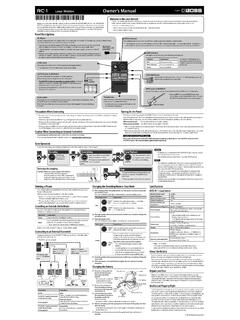
Owner’s Manual
static.roland.com* The OUTPUT A jack also operates as a power switch. The power will be on if a plug is inserted in the OUTPUT A jack. Remove the plug when you’re not using the RC-1. * Do not connect headphones to the OUTPUT jacks. Doing so may damage the headphones. Thumbscrew When this screw is loosened, the pedal will open, allowing you to change the battery.

Guitar Repair Price List - Website - Long & McQuade
www.long-mcquade.comThe PLEK Station is a specialized robot that creates a high-resolution digital scan of a guitar’s fingerboard and performs fully automated fretwork. The machine collects data about the playing surface, recommends fret adjustments for optimal performance, then cuts the frets with perfect precision. PLEK SERVICE $255