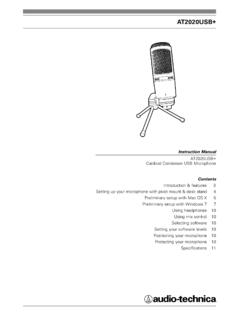
AT2020USB+ - Audio-Technica
Preliminary setup with Mac OS X 5 Preliminary setup with Windows 7 7 Using headphones 10 ... pursuant to part 15 of the FCC Rules. These limits are designed to provide reasonable ... It is important to position the microphone directly in line (on axis) with the person speaking/ singing or instrument (or other sound source) to achieve the best ...
Download AT2020USB+ - Audio-Technica

Information
Domain:
Source:
Link to this page:
Documents from same domain

System 10 PRO - audio-technica.com
www.audio-technica.comAudio-Technica’s System 10 PRO Rack-Mount is a digital wireless system designed to provide rock-solid performance along with easy setup and clear, natural sound quality.

AT-LP120XUSB User Manual - Audio-Technica
www.audio-technica.comUse the clamp to secure the tonearm so that it does not move. 5 Anti-skate control dial While the record is playing, a force acts on the stylus tip to pull it ... With the tracking force gauge ring facing forward, attach the counterweight to the back of the tonearm, and slowly turn it counterclockwise (to the left). Spindle Platter Locking ring ...
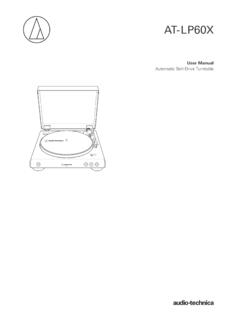
AT-LP60X User Manual - Audio-Technica
www.audio-technica.comtonearm. Stopping the record Once the record has played to the end, the tonearm will automatically return to the tonearm rest. To manually stop the record, do the following. 1. Lower the volume of the amplifier, speakers, etc. sufficiently. 2. Press the STOP button. • Once the record stops playing, the tonearm automatically returns to the ...
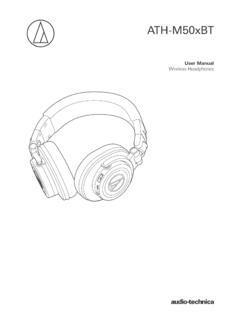
ATH-M50xBT User Manual - Audio-Technica
www.audio-technica.comNotes on use • Be sure to read the connected device’s user manual before use. • Audio-Technica will not be liable in any way for any loss of data in the unlikely event that such losses should occur while using the product. • On public transportation or in other public places, keep the volume low so as not to disturb other people.

AT-LP60XBT User Manual - Audio-Technica
www.audio-technica.com• Read the user manual for the Bluetooth receiver device. • Place the device within 1 m (3.3') of the product to perform pairing correctly. 1. Set your Bluetooth headphones, speakers, etc. to pairing mode. 2. Make sure the AC adapter is connected to an outlet, and then press and hold the wireless function button (about 2 seconds).

AT-LP60XUSB User Manual - Audio-Technica
www.audio-technica.com• Caution guide After purchase, we suggest that you save all packaging materials for possible future storage, moving, or shipping. 2 ... Lifts and lowers tonearm for manual selection. 15 Pre-amplifier selector switch If using an amplifier with a PHONO input jack, set this

AT-LP120XBT-USB User Manual - Audio-Technica
www.audio-technica.comConnect the RCA audio cable. Connect it to either the amplifier's PHONO input jack or its line input jack. The red terminal is the right channel and the white terminal is the left channel. 5 Ground (earth) terminal Connect the amplifier's ground (earth) terminal to this terminal using the RCA audio cable's ground line. 6 USB output
Related documents

Census of Fatal Occupational Injuries Summary, 2020
www.bls.govThe Census of Fatal Occupational Injuries (CFOI), part of the Bureau of Labor Statistics (BLS) Occupational Safety and Health Statistics (OSHS) program, is a count of all fatalities resulting from workplace injuries occurring in the U.S. during the calendar year. The CFOI uses a variety of state, federal, and independent data

The Cambridge English Scale explained
www.cambridgeenglish.orgFor B1 Preliminary, B1 Preliminary for Schools and B1 Business Preliminary, B2 Business Vantage and C1 Business Higher, candidates receive an individual score for the four skills – reading, writing, listening and speaking. In the live exams, each skill is equally weighted, and a

A CATHOLIC FUNERAL PLANNING GUIDE
d2y1pz2y630308.cloudfront.netPreliminary Decisions ... The reading and proclamation of Holy Scripture is an integral part of every liturgy, including the funeral liturgy. Many families like to choose ... speaker is invited to consider speaking about how God was at work in the life of their deceased loved one and how he/she responded.

PREPARING FOR ACADEMIC INTERVIEWS: SCREENING, …
www.vpul.upenn.edu• Speaking about yourself ... preliminary interviews Candidates selected/notified for campus interview This process can be months long –from 4-12 months or more Offer made. ... part of a …
Guidelines for Assessment in Listening and Speaking Skills ...
cbseacademic.nic.inAssessment of speaking skills must be made an important component of the overall assessment, using this assessment as learning. ... preliminary research/background. ... What are the elements that need to be part of the script?
B1 Preliminary for Schools - Cambridge Assessment English
www.cambridgeenglish.orgAs far as possible, the paired format for the Speaking Test procedure will be similar to that of the standard Speaking Test. Some further time is given for candidates to look at/read materials but the structure of the test is the same as in the standard test. There is no Part 2 in B1 Preliminary for schools Speaking Special Arrangements papers.