Basic Part Design Tutorial - Rutgers University
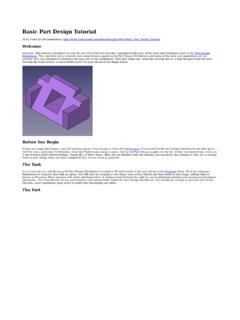
1. Select a horizontal line and apply a horizontal distance constraint with a value of 16.7. 2. Select a vertical line and apply a vertical distance constraint of 7 mm 3. Using the External geometry tool, select the upper left vertex of the part face.
Download Basic Part Design Tutorial - Rutgers University

Information
Domain:
Source:
Link to this page:
Related documents
THE CONCEPT OF VISCOSITY - Columbia University
www.columbia.eduquantity with distance is called gradient; for example, the dimensions of the mass gradient are M L-1. If we now divide and multiply the second term of (3.1.3) by the fluid density, we obtain: and for incompressible flow which expresses the fact that the momentum flux is proportional to the negative value of the gradient of mass flux.

IMPACT OF INCREASING THE IMPACT OF MYOPIA …
www.who.intUniversity of New South Wales, Sydney, Australia 16–18 March 2015. The impact of myopia and high myopia: report of the Joint World Health Organization–Brien Holden Vision Institute Global Scientific Meeting on Myopia, University of New South Wales, Sydney, Australia, 16–18 March 2015
Shear Design of Beams - Purdue University
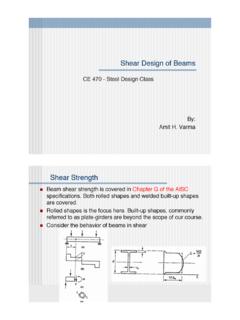
engineering.purdue.eduShear Buckling where aclear distance between transverse stiffners, in. 260 5 when a/h3.0 or a/h (/) 5 5 5 /260 2 2 = ú ú ú ú û ù ê ê ê ê ë é ÷ ø ö ç è æ

Lecture 9: Multi-Objective - Purdue University
engineering.purdue.eduFor each pair of clusters, calculate the cluster distance d ij and find the pair with minimum cluster-distance 4. Merge the two clusters and go to 2 5. Choose only one solution from each cluster and remove the other (The solution having minimum average distance from other solutions in the cluster can be chosen) ∑ ∈ ∈ = 1 2 1, 2 12 ( ,) 1 ...
Group work Rubric - University of Regina
www.uregina.caGroup work Rubric Students evaluating themselves and other members in the group You have the opportunity to evaluate the work of the members of your group.
Sample Thesis Pages - University of Illinois Urbana-Champaign
grad.illinois.eduUniversity of Illinois at Urbana-Champaign, 20xx . Urbana, Illinois . Adviser: Professor Laurence Strongarm. Sample Title Page (Master’s Students) 2 inches 3.5 inches 5.5 inches 7.5 inches 8 inches Distance from top of page . Top of page Bottom of page . The full list of Graduate College thesis requirements is available at

GRAPH THEORY { LECTURE 4: TREES - cs.columbia.edu
www.cs.columbia.edudistance from v to a vertex farthest from v. That is, ecc(v) = max x2VG fd(v;x)g A central vertex of a graph is a vertex with minimum eccentricity. The center of a graph G, denoted Z(G), is the subgraph induced on the set of central vertices of G. In an arbitrary graph G, the center Z(G) can be anything from a single vertex to all of G.