
BIOS Update Release Notes
Jun 21, 2021 · • Removed option using “ESC” key to exit out of boot menu. • Added protection code for unauthorized write at controllable address in SMRAM. • Fixed issue to achieve arbitrary write in SMRAM save state region. BIOS Version 0088 - BECFL357.86A.0088.2021.0330.1431 About This Release: • Date: March 30, 2021 • ROM Image Checksum: 0x9479
Download BIOS Update Release Notes

Information
Domain:
Source:
Link to this page:
Documents from same domain

Intel® Rapid Storage Technology (Intel RST) 18.6.1.1016 ...
downloadmirror.intel.comNotes: 1. Known Issue is defined as a potential Intel® RST issue that has been replicated internally by the Intel® RST team but has not been root caused to be an Intel® RST defect. 2. New features for Intel® RST 18.6 release • Support for Microsoft Windows* 11 x64 OS

Intel® Solid State Drive Client PCIe* Microsoft* Windows ...
downloadmirror.intel.comIntel® Solid-State Drive PCIe* Driver September 2021 Release Notes 331995-006US 5 Date Document Version Driver Version Description February 013 4.0.0.1007 New for this release: • Support for Intel SSD Pro 7600p/760p/E 6100p Series • Support for public Windows IOCTLs introduced in Windows 10

Intel® Solid State Drive Firmware Update Tool Release Notes
downloadmirror.intel.coma future release. • Intel® SSD DC P4511: VCV10370 • Intel® SSD D3-S4510 and SSD D3-S4610: XCV10120 (Hop -on Firmware XCV1011D is integrated in the tool) • Intel® SSD D3-S4510 M.2: XC311120 (Hop -on Firmware XC31111D is integrated in the tool) • Intel® Optane™ SSD 800P: 440 Minor Bug fixes and enhancements December 2019 . 3.0.8

Intel Ethernet Controller Products
downloadmirror.intel.comThese release notes list the features supported in this software release, known issues, and issues that were resolved during release development. 1.1 New Features 1.1.1 Hardware Support 1.1.2 Software Features 1.1.3 Removed Features 1.1.4 Firmware Features Release New Hardware Support • 26.7 None for this release. Release New Software Support

KEY ISSUES FIXED
downloadmirror.intel.comin ANVIL* (DX12), Breathedge* (DX11), Detroit: Become Human* (Vulkan), Microsoft Flight Simulator* (during installation), NBA 2K21* (DX12) (when switching resolution from 1920 x 1080 to 1600 x 900 and 1280 x 720), The Ascent. • [11th Generation Intel® Core™ Processors with Intel® Iris® Xe graphics]: ...

Summary - Intel
downloadmirror.intel.comThis driver supports 32bit or 64bit versions of the following operating systems: • Microsoft Windows* 7 • Microsoft Windows* 8.1 • Microsoft Windows® 10 . HARDWARE All platforms with the following configurations are supported: Intel® Graphics1 DirectX*2 OpenGL* OpenCL* Intel® Quick Sync Video Intel® ...

HDMI Firmware Update Guide for Intel® NUC Products: Intel ...
downloadmirror.intel.com1.2 Update HDMI Firmware via the Command Line with BobcatISP.exe The HDMI Firmware Update Tool - BobcatISP.exe – is a command-line based tool. You can use this tool to create a one-click update file to mass deploy an HDMI firmware update to many Intel NUCs. Connect an HDMI monitor to the Protected UHD HDMI Port 1 (the one next to the 19V power

Intel USB 3.0 eXtensible Host Controller Driver
downloadmirror.intel.comController Driver. It covers Release Kit Summary, Bug Fixes, and Known Issues. 1.2 System Requirements . The Intel ® USB 3.0 eXtensible Host Controller Driver contains support for the following Intel Chipsets: • Intel ® 8 Series Chipset Family • 4th Generation Intel ® Core™ Processors • Intel ® 9 Series Chipset Family • Intel ...
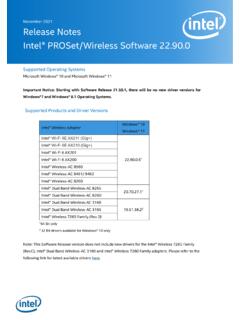
November 2021 Release Notes Intel® PROSet/Wireless ...
downloadmirror.intel.comNovember 2021 Release Notes Intel® PROSet/Wireless Software 22.90.0 Supported Operating Systems Microsoft Windows® 10 and Microsoft Windows® 11

Product Discontinuation Notice for Intel® WiDi and Intel ...
downloadmirror.intel.comProduct Discontinuation Notice for Intel® WiDi and Intel® Pro WiDi Intel has discontinued marketing and development for Intel® Wireless Display (Intel® WiDi) and Intel® Pro Wireless Display (Intel® Pro WiDi) applications and related …
Related documents

ARCHITECTING MICROSOFT SQL SERVER ON VMWARE …
www.vmware.combest practices guide – april 2019 architecting microsoft sql server on vmware vsphere® best practices guide

UEFI Secure Boot Customization - U.S. Department of Defense
media.defense.govSep 15, 2020 · Unified Extensible Firmware Interface (UEFI) is an interface that exists between platform hardware and software. UEFI is defined and updated via specifications maintained by the UEFI Forum industry body. Support for UEFI is a requirement for some newer software and hardware. Legacy boot solutions, such as Basic Input/Output System (BIOS), are ...
PRIME/PRO/ TUF GAMING X570 Series - Asus
dlcdnets.asus.comThe new ASUS UEFI BIOS is a Unified Extensible Interface that complies with UEFI architecture, offering a user-friendly interface that goes beyond the traditional keyboard-only BIOS controls to enable a more flexible and convenient mouse input. You can easily navigate the new UEFI BIOS with the same smoothness as your operating system. The

OptaneMemory SOP - Asus
dlcdnmkt.asus.comAfter launching the SetupOptaneMemory application, click Next and follow the steps shown on the installer. The installer will now prompt you to restart your computer, doing so will transfer AHCI mode to RAID mode, and Remapping options will be set to enabled. If the CSM setting is set to default, the Boot from Storage Devices option will be set to UEFI driver first.

E14/R14/E15/S3 Gen 2 User Guide - Lenovo
download.lenovo.comdisabled in UEFI BIOS. • When the computer is off or in hibernation mode, and Charge in Battery Mode is disabled in UEFI BIOS, ensure that you have connected the computer to ac power. To enable the Always On USB feature: 1. Enter the UEFI BIOS menu. See “Enter the UEFI BIOS menu” on page 29. 2.

Version 9 - memtest86.com
www.memtest86.comThe UEFI firmware itself also takes up some space compared to a traditional BIOS. 1.3 Compatibility MemTest86 is designed to work with all processors using the Intel/AMD x86 and x86-64 architecture, as well as the ARM64 architecture, running on UEFI systems. Most newer systems are able to run the UEFI version of MemTest86.

UEFI BIOS Recovery 1.0a - Supermicro
www.supermicro.comTo perform UEFI BIOS recovery using a USB-attached device, follow the instruc-tions below. 1. Using a different machine, copy the "Super.ROM" binary image fi le into the disc Root "\" Directory of a USB device or a writeable CD/DVD. Note: If you cannot locate the "Super.ROM" fi le in your driver disk, visit our