
Bose SoundLink
Bluetooth: Deactivate by clearing the pairing list by pressing and holding the Bluetooth button for 10 seconds. Activate by pairing with a ... Serial and model numbers can be found on the bottom of the system Serial number: _____ Model number: 416912 Purchase date: _____ ...
Download Bose SoundLink

Information
Domain:
Source:
Link to this page:
Documents from same domain
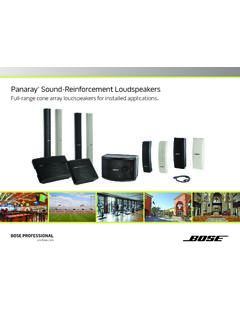
Panaray Sound-Reinforcement Loudspeakers
assets.bose.comPanaray ® Sound-Reinforcement Loudspeakers Full-range cone array loudspeakers for installed applications. 2 From the legendary Bose® 901 ® to the Professional 802 Bose first demonstrated the advantages of full-range cone driver arrays with the revolutionary 901 Direct/Reflecting® high-fidelity loudspeaker. Based on extensive …
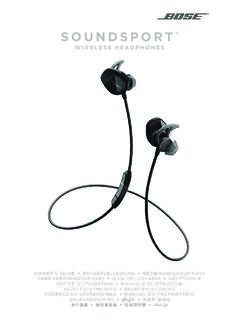
SOUNDSPORT - Bose Corporation
assets.bose.com• ®Unlock the full potential of your SoundSport wireless headphones • Free app compatible with most Apple and Android™ systems • Easily connect and switch between multiple Bluetooth® devices with a single swipe
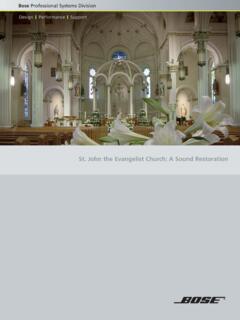
St. John the Evangelist Church: A Sound Restoration
assets.bose.comA major restoration at St. John the Evangelist Catholic Church in Delphos, Ohio, created an unexpected reverberation problem that lasted for more than seven years.
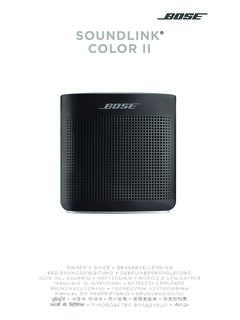
SOUNDLINK COLOR II - Bose Corporation
assets.bose.comBose Corporation hereby declares that this product is in compliance with the essential requirements and other relevant provisions of Directive 2014/53/EU and all other applicable EU directive requirements.
SOUNDLINK - Bose Corporation
assets.bose.comBose Corporation hereby declares that this product is in compliance with the essential requirements and other relevant provisions of Directive 2014/53/EU and all other applicable EU directive requirements.
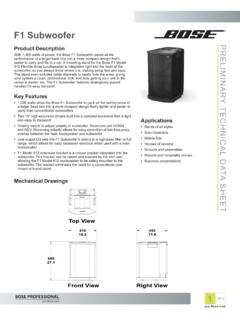
PRELIMINARY TECNICAL DATA SEET - Bose Corporation
assets.bose.com1 OF 3 PRELIMINARY TECNICAL DATA SEET proBosecom F1 Subwoofer Applications • Bands of all styles • Solo musicians • Mobile DJs • Houses of worship • Schools and universities • Resorts and hospitality venues • Business presentations Product Description With 1,000 watts of power, the Bose F1 Subwoofer packs all the
SoundSport Free Wireless - Bose
assets.bose.comWIRELESS. 2 - ENGLISH ITN SE INSINS Please read and keep all safety and use instructions. Important Safety Instructions ... • Do NOT submerge or expose the earbuds for extended period to water, or wear while participating in water sports, e.g., swimming, waterskiing, surfing, etc.
WAVE SOUNDTOUCH PEDESTAL - Bose
assets.bose.comSoundTouch pedestal: • Place the rear feet of the Wave music system into the recesses on top of the SoundTouch pedestal. • Make sure the Wave music system sits flat and the side edges of both parts are aligned. 3. Insert the SoundTouch pedestal’s cable into the Bose link connector. Connect the system to power
Gebruikershandleiding
assets.bose.comDUTCH - 3 WETT CHT UDCH ORMAT ... Apple, het Apple-logo, iPad, iPhone en iPod zijn handelsmerken van Apple Inc., gedeponeerd in de VS en andere landen. App Store is een servicemerk van Apple Inc. Het handelsmerk ‘iPhone’ …
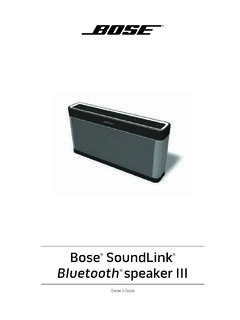
Owner’s Guide - Bose
assets.bose.comPlug the power cord on the AC power supply into the DC connector on the back of the speaker. 3. Plug the AC power supply into a live AC (mains) outlet. The speaker emits a tone to confirm connection to AC power, and charging begins. On the front of the speaker, the battery status indicator blinks yellow to show the battery is charging.
Related documents
SOUNDLINK COLOR II - Bose
assets.bose.comBluetooth source. *product does not utilize a networked standby mode for a Bluetooth® connection and does not have the ability to be configured to a network via Wi-Fi® or Ethernet For Europe: Frequency band of operation 2400 to 2483.5 MHz: Bluetooth: Maximum transmit power less than 20 dBm EIRP.

Wave Bluetooth Music Adapter - Bose
assets.bose.comWave® Bluetooth ® Music Adapter for ... The serial and model numbers can be found on the warranty card. Serial number _____ Purchase date_____ We suggest you keep your receipt with this owner’s guide. 6 - English Connecting your Wave® Bluetooth® Music Adapter The music adapter connects ...

Bluetooth HID Profile User Manual - SparkFun Electronics
cdn.sparkfun.comuniversal serial bus (USB) HID protocol as to leverage existing host drivers. NOTE: This user manual focuses specifically on HID. The Roving Networks Bluetooth Advanced User Manual and Apple User Manual cover the functionality of all supported …
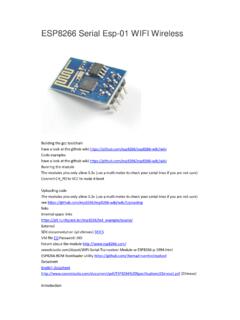
ESP8266 Serial Esp-01 WIFI Wireless - Components101
components101.comThe modules pins only allow 3.3v (use a multi meter to check your serial lines if you are not sure) Connect CH_PD to VCC to make it boot ... troubleshooting and radio systems coexist characteristics eliminate cellular / Bluetooth / DDR / LVDS / LCD interference. Characteristics 802.11 b / g / n Wi-Fi Direct (P2P), soft-AP

HC-05
components101.com-Bluetooth to Serial Port Module Overview HC-05 module is an easy to use Bluetooth SPP (Serial Port Protocol) module, designed for transparent wireless serial connection setup. Serial port Bluetooth module is fully qualified Bluetooth V2.0+EDR (Enhanced Data Rate) 3Mbps Modulation with complete 2.4GHz radio transceiver and baseband. ...
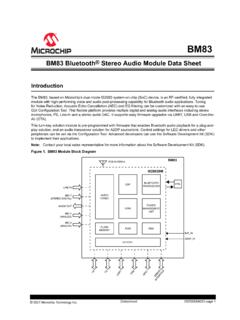
BM83 Bluetooth® Stereo Audio Module DS
ww1.microchip.comThe BM83 module supports the following Bluetooth profiles and codecs: • Profiles: – Hands-free Profile (HFP) 1.7.2, Headset Profile (HSP) 1.2, Advanced Audio Distribution Profile (A2DP) 1.3, Serial Port Profile (SPP) 1.2, Audio/Video Remote Control Profile (AVRCP) 1.6 and Phone Book Access Profile (PBAP) 1.2 • Codecs:

Bluetooth Global Certification Requirements
www.blueradios.comBluetooth specification, V1.0B, includes several profiles: generic access, cordless telephony, intercom, serial port, dial-up networking, headset, fax, and file transfer profiles. National type approval requirements also apply to Bluetooth products and are a

Sending and Receiving Data via Bluetooth with an Android ...
www.egr.msu.eduBluetooth can be confusing to use for those unfamiliar with the process. This application note details a method to utilize Bluetooth in order to communicate with a microcontroller. This method includes verifying Bluetooth support and status, pairing and connecting to the microcontroller’s Bluetooth module, and sending and receiving data serially.

BGM220P Wireless Gecko Bluetooth Module Data Sheet
www.silabs.com• Bluetooth mesh Low Power Node KEY FEATURES • Bluetooth 5.2 • Bluetooth mesh Low Power Node • Built-in antenna • Up to 8 dBm TX power • -98.9 dBm BLE RX sensitivity at 1 Mbps • 32-bit ARM Cortex-M33 core at up to 76.8 MHz • 512/32 kB of Flash/RAM memory • Optimal selection of MCU peripherals • Up to 25 GPIO pins • 12.9 mm ...