
Bose SoundLink
SoundLink® Mini speaker is ready for use. Connect to AC power via the speaker You can connect to AC power by connecting the DC power cord directly into the speaker. 1. Follow steps 1 and 2 from “Connecting to AC power” on page 10. 2. Plug the DC power cord on the power supply into the DC connector on the Bose® SoundLink® Mini speaker. 3.
Download Bose SoundLink

Information
Domain:
Source:
Link to this page:
Documents from same domain
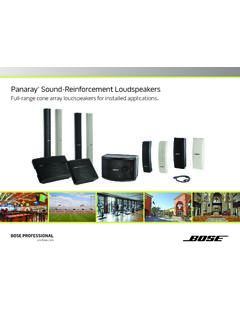
Panaray Sound-Reinforcement Loudspeakers
assets.bose.comPanaray ® Sound-Reinforcement Loudspeakers Full-range cone array loudspeakers for installed applications. 2 From the legendary Bose® 901 ® to the Professional 802 Bose first demonstrated the advantages of full-range cone driver arrays with the revolutionary 901 Direct/Reflecting® high-fidelity loudspeaker. Based on extensive …
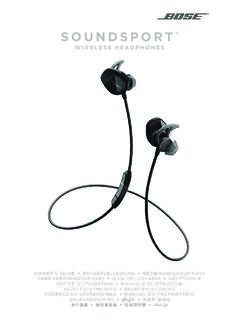
SOUNDSPORT - Bose Corporation
assets.bose.com• ®Unlock the full potential of your SoundSport wireless headphones • Free app compatible with most Apple and Android™ systems • Easily connect and switch between multiple Bluetooth® devices with a single swipe
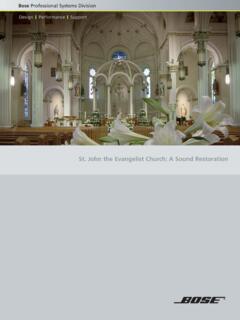
St. John the Evangelist Church: A Sound Restoration
assets.bose.comA major restoration at St. John the Evangelist Catholic Church in Delphos, Ohio, created an unexpected reverberation problem that lasted for more than seven years.
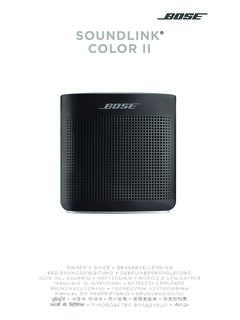
SOUNDLINK COLOR II - Bose Corporation
assets.bose.comBose Corporation hereby declares that this product is in compliance with the essential requirements and other relevant provisions of Directive 2014/53/EU and all other applicable EU directive requirements.
SOUNDLINK - Bose Corporation
assets.bose.comBose Corporation hereby declares that this product is in compliance with the essential requirements and other relevant provisions of Directive 2014/53/EU and all other applicable EU directive requirements.
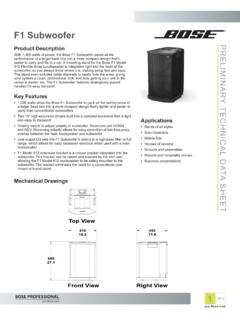
PRELIMINARY TECNICAL DATA SEET - Bose Corporation
assets.bose.com1 OF 3 PRELIMINARY TECNICAL DATA SEET proBosecom F1 Subwoofer Applications • Bands of all styles • Solo musicians • Mobile DJs • Houses of worship • Schools and universities • Resorts and hospitality venues • Business presentations Product Description With 1,000 watts of power, the Bose F1 Subwoofer packs all the
SoundSport Free Wireless - Bose
assets.bose.comWIRELESS. 2 - ENGLISH ITN SE INSINS Please read and keep all safety and use instructions. Important Safety Instructions ... • Do NOT submerge or expose the earbuds for extended period to water, or wear while participating in water sports, e.g., swimming, waterskiing, surfing, etc.
WAVE SOUNDTOUCH PEDESTAL - Bose
assets.bose.comSoundTouch pedestal: • Place the rear feet of the Wave music system into the recesses on top of the SoundTouch pedestal. • Make sure the Wave music system sits flat and the side edges of both parts are aligned. 3. Insert the SoundTouch pedestal’s cable into the Bose link connector. Connect the system to power
Gebruikershandleiding
assets.bose.comDUTCH - 3 WETT CHT UDCH ORMAT ... Apple, het Apple-logo, iPad, iPhone en iPod zijn handelsmerken van Apple Inc., gedeponeerd in de VS en andere landen. App Store is een servicemerk van Apple Inc. Het handelsmerk ‘iPhone’ …
Owner’s Guide - Bose
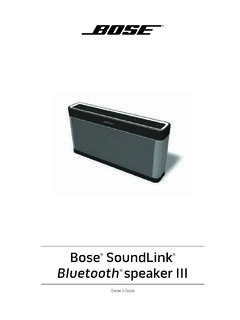
assets.bose.comPlug the power cord on the AC power supply into the DC connector on the back of the speaker. 3. Plug the AC power supply into a live AC (mains) outlet. The speaker emits a tone to confirm connection to AC power, and charging begins. On the front of the speaker, the battery status indicator blinks yellow to show the battery is charging.
Related documents

Poka-Yoke Presentation for ASQ
asq.orgOverproduction Pushing production Filling other’s in-box Extra tests Waiting Waiting on _____ Waiting on _____ Waiting on _____ Non-Utilized People No Input from workers No Input from workers No Input from workers Transportation Moving product, etc. Multiple reviews Patient transfer Inventory WIP, materials, etc. Full files; extra copies ...

HP CONNECTOR CHART
h71036.www7.hp.comMini-USB Transmits data and has one small, square tip. Example: A digital camera to a printer. Transmits video and comes in standard-definition and high-definition (HD). Higher quality than S-video and composite. Example: A TV to a DVD player. Transmits video. The “S” stands for “separate.” Higher quality than composite. Example: A TV ...

Spec Sheet for Cat 305.5D CR Mini Hydraulic Excavator …
www.excavatoare.netThe Cat® 305.5D CR Mini Hydraulic Excavator delivers high performance in a compact design to help you work in the tightest applications. The 305.5D CR features the following: Spacious, comfortable operator stationprovides superior legroom and excellent visibility to minimize fatigue. Compact radius designkeeps the radius of the upper body within
MiniKeyboard Instructions - RS Components
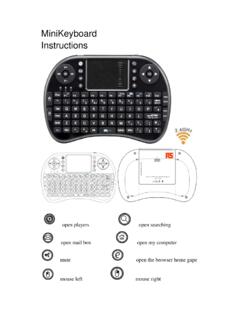
docs.rs-online.comusing this wireless Mini Keyboard and Mouse with Touch Pad. For people who want to watch internet TV play on their standard TV, via . broadband and a PC like NBC,ABC,FOX and IPTM Android TV Box, if use this wireless mini combo, who can sit in comfortable chair and select viewing pleasures without walking to computer to .
dBm - volts - watts conversion - Mini-Circuits
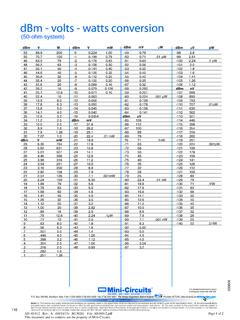
www.minicircuits.comISO 9001 ISO 14001 AS 9100 CERTIFIED Mini-Circuits ® P.O. Box 350166, Brooklyn, New York 11235-0003 (718) 934-4500 Fax (718) 332-4661 The Design Engineers Search Engine Provides ACTUAL Data Instantly at TM Notes: 1. Performance and quality attributes and conditions not expressly stated in this specification sheet are intended to be excluded and do not form a part …
T S RHS C. S f RHS C - Mini-Circuits
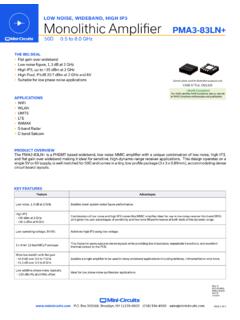
www.minicircuits.comMonolithic Amplifier LOW NOISE, WIDEBAND, HIGH IP3 PMALN www..com P.O. Box 350166, Brooklyn, NY 11235-0003 (718) 934-4500 sales@minicircuits.com PAGE 4 OF 4 NOTES A. Perf ttribut xpressly t t x . B. E f MCcuit’ f emen .
HP 260 G4 Desktop Mini PC
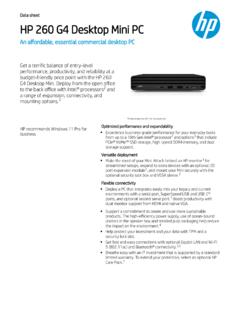
www8.hp.comMake the most of your Mini. Attach behind an HP monitor for streamlined setups, expand to extra devices with an optional I/O port expansion module, and mount your Mini securely with the optional security lock box and VESA sleeve. Flexible connectivity Deploy a PC that integrates easily into your legacy and current