
Citrix Receiver/Online Plugin Troubleshooting
In order to access and use the RSN Citrix site, you must have a government issued CAC card, Citrix OnlinePluginweb Version or Citrix Receiver installed, and the up to date DOD Root Certificates installed.
Download Citrix Receiver/Online Plugin Troubleshooting

Information
Domain:
Source:
Link to this page:
Documents from same domain

Leisure Satisfaction Measure (LSM) - Sites
sites.temple.eduRancho 7 or higher, mild to no orientation disability 5-10 mins To measure the degree to which a client perceives his/her general “needs” are being met through leisure Psychological: Activities bring about a sense of freedom, enjoyment, involvement, and intellectual challenge Educational: Activities are intellectually stimulating and help the
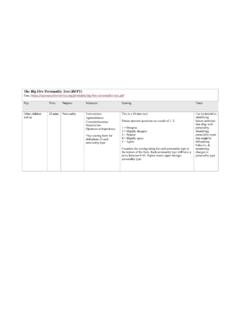
The Big Five Personality Test (BFPT) Free, https ...
sites.temple.edupersonality type This is a 50-item tool. Person answers questions on a scale of 1- 5. 1 = Disagree 2 = Slightly disagree 3 = Neutral 4 = Slightly agree 5 = Agree Complete the scoring string for each personality type at the bottom of the form. Each personality type will have a score between 0-40. Higher scores equal stronger personality type.

Berg Balance Scale - Sites
sites.temple.eduthe end of fingertips when arm is at 90 degrees. Fingers should not touch the ruler while reaching forward. The recorded measure is the distance forward that the fingers reach while the subject is in the most forward lean position. When possible, ask subject to use both arms when reaching to avoid rotation of the trunk.)
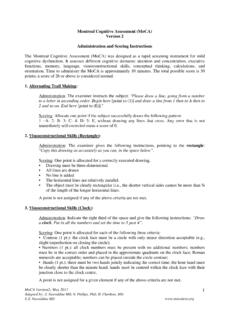
Montreal Cognitive Assessment - Sites
sites.temple.educount by subtracting 7 from 90, and then, keep subtracting from your answer until I tell you 7 to stop.” Give this instruction twice if necessary. Scoring: This item is scored out of 3 points. Give no (0) points for no correct subtractions, 1 point for one correction subtraction, 2 points for two-to-three correct subtractions, and 3 points
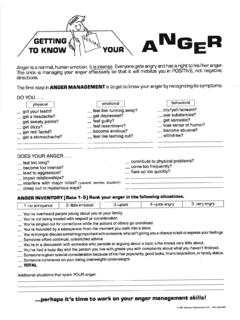
Anger Management Worksheets - Temple University Sites
sites.temple.eduCreated Date: 5/3/2015 5:10:24 PM
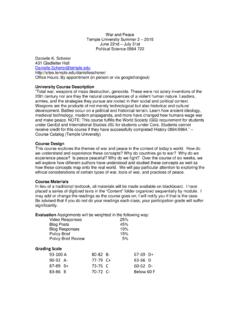
Grading Scale 93-100 A 80-82 B- 67-69 D+ - Sites
sites.temple.eduWar and Peace . Temple University Summer 2 – 2015 . June 22nd – July 31st . Political Science 0864 722 . Danielle K. Scherer 431 Gladfelter Hall

World Health Organization Disability Assessment …
sites.temple.eduWHO-DAS 2.0 Completed Example (*using the complex scoring Excel document) WHO-DAS 2.0 When scoring WHO-DAS 2.0, the following numbers are assigned to responses. 0 = No difficulty 1 = Mild difficulty 2 = Moderate difficulty 3 = Severe difficulty 4 = Extreme difficulty or cannot do Understanding and communicating

Community Balance and Mobility Scale Instructions - Sites
sites.temple.edu(Score same as #8 Walking and Looking) 12. DESCENDING STAIRS 0 unable to step down 1 step, or requires railing or assistance 1 able to step down 1 step with/without cane 2 able to step down 3 steps with/without cane, any pattern 3 3 steps reciprocal or full ight in step-to pattern 4 full ight reciprocal, awkward
Related documents

Getting Started in Citrix
www.ncbussafety.orgwindows/receiver-for-windows-431.html Note: The newest version of the Citrix Receiver (4.5 at the time of this writing) does not appear to be stable in DOT’s implementation. As such this link takes you to a slightly older version of the receiver client which has proven more stable. 2. Click on “Download File” toward the bottom of the page. 3.
REMOTE ACCESS
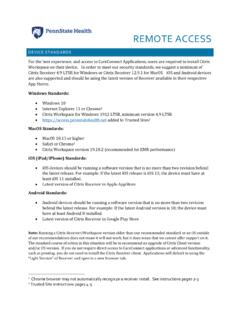
access.pennstatehealth.netCitrix Receiver 4.9 LTSR for Windows or Citrix Receiver 12.9.1 for MacOS. iOS and Android devices are also supported and should be using the latest version of Receiver available in their respective App Stores. Windows Standards: • Windows 10 • Internet Explorer 11 or Chrome1 • Citrix Workspace for Windows 1912 LTSR, minimum version 4.9 LTSR
Citrix Receiver Installation Guide for Windows
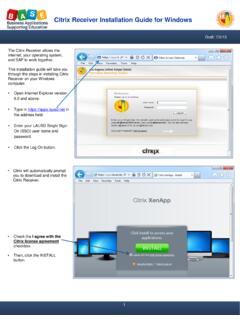
achieve.lausd.netJul 02, 2013 · • Open Internet Explorer version 6.0 and above. • Type in https://apps.lausd.net in the address field. • Enter your LAUSD Single Sign-On (SSO) user name and password. • Click the Log On button. • Citrix will automatically prompt you to download and install the Citrix Receiver. 1 • Check the I agree with the Citrix license agreement ...

AIG Information Technology: Work from Anywhere Gen2
connect.virtualworkspace.aig.comThis program verifies that the uninstall of the old version of the Citrix Receiver is complete. There is a known issue with the uninstall program for Citrix Receiver 3.4.100 an earlier that may leave some remnants behind and it renders future installations of the Citrix Receiver faulty. Running this utility removes the remnants and eliminates this

User Guide: How to Access Reliance Virtual Workplace
getit.ril.com•Citrix Receiver Version: Minimum Citrix Receiver 4.9, Recommended version is Workspace App 1912 •Don’ts: Do not access one Virtual Desktop inside another virtual desktop. Step by Step Guide to activate Two Factor Authentication and login to Citrix portal

Citrix - Duke University
library.dcri.duke.eduCitrix, short for Citrix Receiver, enables you to access from a remote location many DCRI-standard applications, the DCRI Intranet, protected web apps, and more. This quick reference card (QRC) details how to install Citrix Receiver on a Windows 7, 8, or 10 ... based version of the application again. 17 For details on how to operate the Citrix ...

Essentia Health Virtual Desktop Access
www.essentiahealth.orgPage | 4 8. If prompted click on Open Citrix Receiver Launcher and check Always open these types of links in the associated app 9. Launch Windows Desktop (Virtual Desktop) or choose Apps to launch a specific application (Epic-Live) Your

Citrix Receiver Setup for Chrome and Firefox - EZClaim
www.ezclaim.comReceiver Downloading Citrix Recewer___ Install Citrix Receiver on your machine when the download is complete. Once you installed Citrix Receiver, return here and click Continue Continue Retry download 1 Use light version Citrix Receiver ciTRIX Receiver Installation successful Click on Finish to begin using Citrix Receiver Finish
Deploying F5 with Citrix XenApp or XenDesktop
www.f5.comBIG-IP LTM, APM, AFM 11.4 - 14.0 Citrix XenApp, Citrix XenDesktop, and Citrix StoreFront Because not all BIG-IP versions support all Citrix versions, we are removing version numbers from this guide, and instead refer to the APM Client Compatibility Matrix for your BIG-IP version.