CM/ECF User Guide
CM/ECF U. SER . G. UIDE. 7 . Logging Out of CM/ECF To ensure that someone else using your computer cannot enter filings using your login, make sure you log out of CM/ECF. When you log out of CM/ECF, you will also be logged out of PACER. 1. In the CM/ECF page, in the menu bar, click Logout. A Confirm Logout dialog box opens. 2. Click the OK button.
Download CM/ECF User Guide

Information
Domain:
Source:
Link to this page:
Documents from same domain
UNITED STATES COURT OF APPEALS FOR THE …
cdn.ca9.uscourts.govFOR PUBLICATION UNITED STATES COURT OF APPEALS FOR THE NINTH CIRCUIT NARUTO, a Crested Macaque, by and through his Next Friends, People for the Ethical Treatment of Animals, ...
UNITED STATES COURT OF APPEALS FOR THE …
cdn.ca9.uscourts.govfor publication . united states court of appeals . for the ninth circuit . in the matter of transwest resort properties, inc., debtor,

Ninth Circuit Court of Appeals Mourns Passing of …
cdn.ca9.uscourts.govJudge Reinhardt was born in New York City and came west for his undergraduate studies, receiving his B.A. in 1951 from Pomona College. He attended Yale Law School, earning his
Chapter 29 - Appeals of Claims Decisions
cdn.ca9.uscourts.govMedicare Claims Processing Manual . Chapter 29 - Appeals of Claims Decisions . Table of Contents (Rev. 1986, 06-11-10) Transmittals for Chapter 29
UNITED STATES COURT OF APPEALS FOR THE …
cdn.ca9.uscourts.govfor publication united states court of appeals for the ninth circuit center for biological diversity; pesticide action network north america, non-profit organizations, ...
MOTIONS TO REOPEN OR RECONSIDER …
cdn.ca9.uscourts.govjanuary 2018 c-i . motions to reopen or reconsider immigration proceedings . table of contents . i. differences between motions to reopen and motions
FEB 17 2016 NOT FOR PUBLICATION - United States …
cdn.ca9.uscourts.govfeb 17 2016 susan m. spraul, clerk u.s. bkcy. app. panel of the ninth circuit not for publication united states bankruptcy appellate panel of the ninth circuit
NOT FOR PUBLICATION MAR 17 2016 - United …
cdn.ca9.uscourts.govnot for publication united states court of appeals for the ninth circuit jon henry, plaintiff - appellant, v. regents of the university of california, san francisco,
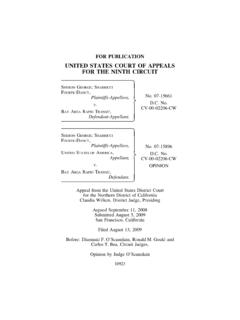
D.C. No.
cdn.ca9.uscourts.govshe could not drive, relied on services provided by Bay Area Rapid Transit District (“BART”) and other public transporta- tion services …
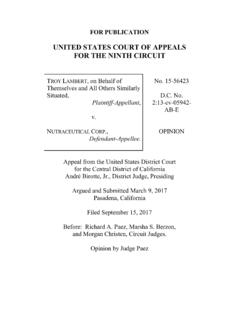
UNITED STATES COURT OF APPEALS FOR THE …
cdn.ca9.uscourts.govFOR PUBLICATION UNITED STATES COURT OF APPEALS FOR THE NINTH CIRCUIT TROY LAMBERT, on Behalf of Themselves and All Others Similarly Situated, Plaintiff-Appellant, v. NUTRACEUTICAL CORP., Defendant-Appellee.
Related documents
CM/ECF User Guide - United States Court of Appeals for the ...
cdn.ca9.uscourts.govCM/ECF U. SER . G. UIDE. 7 . Logging Out of CM/ECF To ensure that someone else using your computer cannot enter filings using your login, make sure you log out of CM/ECF. When you log out of CM/ECF, you will also be logged out of PACER. 1. In the CM/ECF page, in the menu bar, click Logout. A Confirm Logout dialog box opens. 2. Click the OK button.
MCP6001/1R/1U/2/4 - 1 MHz, Low-Power Op Amp
ww1.microchip.comMay 14, 2019 · MCP6001/1R/1U/2/4 DS20001733L-page 4 2002-2020 Microchip Technology Inc. AC ELECTRICAL SPECIFICATIONS TEMPERATURE SPECIFICATIONS Electrical Characteristics: Unless otherwise indicated, TA = +25°C, VDD = +1.8 to 5.5V, VSS = GND, VCM = VDD/2, VL = VDD/2, VOUT VDD/2, RL = 10 k to VL and CL = 60 pF (refer to Figure 1-1). …

Podiatry Specialty ICD-10-CM Coding Tip Sheet
www.bcbsm.comPodiatry Specialty ICD-10-CM Coding Tip Sheet Overview of Key Chapter Updates for Podiatry and Top 20 codes Chapter 1 Certain Infectious and Parasitic Diseases Terminology changes: The term “sepsis” (ICD-10-CM) has replaced the term “septicemia” (ICD-9-CM). “Urosepsis” is a nonspecific term and is not coded in ICD-10-CM.

LocoNet - Digitrax
www.digitrax.comof a central "mainframe" and "Main Control Program" was state of the art for the 60's and 70's and has yielded to new technologies and ideas. Comparing "raw" bit rates is not meaningful in this context since the strength of a true network system is in allowing multiple queued access without requiring polling or data flow controlling overheads ...
1. General description - NXP
www.nxp.comNormal mode; bus dominant 20 45 70 mA IIO supply current on pin VIO Standby mode; VTXD =VIO 5- 14 A Normal mode recessive; VTXD =VIO 15 80 200 A dominant; VTXD = 0 V - 350 1000 A VESD electrostatic discharge voltage IEC 61000-4-2 at pins CANH and CANL 8- +8kV VCANH voltage on pin CANH 58 - +58 V VCANL voltage on pin CANL 58 - +58 V

Practice Problems Worksheet Answer Key - TeachEngineering
www.teachengineering.orgsolution with a density of 0.70 x 10³ kg/m3. What is the density of the material? Given: F ... speed of 0.50 m/s through a 4.0-cm diameter pipe in the basement under a pressure of 3.03x10⁵ Pa, what will be the velocity and pressure in a 2.6-cm diameter pipe on …
Rehabilitation Guidelines for Achilles Tendon Repair
www.uwhealth.org8 cm long flap is made and turned down over the repair and sutured to reinforce the repair. The area that the flap was harvested from is then ... • Squat and lunge to 70° knee flexion without weight shift • Single leg stand with good control for 10 seconds • Active ROM between 15° of dorsiflexion and 50° of plantarflexion