
COMPUTER NETWORK SECURITY LAB MANUAL
1). Start -> Settings -> Control Panel -> Network Connections. 2). Network Connection Window will appear. Choose Local Area Connection Icon in the window. 3). Right Click the mouse and choose properties option under shortcut Menu. 4). Choose Internet Protocol (TCP/IP) check box and click Properties Button. You can assign IP address in 2 ways (a).
Download COMPUTER NETWORK SECURITY LAB MANUAL

Information
Domain:
Source:
Link to this page:
Related documents

Provider Manual - Anthem
providers.anthem.comcoverage in California. Anthem Blue Cross has a long-standing history of providing Medi-Cal services to Californians. In fact, Anthem Blue Cross was one of the first Medi-Cal managed care organizations (MCOs). This Provider Manual is designed for Anthem Blue Cross contracted providers. Our goal is to create a useful reference guide for you and your
LAB MANUAL for Computer Network
sjce.ac.in2. Click Start, and then click Control Panel. 3. Click Network and Internet Connections. 4. Click Network Connections. 5. Right-click the connection that you use to connect to the Internet. For example, if you connect to the Internet by using a modem, right-click the connection that you want under Dial-up / other network available. 6.
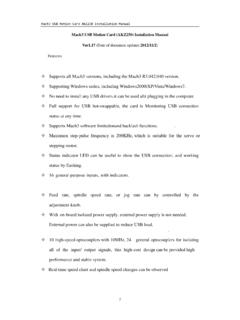
Mach3 USB Motion Card AKZ250 Installation Manual
www.automationtechnologiesinc.com[3/4 Axes control] [8 Output Channels] Can control the . Spindle rotation, Mist/Flood coolant, Tool Change, User-defined M-code, etc… PC that Running MACH3 USB . Connection . Spindle Controller Adjustment knob pindle speed output (PWM) Spindle speed . Feedback signal. Steppers /Servos . Mach3 USB Motion Card AKZ250 Installation Manual

Engineering Design Manual - loudounwater.org
www.loudounwater.org44865 LOUDOUN WATER WAY ASHBURN, VA 20147. T. EL: 571.291.7700 | F. AX: 571.223.2912 . www.loudounwater.org . Engineering …