Configuring Radiant POS Terminals - LECOLO.COM
Configuring Radiant POS terminals 5 13. Click the Ports tab, select an unused Serial Port (e.g., COM4), and then click OK. NOTE: Alternatively, you can delete the Epson TM-T88 - Serial printer, instead of assigning it to an unused port. 14. Start CounterPoint and log in to your company database. 15. Select File Utilities / Special / System / Update pre-defined data.
Download Configuring Radiant POS Terminals - LECOLO.COM

Information
Domain:
Source:
Link to this page:
Documents from same domain

Stored Value Cards - LECOLO.COM
www.lecolo.comStored Value Cards 3 Introduction Overview A stored value card (SVC) is a numbered card that represents a specific dollar value and can be redeemed at a merchant’s store.
Related documents

User's Guide - XP-410 - Epson
files.support.epson.comPrinting Personalized Projects..... 142
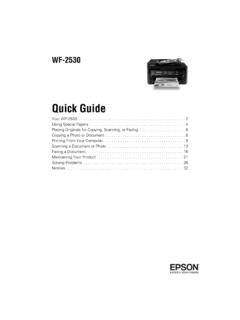
Quick Guide - WF-2530 - Epson
files.support.epson.com2 Your WF-2530 Your WF-2530 After you set up your WF-2530 (see the Start Here sheet), turn to this Quick Guide and your online User’s Guide for instructions on using your product. Using the Control Panel The control panel makes it easy to use all the features of your product.
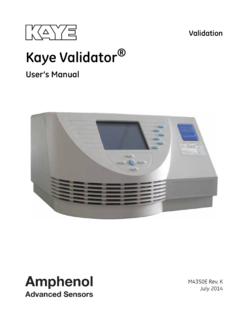
Kaye Validator - SiSW
sisw.czChapter 1. The Kaye Validator Kaye Validator User’s Manual 1 Chapter 1. The Kaye Validator 1.1 Introduction The Kaye Validator® is the latest generation in thermal validation systems. The Validator is a

DOX 10 - Welcome - SattControl
www.sattcontrol.seDOX 10 is a powerful software development tool. It permits efficient programming of the SattCon family of products1 from ABB Automation. DOX 10 runs on a normal PC and

Trace Moisture Analyzer - Teledyne Analytical Instrs
www.teledyne-ai.comi Teledyne Analytical Instruments OPERATING INSTRUCTIONS FOR Model 8800A & B Trace Moisture Analyzer HIGHLY TOXIC AND OR FLAMMABLE LIQUIDS OR …

Scanner Installation Assistant
direct.imagedepositgateway.comScanner Installation Assistant Assistant 3 Second Edition 6. The Add\Remove Programs window launches, displaying a list of installed Programs and Features. 7. From here scroll through the list to find your system’s currently installed scanner