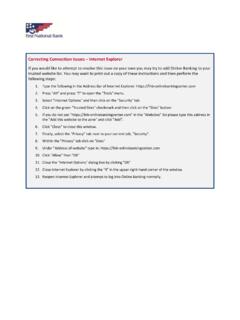
Correcting Connection Issues Internet Explorer
1. Type the following in the Address Bar of Internet Explorer: https://fnb‐onlinebankingcenter.com 2. Press "Alt" and press "T" to open the "Tools" menu. 3. Select "Internet Options" and then click on the "Security" tab 4. Click on the green "Trusted …
Download Correcting Connection Issues Internet Explorer

Information
Domain:
Source:
Link to this page:
Documents from same domain

Electronic Records Disclosures Agreement
banking.fnb-onlinebankingcenter.comElectronic Funds Transfer Act Disclosures Revised December 7, 2020 Revised: 12/07/20 Page 6 of 73 2. CONSENT TO SHARE PERSONAL INFORMATION FOR THE ZELLE® AND OTHER PAYMENT SERVICES By accepting this agreement and further enabling or enrolling your accounts in the Zelle and Other Payment Services as outlined in the “Consumer Agreement for …
Related documents

Making AKO Work with Internet Explorer Color - MilitaryCAC
militarycac.comInternet Explorer & Edge on your Windows computer Performing these fixes “should” fix most access problems. Last Revision / review: 31 August 2021 Presented by: Michael J. Danberry. Personnel utilizing this guide without a CAC should . only. skip the pages marked: “This page is CAC Specific.” CAC holders need to follow . ALL. slides.

NY.gov Login Problems and Internet Explorer 11 Adding the ...
www.wcb.ny.govNY.gov Login Problems and Internet Explorer 11 . A change has been made to NY.gov as well as newer versions of Internet Explorer (IE) 11 that is affecting some users. Specifically, users of IE11 version 11.765.17134.0 (other versions may be impacted as well) are reporting problems logging into NY.gov.

Directions for Enabling TLS 1.0 for Internet Explorer ...
travel.state.govDirections for Enabling TLS 1.0 for Internet Explorer, Firefox, Safari, and Chrome . Internet Explorer . In order to enable TLS 1.0 the desktop user …

To reset Internet Explorer settings to Default
tseamcetb.nic.inTo reset Internet Explorer settings to Default 1. Close all Internet Explorer and Windows Explorer windows that are currently open. 2. Open Internet Explorer by clicking the Start button . In the search box, type Internet Explorer, and then, in the list of results, click Internet Explorer. 3. Click the Tools button, and then click Internet ...

Registro de los certificados de la ACCV Internet Explorer
www.accv.esdesde Internet Explorer, vaya a Herramientas, Opciones de Internet, Contenido, Certificados: En la pestaña Entidades de certificación raíz de confianza debe figurar ACCV Raíz 1. En la pestaña Entidades de certificación intermedias deben figurar ACCVCA-120 y ACCVCA-110. Si los certificados no se han instalado correctamente, repita el proceso desde el inicio.
Internet Explorer Personal Computer Checklist
www.realpage.comInternet Explorer® and Microsoft® Windows® 10 . Personal Computer Checklist . New OneSite User . February 2018 Doc ID: 128636