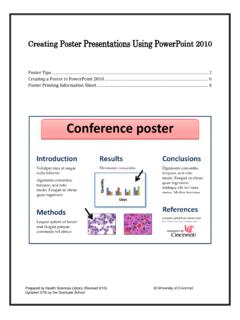
Creating Poster Presentations Using PowerPoint 2010
The largest page size PowerPoint can accommodate is 56 inches. If your poster must be larger than that, design it proportionally. For example for a 48" x 72" poster, set the PowerPoint page size to 24" x 36." You are designing it in half the actual size. The printer will blow it up 200%, giving you a 48 x 72 inch poster in the end.
Download Creating Poster Presentations Using PowerPoint 2010

Information
Domain:
Source:
Link to this page:
Related documents
Computers, part of your life Grade 10 - Study Opportunities
www.studyopportunities.co.za1.1 Introduction to computers...2 1 1.2 Software...17 1 1.3 Hardware...28 1 1.4 File management...43 1 1.5 ICT in perspective...57 1 1.6 Extended software concepts...65 2 1.7 Extended hardware concepts...74 2 1.8 The impact of ICT...91 4 Section 2 Network and Internet Technologies Module Term 2.1 Introducing networks...100 2 2.2 Network basics ...
Introduction to RStudio - Princeton University
dss.princeton.eduThe console is where you can type commands and see output The workspace tab shows all the active objects (see next slide). The history tab shows a list of commands used so far. The files tab shows all the files and folders in your default workspace as if you were on
Help and tutorials
helpx.adobe.comIntroduction Export PDF Introduction Adobe Export PDF lets you reuse valuable content stored in PDF files. Instead of retyping the information, use Adobe Export PDF to turn PDF files into editable Word, Excel, PowerPoint, and RTF (rich text format) documents. Export PDF
QUICK START GUIDE
mp3support.sandisk.comQUICK START GUIDE Page 3 Introduction With the strong growth in digital content generation, preventing data loss has become crucial. The SanDisk® Backup software is an easy way to backup valuable personal and professional files from any computer onto your SanDisk® Ultra® Backup USB flash drive. The SanDisk Backup software is designed for users who care about their data and take the
Proposed Syllabus by C.S.J.M.University,Kanpur. Bachelors ...
www.kanpuruniversity.orgEditors and Word Processors Basic Concepts, Examples: MS-Word, Introduction to desktop publishing. UNIT-VI Spreadsheets and Database packages Purpose, usage, command, MS-Excel, Creation of files in MS-Access, Switching between application, MS-PowerPoint. Referential Books : 1. Fundamental of Computers – By V.Rajaraman B.P.B. Publications 2.

start here - Logo of the BBC
downloads.bbc.co.ukintroduction • Welcome 1 1. Using a computer 1.1 Switching on your computer 3 1.2 Using a mouse 5 1.3 Desktop and icons 10 1.4 Using a keyboard 16 2. Using the internet 2.1 What the internet is 21 2.2 Searching the internet 27 2.3 Staying safe online 32 3. Using email 3.1 Sending and receiving email 37 4.

Course Catalog - Astravo Online Academy
astravo.orgHuman and Social Services 1b: Introduction Peer Counseling Information Technology Access: Office Fundamentals Series Augmented and Virtual Reality Applications Cloud Technologies and the Internet of Things Coding 1a: Introduction to Programming Coding 1b: Programming Excel: Office Fundamentals Series Foundations of Game Design 1a: Introduction
Office 365 Licensing Brief
download.microsoft.comIntroduction Office 365 is Microsoft’s productivity solution in the cloud. It’s sold as suites that are available for every organization, regardless of their size. Depending on the suite, Office 365 can include the full downloadable Office client, also available as a set of web based applications (Word, Excel, PowerPoint
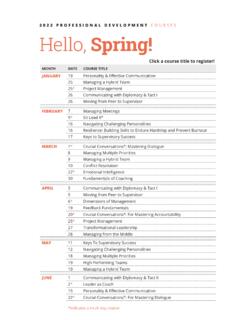
2022 PROFESSIONAL DEVELOPMENT COURSES Hello, Spring!
hr.duke.eduWord Level 1 – Introduction 19 * Excel Level 1 – New Users: FEBRUARY. 8 * Excel Level 1 – Introduction: 10 * PowerPoint Level 1 – Introduction. MARCH. 8 * ... PowerPoint Level 1 – Introduction 16 * Excel Level 1 – Introduction. SEPTEMBER. 7 * Access Level 1 – Introduction. 8. Excel – Formulas & Functions Basics. 8.

SEMESTER I 101: Fundamentals of Information Technology …
imed.bharatividyapeeth.eduMS Office Suite, Introduction focuses on beginning computer concepts, Windows operating system, Internet Explorer, Word, Excel, PowerPoint, and the basic integration of the components of this integrated Microsoft application. Prerequisites 1. No Prerequisite Course objectives and content Upon completion of this course students will be able to: