
CX True Wireless
using the product. Always include this instruction manual when passing the product on to third parties. Do not use the product if it is obviously defective or makes loud, unusual (whistling or beeping) noise. Only use the product in environm ents where Bluetooth® wireless transmission is permitted. Preventing damage to health and accidents
Download CX True Wireless

Information
Domain:
Source:
Link to this page:
Documents from same domain

MOMENTUM Wireless M2 AEBT - Sennheiser
assets.sennheiser.comThe MOMENTUM Wireless (M2 AEBT) Bluetooth The MOMENTUM Wireless (M2 AEBT) headphones comply with the Bluetooth technology 4.0 standard and are compatible with all Bluetooth 1.1, 1.2, 2.0, 2.1, 3.0 and 4.0 devices with the following profiles: • Headset Profile (HSP) 1.2 - provides the basic functionalities used by the
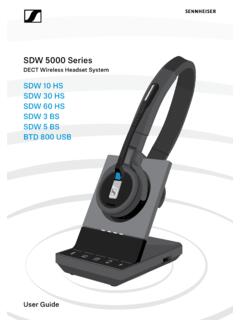
SDW 5000 Series - Sennheiser
assets.sennheiser.comDepending on the variant you can plug in the headset system to your fixed line phone and/or your computer. Via the Bluetooth dongle BtD 800 UsB you can connect mobile phones or Bluetooth headsets. Additionally you can plug a UsB headset or speakerphone in the UsB port or the busy light UI 10 BL in the back of the

PXC 550 - Sennheiser
assets.sennheiser.com2 | PXC 550 Important safety instructions Important safety instructions X Read this instruction manual carefully and completely before using the product. X Always include this instruction manual when passing the product on to third parties. X Do not use an obviously defective product. Preventing damage to health and accidents X Protect your hearing from high volume …

HD 4.50BTNC/HD 4 - Sennheiser
assets.sennheiser.com2 | HD 4.50BTNC/HD 4.50R Important safety instructions Important safety instructions X Read this instruction manual carefully and completely before using the product. X Always include this instruction manual when passing the product on to third parties. X Do not use an obviously defective product. X Only use the product in environments where Bluetooth® wireless …
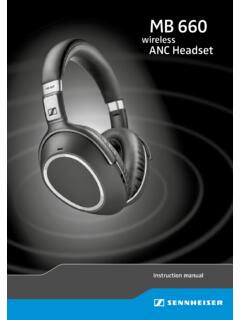
MB 660 wireless ANC headset
assets.sennheiser.comto the HSP. If a function, such as voice control, is not supported by the HSP profile, the HFP takes place. • Audio/Video Remote Control Profile (AVRCP) 1.5 – used to control music on the Bluetooth device from the headset (play, pause, skip music track, etc.). • Advanced Audio Distribution Profile (A2DP) 1.3 – used by a Bluetooth device

HD 450BT - Sennheiser
assets.sennheiser.comThe LED dis-plays the charge status: Right R 2 HRS USB-A USB-C LED Off * Using the headphones 12 | HD 450BT Connecting the headphones to a Bluetooth device To be able to use the Bluetooth connection, you must register both devices (headphones and e.g. smartphone) once. This process is

GSP 670 Gaming Headset with low latency connection and ...
assets.sennheiser.comAug 30, 2019 · the headset complies with the Bluetooth 5.0 standard. Bluetooth de vices need to support the “hands free profile” (hFP), the “headset profile” (hsP) or the “advanced audio distribution profile” (A2DP). the headset can save up to eight paired devices. If you pair the headset with a ninth device, the first

Digital Wireless Headphone System - Sennheiser
assets.sennheiser.comSennheiser head-phones sound exceptionally good at low and medium volume levels. ... – operated only within the permissible temperature range, ... Separate the transmitter and other wireless devices in a room by at least 50 cm/20” to avoid interference.

MOMENTUM True Wireless - Sennheiser
assets.sennheiser.comMOMENTUM True Wireless | 5 Product overview Charging case M3IETW C LED displays the charging process/charge status of the rechargeable battery of the charging case or of the earbuds (when inserted into the charging case) Input for USB-C connector for charging the rechargeable batteries LED button activates the LED display for 5 seconds

MOMENTUM True Wireless 2 - Sennheiser
assets.sennheiser.com6 | MOMENTUM True Wireless 2 Product overview Charging case M3IETW2 C LED displays the charging process/charge status of the rechargeable battery of the charging case or of the earbuds (when inserted into the charging case) Input for USB-C connector for charging the rechargeable batteries LED button activates the LED display for 5 seconds
Related documents
Using Wireless Headphones with Bluetooth for the AMS 2140
www.emerson.comUsing Wireless Headphones with Bluetooth for the AMS 2140 Reliability engineers know that listening to bearings or gear-teeth during machine operation can help diagnose machine problems. Wearing headphones to listen to machine vibration through the accelerometer gives another dimension and sense to what is happening with the machine.

SoundLink Around Ear Wireless Headphones II - Bose
assets.bose.comEnhance your headphones with the Bose® Connect app. Features • Unlock the full potential of your headphones. • Free app compatible with most Apple and Android™ systems. • Easily connect and switch between multiple Bluetooth® devices with a single swipe. • Keep your headphones up-to-date with the latest software.

SoundLink On-Ear Bluetooth Headphones - Bose
assets.bose.comWe appreciate your choice of the Bose ® SoundLink on-ear Bluetooth® headphones. These wireless stereo headphones combine the audio performance and comfort you expect from Bose with the freedom to move away from your source. Unpacking Check the carton for: the Bose SoundLink on-ear Bluetooth headphones, audio cable, USB charging cable, and ...
HD 450BT - Sennheiser
assets.sennheiser.cominstruction manual of the Bluetooth device you are using. Information on the Bluetooth wireless connection The headphones are compatible with Bluetooth 5.0. If your audio source supports one of the following high-resolution audio encoding methods, music is automatically played in high audio quality: aptX, aptX LL or AAC.
Wireless Earbuds
images-eu.ssl-images-amazon.com2) Turn on the Bluetooth of your phone or other Bluetooth devices. 3) Turn on the earbuds (when they are in shutdown state) and the earbuds enter pairing mode (LED indicator on the left earbud flashes blue and white alternately). 4) In the list of found Bluetooth devices in your phone or other Bluetooth devices, choose "D39-L" to pair.

AT-LP60XBT User Manual - Audio-Technica
www.audio-technica.com• Read the user manual for the Bluetooth receiver device. • Place the device within 1 m (3.3') of the product to perform pairing correctly. 1. Set your Bluetooth headphones, speakers, etc. to pairing mode. 2. Make sure the AC adapter is connected to an outlet, and then press and hold the wireless function button (about 2 seconds).