DCPS CAC-enabled Guide - DISA
DCPS CAC or PIV Card - enabled DCPS CAC/PIV-enabled - 3 - Next, you will be prompted for your username and pass- word (see figure 4). Enter your username and pass- word for the DCPS user ID you are registering: Figure 3 Figure 4 . If successful, the “Status” line at the top will change to: Response: Success User ID: XXXXXXXXXX
Download DCPS CAC-enabled Guide - DISA

Information
Domain:
Source:
Link to this page:
Documents from same domain

DJMS CAC Enablement User Guide V 1.4
miap.csd.disa.milDJMS CAC Enablement User Guide . V 1.4.2 . Prepared By: ESS . DISTRIBUTION IS LIMITED TO U.S. GOVERNMENT AGENCIES AND THEIR CONTRACTORS.

SYSTEM AUTHORIZATION ACCESS REQUEST (SAAR)
miap.csd.disa.milDD Form 2875, System Authorization Access Request, August 2009 Author: WHS/ESD/IMD Created Date: 8/17/2009 2:46:20 PM ...

Mainframe Internet Access Portal - DISA
miap.csd.disa.milMULTI-HOST INTERNET ACCESS PORTAL (MIAP) USERS MANUAL . Page 7 of 142 . 5. Version Control. Version Description Date 0.1 Working Draft 03 Jan 2003
Related documents
4th Grade 4 Reading Clara Barton - K5 Learning
www.k5learning.com4. Why was Clara called the “Angel of the Battlefield”? Clara was called the Angel of the Battlefield because she would take care of injured soldiers in the battlefields. 5. If each paragraph had a heading, the heading for the 2nd paragraph could be “Clara’s Early Life”. Create a heading for the

Multi Vehicle Option for e-Way bill
docs.ewaybillgst.gov.in4. Now, when the consignment has been loaded to the smaller vehicle, update the ‘Part-B’ of the e-way bill with the vehicle number, along with the quantity loaded, and move the consignment. 5. Step No 4 may be repeated till total quantity is loaded and moved. The system will not
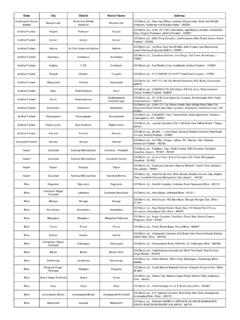
State City District Branch Name Address
www.icicibank.comDelhi New Delhi NORTH DELHI NewDelhi-Modeltown ICICI Bank Ltd, , H-4, Model Town III,110009 Delhi New Delhi WEST DELHI NewDelhi-Punjabibagh ICICI Bank Ltd, , 19 West Avenue, Punjabi Bagh, West, New Delhi,110026 Delhi New Delhi NORTH-WEST DELHI NewDelhi-Rohinisector9 ICICI Bank Ltd, , S.D. Shoppers Arcade, Plot No1, Community …

BIOS-enabled security features in HP business notebooks
h10032.www1.hp.com4. Repeat the steps to create a BIOS User account for each new user. The BIOS will now prompt for a BIOS user password during boot. The BIOS user can change the default password as follows: 1. Boot the system, and then press f10 to enter the BIOS setup. 2. Select Change Password from the Security menu and follow prompts to change to a new password.

Installation guide - ecobee
www.ecobee.comlabelled “C” or “common”, skip to step 4. Attach back plate to wall Secure the back plate to your wall with the provided screws. Connect wires to ecobee3 Use the stickers from step 2 as a guide and insert the wires into ecobee3 terminal blocks. Power on your HVAC system Power back on your HVAC equipment. Your ecobee3 will

Microsoft Teams enabled for NHSmail users
www.england.nhs.uk4 | Microsoft Teams enabled for NHSmail users Article 2: Start chats and make calls Video Try it! With chat, you can have a private one-on-one or group conversations that are not in the public team channel. And you can make calls or check your history. View a chat Select Chat and then a one-on-one or group chat from the chat list. Start a chat

SSL 2 TLS 1.2 SSL 3 any TLS version HOW TO CHANGE TLS ...
www.waco-texas.comPage 2 of 4 5. If Use SSL 3.0 is enabled, you may have any (or all, but at least one) TLS version enabled (checked) 6. Enable the appropriate TLS version and any other version you may need for other applications 7. Click Apply, then OK and exit. 8. Close Internet Explorer and re-open it for the change to take effect.

Intel® VMD-Enabled NVMe Driver for VMware* ESXi with …
www.intel.comIntel® VMD-Enabled NVMe Driver For VMware* ESXi* March 2021 User Guide 2 Legal Notices and Disclaimers Intel may make changes to specifications …

OFFICE OF MANAGEMENT AND BUDGET WASHINGTON, D.C. …
www.whitehouse.govversion 4 (1Pv4) that has been in use since 1983. Internet Protocol (IP) addresses are the globally ... IPv6-enabled refers to a system or service in which the use ofIPv6 is "turned on" for ...

“Deep Fakes” using Generative Adversarial Networks (GAN)
noiselab.ucsd.eduposition between inputs and outputs [4,9]. We denote this loss as L identity which aims to regulate the generator to be close to an identity mapping when real images in the target domain are provided to the generator as inputs[4]. Since there are two losses for each DCGAN, i.e. an ad-versarial loss and a discriminator loss, we merge the adver-