
Document Version: 1.3 Image Version: v1 - Dragino
The LHT65 is configured as LoRaWAN OTAA Class A mode by default. Each LHT65 is shipped with a worldwide unique set of OTAA and ABP keys. To use LHT65 in a LoRaWAN network, user needs to input the OTAA or ABP keys in the network server. So LHT65 can join the LoRaWAN network and start to transmit sensor data.
Download Document Version: 1.3 Image Version: v1 - Dragino

Information
Domain:
Source:
Link to this page:
Documents from same domain

Document Version: 1.4 Firmware Version: IoT Mesh …
www.dragino.comLG01 LoRa Gateway User Manual Document Version: 1.4 Firmware Version: IoT Mesh v4.3.3 Version Description Date 0.1 Initiate 2016-Oct-29 1.0 Release, Add ThingSpeak Examples 2016-Dec-9 1.1 Add Example List for connecting to TTN 2017-May-17 1.2 Add Link for RN2483 Support, OLG01 Antenna description , modify fallback ip ...
Document Version: 1.4 Firmware Version: IoT Mesh v4.3
www.dragino.comAutomatic RF Sense and CAD with ultra-fast AFC. Packet engine up to 256 bytes with CRC. Built-in temperature sensor and low battery indicator. Cellular 4G LTE (optional): Quectel EC20 LTE module Micro SIM Slot Internal 4G Antenna + External 4G Sticker Antenna. Up to 100Mbps downlink and 50Mbps uplink data rates
Related documents

LoRa&LoRaWAN系列常见问题
docs.ai-thinker.comLoRaWAN协议每天可以接受接近150万包数据。因此,如果你的应用每小时发送一个包,那么一个SX1301 网关可以处理大约62500个终端设备。 24.LoRa私有网关和LoRaWAN网关的区别什么?

Firmware Version: lgw--build-v5.4.1615882321-20210316-1613
dragino.comwww.dragino.com LPS8 LoRaWAN Gateway User Manual 5 / 50 1 Introduction 1.1 What is the LPS8 The LPS8 is an open source LoRaWAN Gateway.It lets you bridge LoRa wireless network to an IP network via WiFi, Ethernet.

LoRa-E5
files.seeedstudio.com6 LoRaWAN® application information 6.1 LoRaWAN® application The topology of the LoRaWAN® network is a star network, and the gateway acts as a relay between nodes and network servers. The gateway is connected to the network server through a standard IP link, and the node device uses LoRa® or FSK to communicate with one or more gateways ...
NOTICE OF USE AND DISCLOSURE - LoRa Alliance®
lora-alliance.orgRP002-1.0.2 LoRaWAN® Regional Parameters ©2020 LoRa Alliance ® Page 2 of 94 The authors reserve the right to change specifications without notice. 37 38 39 RP002-1.0.2 LoRaWAN® Regional 40 Parameters 41 42 This document is a companion document to the LoRaWAN® protocol specification 43 44 Authored by the LoRa Alliance Technical Committee Regional …

What is it? - LoRa Alliance®
lora-alliance.orgWHAT IS LoRaWAN™? LoRaWAN™ defines the communication protocol and system architecture for the network while the LoRa® physical layer enables the long-range communication link. The protocol and network architecture have the most influence in determining the battery lifetime of a node, the network capacity, the quality of service, the security,
LoRa® and LoRaWAN®: A Technical Overview
lora-developers.semtech.comFeb 11, 2020 · LoRaWAN accommodates the need for longer battery life, with a trade-off of longer latency and smaller packet sizes. In contrast Cat-M1 can be used for larger payloads with less latency than LoRaWAN can accommodate. LoRa and LoRaWAN: A …
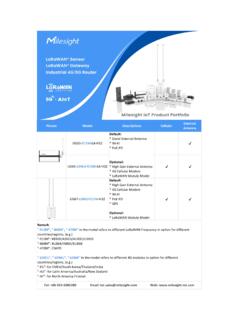
External - resource.milesight-iot.com
resource.milesight-iot.com* LoRaWAN Module Model UG65-L04EU-915M-EA-H32 UG67-L04EU-915M-H32 Default: * High Gain External Antenna * 4G Cellular Modem * Wi-Fi * PoE-PD * GPS Optional: * LoRaWAN Module Model Remark: "-915M", "-868M", "-470M" in the model refers to different LoRaWAN Frequency in option for different countries/regions, (e.g.)
The design and implementation of a smart-parking system ...
www.hel.fiKeywords: Smart parking system, LoRa, LoRaWAN, Internet of Things, IoT, Reverse SSH tunneling, Machine learning. 3 Acknowledgements On this project I worked as both systems and electronics engineer. Under the systems engineer role, I worked on the design of the Smart Parking System architecture together with the CIO