
DualSense Wireless Controller - PlayStation
C ) USB port D ) L1 button E ) L2 button Pair your controller The first time you use the controller, you’ll need to pair it with your PS5 console. 1 Turn on your console. 2 Connect the controller to your console using the USB cable included with your console. 3 Press the (PS) button. The controller powers on.
Download DualSense Wireless Controller - PlayStation

Information
Domain:
Source:
Link to this page:
Documents from same domain

Gold wireless headset - PlayStation
www.playstation.comˎ Output volume varies depending on the portable device that is connected. Adjust volume accordingly. ˎ You can use the included audio cable to connect the headset to your mobile device to listen to audio content and talk on the phone. ˋ If you are unable to hear audio content using the cable with your mobile device, turn the headset power off.
Platinum Wireless Headset - PlayStation
www.playstation.comStereo/5.1/7.1 Stereo VSS 3D Audio Stereo 3D Audio ***Non-VR games must have 3D audio technology implemented to allow the headset to output 3D audio format, even when 3D audio is supported for PS VR. Using your headset with a PC You can use your headset with a PC (Windows® or Mac OS) that has a USB port. Insert the wireless adaptor into a USB

DUALSHOCK®4 Wireless Controller Instruction Manual
www.playstation.com2 EN Before use ˎ Carefully read this manual and any manuals for compatible hardware. Retain instructions for future reference. ˎ Always update your system to the latest version of the system software. Precautions Safety ˎ Avoid prolonged use of this product. Take a 15-minute break during each hour of play. ˎ Stop using this product immediately if you begin to feel tired or if you ...
Related documents
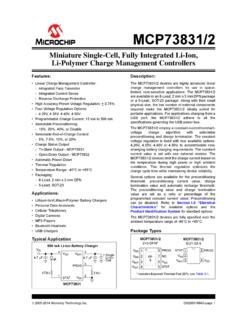
MCP73831/2 Data Sheet - Microchip Technology
ww1.microchip.comMar 25, 2014 · • USB Chargers Typical Application Description: The MCP73831/2 devices are highly advanced linear charge management controllers for use in space-limited, cost-sensitive applications. The MCP73831/2 are available in an 8-Lead, 2 mm x 3 mm DFN package or a 5-Lead, SOT-23 package. Along with their small physical size, the low number of external ...
Future Technology Devices International Ltd FT231X
www.ftdichip.comUSB Battery Charge r Detection . Allows for USB peripheral devices to detect the presence of a higher power source to enable improved charging . Device supplied pre -programmed with unique USB serial number. USB Power Configurations; s upports bus - powered, self -powered and bus-powered with
USBXpress™ Family 1.2 Specification) - Silicon Labs
www.silabs.comThese highly-integrated USB-to-UART bridge controllers provide a simple solution for updating RS-232 designs to USB using a minimum of components and PCB space. CP2102N includes a USB 2.0 full-speed function controller, USB transceiver, oscillator, and Universal Asynchronous Receiver/Transmitter (UART) in packages as small as 3 mm x 3 mm.
USB 2.0 Hi-Speed Hub Controller - Microchip Technology
ww1.microchip.comport that is disabled, the USB251xB/xBi hub controller automatically reorders the remaining ports to match the USB host controller’s port numbering scheme. • PortSwap: allows direct alignment of USB signals (D+/D-) to connectors to avoid uneven trace length or crossing of the USB differential signals on the PCB.
Dell Docking Station – USB 3
downloads.dell.comItems\Sound to make sure the USB Audio device is available and set to default. Right click to show all available options. Unplug from the power, wait 10 seconds, and then reconnect. Update to the latest USB 3.0 host controller driver Unplug from the power, wait 10 seconds, and then reconnect. Update to the latest USB 3.0 host controller driver

GameSir T4 Wireless Controller - images-na.ssl-images ...
images-na.ssl-images-amazon.coma. Connect GameSir T4 Wireless Controller to PC's USB port via Type-C charging cable. b. When LED1+LED4 of GameSir T4 Wireless Controller stay on, Xinput Mode is connected successfully. c. The corresponding driver will be automatically installed on PC. GameSir T4 Wireless Controller can be used normally.

XPS 17 9710 External Display Connection Guide - Dell
dl.dell.comUSB-C cable, while charging the computer. For more information about the types of docking stations available from Dell, ... (USB-C) port on your computer. NOTE: The devices connected to the ports on the left side of the computer have priority over the ports on the right. While ... Direct Graphics Controller Direct Output Mode, needs to be ...

Two-Way Charging Hub
dl.djicdn.comMavic Mini Remote Controller, smartphones, or tablets connected to the USB port. The following scenarios explain more about how the charging hub works. 1. When a charger is connected to the charging hub with the Intelligent Flight Batteries inserted and external devices disconnected from the USB port, the charging hub will only charge the ...

XPS 15 Setup and Specifications - Dell
dl.dell.comNOTE: If a USB device is connected to the PowerShare port before the computer is turned off or in hibernate state, you must disconnect and connect it again to enable charging. NOTE: Certain USB devices may not charge when the computer is turned off or in sleep state. In such cases, turn on the computer to charge the device. 3 HDMI port