
Easy Ergonomics for Desktop Computer Users
COMPUTER ERGONOMICS GUIDE Easy Ergonomics for Desktop Computer Users was developed and prepared for publication by Cal/ OSHA, Division of Occupational Safety and Health, California Department of Industrial Relations
Download Easy Ergonomics for Desktop Computer Users

Information
Domain:
Source:
Link to this page:
Documents from same domain
DIVISION OF LABOR STANDARDS ENFORCEMENT
www.dir.ca.gov1.1 This Public Works Manual is designed as a training tool for the Division of Labor Standards Enforcement (“DLSE” or “Division”) staff to better understand the
Division of Workers’ Compensation
www.dir.ca.govEmployers must have workers’ compensation insurance California law requires employers to have workers' compensation insurance, …
Cal/OSHA Form 300-Log of Work-Related Injuries …
www.dir.ca.govDepartment of Industrial Relations Division of Occupational Safety and Health Cal/OSHA Form 300 (Rev. 7/2007) Appendix A Year 20__ __ Log of Work-Related Injuries and Illnesses
Cal/OSHA Form 300A-Annual Summary of Work …
www.dir.ca.govDepartment of Indus rial Relationst Division of Occupational Safety & Health Cal/OSHA Form 300A (Rev. 7/2007) Appendix B Year 20 __ Annual Summary of Work-Related Injuries and Illnesses
Workers’ Compensation Claim Form (DWC 1) & …
www.dir.ca.govRev. 1/1/2016 Page 2 of 3 your employer or the claims administrator has not created or selected an MPN. Disclosure of Medical Records: After you make a claim for workers'
STATE OF CALIFORNIA DWC DISTRICT OFFICE …
www.dir.ca.govSTATE OF CALIFORNIA DWC DISTRICT OFFICE DOCUMENT COVER SHEET Please check unit to be filed on ( check only one box ) Is this a new case? Companion Cases
Principles of Machine Guarding
www.dir.ca.govPart One: The Principles The purpose of machine guarding is to protect against and prevent injury from.... Points of operation
DEPARTMENT OF INDUSTRIAL RELATIONS …
www.dir.ca.govSTATE OF CALIFORNIA Edmund G. Brown Jr., Governor DEPARTMENT OF INDUSTRIAL RELATIONS
California Prevailing Wage Laws - California …
www.dir.ca.govCalifornia Prevailing Wage Laws. iii . Title 2. Government of the State of California Division 3. Executive Department Part 10b. State Building Construction Chapter 3.14.
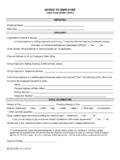
EMPLOYEE EMPLOYER - California Department of …
www.dir.ca.govDLSE-NTE (rev 9/2014) NOTICE TO EMPLOYEE Labor Code section 2810.5
Related documents
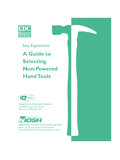
A Guide to Selecting Non-Powered Hand Tools
www.cdc.govEasy Ergonomics: A Guide to Selecting Non-Powered Hand Tools About This Booklet The purpose of this booklet is to help you select or purchase the best available ergonomically designed non-powered hand tool. The information and the hand tool checklist are based on peer-reviewed articles and expert input.
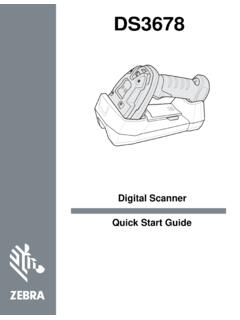
DS3678 Quick Start Guide (en)
inquirecontent2.ingrammicro.comThe DS3678 cordless digital scanner combines excellent scanning performance and advanced ergonomics to provide the best value in a lightweight laser scanner, ensuring comfort and ease of use for extended periods of time. ... 123Scan2 is an easy-to-use, PC-based software tool that enables rapid and easy customized setup of a scanner via a bar ...
GUIDE FOR CONSTRUCTING SELF-EFFICACY SCALES
www.uky.eduGuide for Constructing Self-Efficacy Scales 309. nant of intention, but the two constructs are conceptually and empiri-cally separable. Perceived self …

Bamboo User's Manual - Wacom
cdn.wacom.comErgonomics 10 Configuring the tablet orientation 12 Understanding the tablet active area 13 Working with multiple monitors 15 ... To minimize fatigue, comfortably organize your work ar ea. Position your tablet, pen, and keyboard for easy access without unnecessary reaching. Adjust your monitor so you can view it comfortably with minimum ...
Workstation ergonomics self-assessment
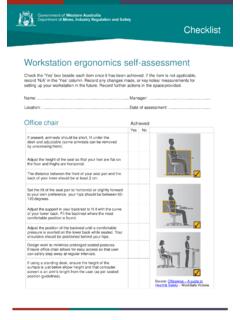
www.commerce.wa.gov.auWorkstation ergonomics self-assessment Check the ‘Yes’ box beside each item once it has been achieved. If the item is not applicable, record ‘N/A’ in the ‘Yes’ column. Record any changes made, or key notes/ measurements for setting up your workstation in the future. Record further actions in the space provided.