
EASY-MARK PLUS
Nov 17, 2016 · 7 6. On the Measurement Units screen, select the measurement unit that you would like to use in Easy-Mark Plus™, and then click Next to continue the setup. Note: This screen will be shown only if the English language was selected.You can change the measurement unit on the Locale tab of the Options window. For more information, see 7. Configuring the …
Download EASY-MARK PLUS

Information
Domain:
Source:
Link to this page:
Documents from same domain

PANTHER LS8EQ - Panduit
www.panduit.comINTRODUCTION & SAFE OPERATION 4 Congratulations on your purchase of the PANTHER™ LS8EQ Hand-Held Thermal Transfer Printer. The versatile PANTHER™ LS8EQ is designed to meet the demanding printing requirements of …

THER LS8E - Panduit
www.panduit.comINTRODUCTION & SAFE OPERATION 4 Congratulations on your purchase of the PANTHER LS8E Hand-Held Thermal Transfer Printer. The versatile PANTHER LS8E is designed to meet the demanding printing requirements of electrical and network users.
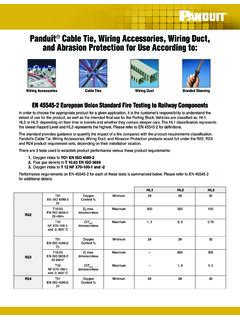
Panduit Cable Tie, Wiring Accessories, Wiring Duct, and ...
www.panduit.comTable 1: Summary of Panduit ® Cable Tie, Wiring Accessories, Wiring Duct, and Abrasion Protection materials and their EN 45545-2 Classifications. Testing conducted by Exova Warrington (Laboratory Approved by Railway Certification Agency) in 2015.

Heat Shrink Selection Guide - Panduit
www.panduit.comHeat Shrink Selection Guide

The Future of Copper: Category 8 Cabling - Panduit
www.panduit.comvisit www.panduit.com 3 Category 8, the standard for next-generation twisted-pair cabling specifications, will allow you to transport data up to four times faster on the same type of cabling already being used.

Comprehensive Cable Tie Solutions - Panduit
www.panduit.comCable Tie Installation Tools Panduit offers the most preferred hand-operated tools in the industry. These versatile tools can be used for production, maintenance or construction applications.

Pan-Way Surface Raceway - Panduit
www.panduit.comThis modular divider wall allows channel configuration flexibility. Aesthetically Pleasing Design T-70, Twin-70, TG-70 and T-45 is designed with a beveled profile to help blend in to existing décor. Cove raceway is designed to resemble crown molding. Components Required A Snap-on vertical sloped communication faceplate – 2-port (T70FV2)

Pan-Way LD Surface Raceway System - Panduit
www.panduit.comJBX3510**-A Single gang two-piece snap together outlet box with adhesive backing JBA-X In-wall box adapters adapt single gang surface mount outlet boxes to in-wall conduit boxes. Power, Low Voltage or Fiber Optic RJBX3510** Single gang two-piece screw together round outlet box. JBP1** Single gang two-piece screw together outlet box.

Opti-Core Fiber Optic Patch Cords and Pigtails
www.panduit.com900 micron Connector cable retention: 50 N @ 0°C 19.4 N @ 90°C Connector durability: 500 cycles Bend radius, minimum: 900µm: 9mm 1.6mm: 16mm 3mm: 29mm environmental properties Storage and shipping temperature:-40°C to 70°C Operating and installation temperature: -10°C to 60°C www.panduit.com

Modular Patch Panels - Panduit
www.panduit.comadds, and changes. This modular system is ideal for multimedia applications, providing flexibility to customize any installation. All patch panels mount to standard EIA 19-inch or 23-inch racks with optional extender brackets. A variety of accessories are available to optimize the installation. Strain relief bars are recommended
Related documents
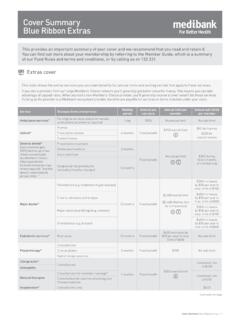
Cover Summary Blue Ribbon Extras - Medibank
www.medibank.com.auCover Summary Blue Ribbon Extras | 1 Cover Summary Blue Ribbon Extras This provides an important summary of your cover and we recommend that you read and retain it. You can find out more about your membership by referring to the Member Guide, which is a summary of our Fund Rules and terms and conditions, or by calling us on 132 331.

TECHNICAL STANDARD OF IN-BUILDING FIBRE CABLING …
www.mcmc.gov.my2.2.1 FTTP is a Passive Optical Network (PON) technology which brings the fibre to the premise to provide higher speed connection to the subscribers but not limited to any kind of technologies. 2.2.2 FTTP is one type of fibre optic communication delivery in which an optical fibre

Practical File Computer Fundamentals & Its Applications
www.polygwalior.ac.inDVD (Digital Video Disk) is an optical disk format invented and developed in 1995.The Capacity of CD is 4.7 GB and the Weight is 16 grams. The Compact Disk can store any kind of digital media just like video, audio, picture, game, software, data. Actually, DVD is just like a ROM because data can only be read and not written.