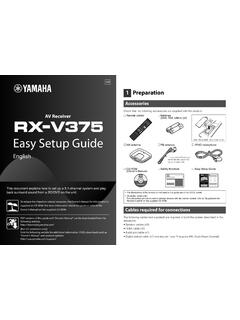
Easy Setup Guide - Yamaha
TV directly with an HDMI cable, disconnect the cable from the TV and connect it to this unit. b Connect a TV to the unit with the other HDMI cable. c Connect a TV to the unit with a digital optical cable. This connection is required to play back TV audio on the unit. This connection is not required if your TV supports ARC (Audio Return Channel).
Download Easy Setup Guide - Yamaha

Information
Domain:
Source:
Link to this page:
Documents from same domain

Owner’s Manual - Yamaha Corporation
usa.yamaha.cominstructions contained in this manual, meets FCC requirements. Modifications not expressly ... ing connection to the main supply. 2. Do not attempt to service this product beyond that ... • Avoid using the AG-Stomp in the …

OwnerOwner’s Manual’s Manual - Yamaha Corporation
usa.yamaha.comOwnerOwner’s Manual’s Manual. NEDERLAND Dit apparaat bevat een lithium batterij voor geheugen ... EARTH BLUE : NEUTRAL BROWN : LIVE As the colours of the wires in the mains lead of this apparatus may not ... • Do not place small metal objects on top of the 01V. Metal objects inside the 01V are
MX49 MX61 MX88 Reference Manual - Yamaha Corporation
usa.yamaha.comYour MX49, MX61, or MX88 synthesizer comes with four different reference guides—the Owner’s Manual, the Reference Manual (this document), the Synthesizer Parameter Manual, and the Data List. While the Owner’s Manual is packaged together with the synthesizer as a

List of remote control codes Lijst met ...
usa.yamaha.comDual-Tec 0342, 0343 Dumont 0008, 0030, 0062, 0282, 0339, 0341, 0342 Durabrand 0031, 0051, 0179, 0215 Dux 0349 Dwin 0178 Dynatron 0320, 0349, 0350 Dynex 0228, 0231 EIZO 0509 Elbe 0161, 0168, 0282, 0320 Elcit 0339 Electa 0348 ELECTRO TECH 0343 Electroband 0055, 0107 Electrograph 0176 Electrohome 0008, 0026, 0052, 0055 Element 0230 Elin 0277, 0320 ...

iPhone/iPad Connection Manual - Yamaha Corporation
usa.yamaha.comiPhone/iPad Connection Manual 3 NOTICE To prevent the iPhone/iPad from falling, note the following points: • Before moving the instrument, make sure to remove the iPhone/iPad from the music rest. • Never put anything else on the music rest together with the iPhone/iPad, such as a song booklet or another iPhone/iPad.

DGX-230/YPG-235 Owner's Manual - Yamaha
usa.yamaha.comUtilize power outlets that are on different branch (circuit breaker or fuse) circuits or install AC line filter/s. In the case of radio or TV interference, relocate/reorient the antenna. If the antenna lead-in is 300 ohm ribbon lead, change the lead-in to co-axial type cable. If these corrective measures do not produce satisfactory results,

P-45 Owner’s Manual - Yamaha Corporation
usa.yamaha.comP-45 Owner’s Manual 3 OBSERVERA! Apparaten kopplas inte ur växelströmskällan (nätet) så länge som den ar ansluten till vägguttaget, även om själva apparaten har stängts av. ADVARSEL: Netspændingen til dette apparat er IKKE afbrudt, sålænge netledningen sidder i …

PSR-E233/YPT-230 Owner’s Manual - Yamaha Corporation
usa.yamaha.comrequirements listed in FCC Regulations, Part 15 for Class “B” digital devices. Compliance with these requirements provides a reason-able level of assurance that your use of this product in a residential environment will not result in harmful interference with other elec-tronic devices. This equipment generates/uses radio frequencies

QL5/QL1 Owner's Manual - Yamaha Corporation
usa.yamaha.commå kun ske med batteri af samme fabrikat og type. Levér det brugte batteri tilbage til leverandoren. VARNING Explosionsfara vid felaktigt batteribyte. Använd samma batterityp eller en ekvivalent typ som rekommenderas av apparattillverkaren. Kassera använt batteri enligt fabrikantens instruktion. VAROITUS
DIGITAL MIXING CONSOLE - Yamaha Corporation
usa.yamaha.comUdskiftning må kun ske med batteri af samme fabrikat og type. Levér det brugte batteri tilbage til leverandoren. VARNING Explosionsfara vid felaktigt batteribyte. Använd samma ... TF series Quick Guide 5 Power supply/power cord • When removing the electric plug from the device or an outlet, always hold the plug itself and not the cord. Pulling
Related documents

HP CONNECTOR CHART
h71036.www7.hp.comHD-ready TV. Cable How it’s used VGA (Video Graphics Array) Transmits video from a PC to a monitor or television. Example: A notebook PC to a monitor. HDMI (High-Definition Multimedia Interface) HDMI Transmits and protects copyrighted digital video and audio. Example: An HD tuner to an HD-ready TV. Toslink optical digital Transmits digital audio.

Schritt 1: Gerät installieren. - Vodafone Kundenportal
kabel.vodafone.deMehr Komfort für Dein perfektes Kabel-TV-Erlebnis: Vodafone Videothek 8 Hol Dir Deine Lieblingsserien und aktuellste Blockbuster auf Knopf-druck nach Hause. TV-Erlebnis Einfach riesig: unzählige Sender und bis zu 65 TV-Mediatheken8. Dein Fernseher ist eingeschaltet. Dein Digital-HD-Recorder oder Digital-HD-Receiver ist automatisch gestartet.
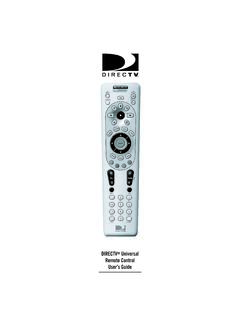
DIRECTV Universal Remote Control User’s Guide
www.att.comincluding a DIRECTV Receiver, TV, and two stereo or video components (e.g 2nd TV, DVD, or stereo). Moreover, its sophisticated technology allows you to consolidate the clutter of your original remote controls into one easy-to-use unit that's packed with features such as: z Four-position slide switch for easy component selection
ARRIS DVR Receiver Installation Manual
www.att.comConnecting Your TV Receiver This section describes connecting the VIP2250 to your home entertainment system. Instructions and diagrams are included for connections to: • High-Definition TV (HDTV) • Home Theater Receiver–Audio • Stereo TV • Stereo TV and Stereo VCR • Home Theater Receiver, TV, and VCR

Get Connected Printable Instructions - DISH Satellite TV
www.dish.comyour DISH Network receiver and then connect the extender to the wireless connector. Wireless Connection - Select "Setup" on the pop-up that appears on your TV screen. Choose your wireless network from the list and select "Done". Connecting a DISH ViP receiver to a wireless network Step 1 Step 2 scan Next Previous I Next Page 1
Operating Instructions - Onkyo
www.onkyo.comthe receiver. •About video outputs connection (page11) •Connecting a TV and playback components (page12) •Connecting antennas (page14) •Plugging in the receiver (page15) Ð 3Power On Make sure you’ve set the video input on your TV to this receiver. Check the manual that came with the TV if you don’t know how to do this. Ð

IHR NEUES MAGENTA TV DAS WICHTIGSTE IM ÜBERBLICK
www.telekom.deMAGENTA TV ALS APP Die neue App für Ihr Smartphone/Tablet oder Amazon Fire TV bietet Ihnen viele nützliche Funktionen, z. B. 45 TV-Sender in HD, Megathek jederzeit und überall abrufbar, Aufnahmeplanung sowie Media Receiver-Bedienung. > Seite 30