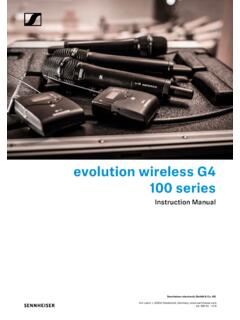
evolution wireless G4 100 series
GA 3 rack mount kit 16 AM 2 antenna front mounting kit 16 Antennas and accessories 17 Omni-directional antennas 17 Directional antennas 17 Antenna splitter 17 Antenna amplifiers 17 Antenna cables 17 Additional accessories 18 Color labeling set 18 Microphone clamp 18 The frequency bank system 19 Installing and starting up ew 100 G4 series devices 20
Download evolution wireless G4 100 series

Information
Domain:
Source:
Link to this page:
Documents from same domain

MOMENTUM Wireless M2 AEBT - Sennheiser
assets.sennheiser.comThe MOMENTUM Wireless (M2 AEBT) Bluetooth The MOMENTUM Wireless (M2 AEBT) headphones comply with the Bluetooth technology 4.0 standard and are compatible with all Bluetooth 1.1, 1.2, 2.0, 2.1, 3.0 and 4.0 devices with the following profiles: • Headset Profile (HSP) 1.2 - provides the basic functionalities used by the

CX True Wireless - assets.sennheiser.com
assets.sennheiser.comNotes on the ingress protection rating of the earbuds The earbuds feature an IPX4 ingress protection rating which means they are protected from the ingress of water (according to the Inter-national Protection Rating (IP code), IEC standard 60529, tested under laboratory conditions). The earbuds can be used in the rain, for example. However ...
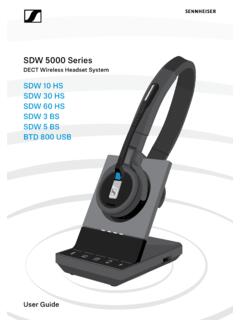
SDW 5000 Series - Sennheiser
assets.sennheiser.comDepending on the variant you can plug in the headset system to your fixed line phone and/or your computer. Via the Bluetooth dongle BtD 800 UsB you can connect mobile phones or Bluetooth headsets. Additionally you can plug a UsB headset or speakerphone in the UsB port or the busy light UI 10 BL in the back of the

PXC 550 - Sennheiser
assets.sennheiser.com2 | PXC 550 Important safety instructions Important safety instructions X Read this instruction manual carefully and completely before using the product. X Always include this instruction manual when passing the product on to third parties. X Do not use an obviously defective product. Preventing damage to health and accidents X Protect your hearing from high volume …

HD 4.50BTNC/HD 4 - Sennheiser
assets.sennheiser.com2 | HD 4.50BTNC/HD 4.50R Important safety instructions Important safety instructions X Read this instruction manual carefully and completely before using the product. X Always include this instruction manual when passing the product on to third parties. X Do not use an obviously defective product. X Only use the product in environments where Bluetooth® wireless …

MB 660 wireless ANC headset
assets.sennheiser.comto the HSP. If a function, such as voice control, is not supported by the HSP profile, the HFP takes place. • Audio/Video Remote Control Profile (AVRCP) 1.5 – used to control music on the Bluetooth device from the headset (play, pause, skip music track, etc.). • Advanced Audio Distribution Profile (A2DP) 1.3 – used by a Bluetooth device

HD 450BT - Sennheiser
assets.sennheiser.comThe LED dis-plays the charge status: Right R 2 HRS USB-A USB-C LED Off * Using the headphones 12 | HD 450BT Connecting the headphones to a Bluetooth device To be able to use the Bluetooth connection, you must register both devices (headphones and e.g. smartphone) once. This process is

GSP 670 Gaming Headset with low latency connection and ...
assets.sennheiser.comAug 30, 2019 · the headset complies with the Bluetooth 5.0 standard. Bluetooth de vices need to support the “hands free profile” (hFP), the “headset profile” (hsP) or the “advanced audio distribution profile” (A2DP). the headset can save up to eight paired devices. If you pair the headset with a ninth device, the first

Digital Wireless Headphone System - Sennheiser
assets.sennheiser.comSennheiser head-phones sound exceptionally good at low and medium volume levels. ... – operated only within the permissible temperature range, ... Separate the transmitter and other wireless devices in a room by at least 50 cm/20” to avoid interference.

MOMENTUM True Wireless - Sennheiser
assets.sennheiser.comMOMENTUM True Wireless | 5 Product overview Charging case M3IETW C LED displays the charging process/charge status of the rechargeable battery of the charging case or of the earbuds (when inserted into the charging case) Input for USB-C connector for charging the rechargeable batteries LED button activates the LED display for 5 seconds
Related documents

GA 35 GA 36 GA 37 Antenna Installation Instructions
static.garmin.comGA 35, GA 36, and GA 37 Antenna Installation Instructions Page 1-3 190-00848-00 Revision B 1.5 Limited Warranty This Garmin product is warranted to be free from defects in materials or workmanship for one year from the date of purchase. Within this period, Garmin will …
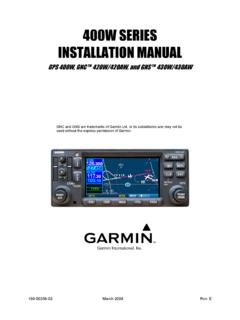
400W SERIES INSTALLATION MANUAL
static.garmin.comB 11/28/06 Added GA 35 antenna information and corrected wire gauge for main connector power. C 4/5/07 Incorporated customer feedback. D 10/1/07 Incorporated main software version 3.00 and GPS/WAAS software version 3.0. Added GA 36, GA 37 and several other non-Garmin antennas. Changed GPS antenna cable loss requirements.
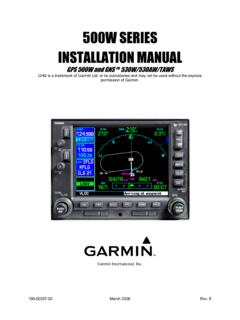
500W SERIES INSTALLATION MANUAL - Garmin
static.garmin.comB 11/28/06 Added GA 35 antenna information and corrected wire gauge for main connector power. C 4/5/07 Incorporated customer feedback. D 10/1/07 Incorporated main software version 3.00 and GPS/WAAS software version 3.0. Added GA 36, GA 37 and several other non-Garmin antennas. Changed GPS antenna cable loss requirements. Added