
Excel 4.0 Macro Functions Reference
1 Philip Treacy CO-FOUNDER MY ONLINE TRAINING HUB Excel 4.0 Macro Functions Reference A COMPREHENSIVE LIST OF MICROSOFT EXCEL 4.0 MACRO FUNCTIONS
Download Excel 4.0 Macro Functions Reference

Information
Domain:
Source:
Link to this page:
Documents from same domain

239 Excel Keyboard Shortcuts
d13ot9o61jdzpp.cloudfront.netGeneral Back To Index Open help F1 Undo last action Ctrl + Z Redo last action Ctrl + Y Copy selection Ctrl + C Repeat last action F4 Cut selection Ctrl + X Paste content from clipboard Ctrl + V Display the Paste Special dialog box Ctrl + Alt + V Display nd and replace with Find tab selected Ctrl + F Display nd and replace with Replace tab selected Ctrl + H Find previous match (after initial ...
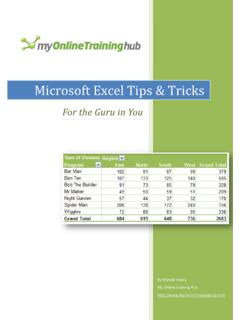
Microsoft Excel Tips & Tricks
d13ot9o61jdzpp.cloudfront.netchange > For Excel 2007+ use the formatting tools on the Home tab of the ribbon or for Excel 2003 use the formatting icons on the toolbar. Move, insert and copy columns, rows and cells using the Mouse + SHIFT or CTRL. 40. Move column, row or cells: Select the range of cells, column(s) or row(s) > hover your
Related documents
How to reduce paper consumption in your office
awsassets.panda.orgduplexing unit to enable it to print double sided. b) Change your computer’s default settings so that you can put more text on each page. In MS Word, go to File, then to Page Setup. ... Use the print preview function before printing any word or excel document to avoid copy-mistakes.

GETTING STARTED ON BLOOMBERG LAUNCHPAD
business.sdsu.eduSelect Enable Single Click and Customize Shortcuts. If you have a column in your monitor showing the last price and wish to put the HP <GO> function on Bloomberg panel, enter Last Trade/Last Price in Field Description and assign HP under the Function column. Select the panel in which you want to launch your 4 functions and click Update. 5 5 6 6 ...

NumPy - Tutorialspoint
www.tutorialspoint.comThe best way to enable NumPy is to use an installable binary package specific to your operating system. These binaries contain full SciPy stack (inclusive of NumPy, SciPy, matplotlib, IPython, SymPy and nose packages along with core Python). Windows Anaconda (from https://www.continuum.io) is a free Python distribution for SciPy stack.

Smart Professional Surveillance System User’s Manual
dahuawiki.comVideo wall preview. People count and heat map. Search and export log. 1.2 SmartPSS Interface SmartPSS software interface includes 5 parts: function tab, system info, function list, shortcut, and help. See Figure 1-1. Figure 1-1 No. Name Note

Configuring the ABAP Back-end for ABAP Development Tools
help.sap.com2.1.2 Remote Access to Function Modules (Specified in the Authorization Object S_ RFC) ABAP Development Tools requires remote access to the following function modules that are specified for the authorization object S_ RFC: List of function modules, specified for …

Omni CMS User Manual - HD, IP, TVL, DVR, NVR
ktncusa.comThe function modules can be easily accessed by clicking the navigation buttons on the control panel or by selecting the function module name from the View or Tool menu. You can check the information, including current user, network usage, CPU usage, memory usage and time, at the top of the main page.
Cloud Connect Guide - SharpUSA
business.sharpusa.comUsing this function means that sending of mail is possible simply by connecting to the network, instead of using an SMTP server. By using addresses stored in the address book, this eliminates the step of entering e-mail and of storing information in the machine address book. The search function lets users search for destinations in the address book
SuperLive Plus User Manual
totalsecuritynh.com7)Adding the function of sharing to the third App or platform, including screenshot sharing, device sharing and downloading address sharing, by which helps to approach each other anytime and anywhere. 8)Adding varies of notable features, eg., device preview, remotely playing back multiple channels and many convenient gesture operation.