FlowJo Basic Tutorial
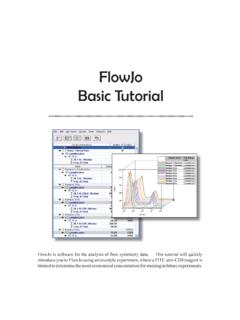
Step 1. Load data into the Workspace. Create a New Workspace When you open FlowJo, you will see the Workspace window pictured below. The Workspace window is the main starting point for all analyses in FlowJo. It is composed of three main parts: a set of function buttons at the top, a Group Panel, and below it, a Sample Panel. When you select ...
Download FlowJo Basic Tutorial

Information
Domain:
Source:
Link to this page:
Related documents
Load Cell Technology
www.vishaypg.comwhich the load cell is designed to be loaded at the point of axial load application without producing a permanent shift in the performance beyond those specified as a percentage of the measuring range (i.e., 100%). Summary: A load cell will perform within specifications until the safe load limit or safe side load limit is passed. Beyond
Machining Operations- Cycle Time - MIT OpenCourseWare
ocw.mit.eduMachining Cell Cycle Time Optimization 9/04 --© 2004 Sean Holly and Tamboura Gaskins ESD.60 Lean Six Sigma Systems, LFM, MIT Adapted from T. Gutowsky, Course 2.810 Part I: Introduction Part II: Concepts Part III: Application Part IV: Disconnects Part V: Conclusion /

Practical considerations when comparing SiC and GaN in ...
unitedsic.comFigure 1 shows a cell ... Finding the optimum solution for your application Although enhancement-mode, normally OFF, Si- and now SiC-MOSFETs have been the component of choice for low- and medium-power switching ... for a UnitedSiC UJC1206K cascode device with a 600V inductive load. Bear in mind that every 1nH of inductance gives a 1V transient ...

***Important*** ***Before submitting your application ...
health.maryland.govSickle Cell Testing CLIA Waived PT/INR Immunology Bladder marker, H-related protein, qualitative ... I certify that the information provided in this application is true and complete, understanding that any knowing and willful false statement or ... Fragile X Screen HIV Viral Load Gaucher Disease (GBA) 8 Mutations Tay-Sachs (HEXA) 7 Mutations Y ...
STATIC PILE LOAD TEST MANUAL - New York State …
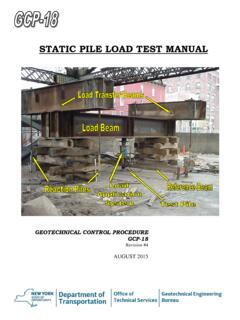
www.dot.ny.gov3. Place the load application system (including hydraulic jack, spherical bearing and load cell) between the bearing plate on the pile and the center of the underside of the load beam. 4. To distribute load over the entire width of the load beam, place another solid steel billet of sufficient thickness (1 in. (25 mm) minimum) as a bearing plate ...