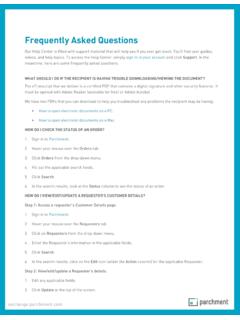
Frequently Asked Questions
the To Do List, click View full order details (see image on right). 3. On the next screen, you will see the DID# in the Order Documents section (see red circle below). Copy the DID# because you will need it to track the order. 4. Go to the Parchment Tracking Tool web page, paste the DID# into the empty box, and click Track Document.
Download Frequently Asked Questions

Information
Domain:
Source:
Link to this page:
Related documents
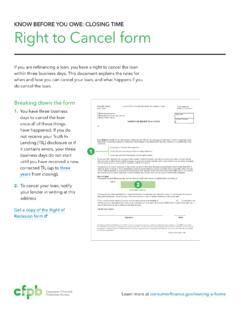
KNOW BEFORE YOU OWE: CLOSING TIME Right to Cancel form
files.consumerfinance.govNOTICE OF RIGHT TO CANCEL $ To: Your Right to Cancel You are entering into a transaction that will result in a mortgage on your home. You have a legal right under Federal law to cancel this transaction, without cost, until midnight of the third business day after, whichever of the following events occurs last: (1) the date of closing of the ...

sim.djicdn.com
sim.djicdn.comReturn to home/ Cancel Jump Custom Menu DJI pace Space Enter T16 Remote Shutter Minimap (Press and Hold) Custom Menu Keyboard Gimbal Upward Gimbal Downward Switch Views Flight Mode Switch btw Drone/ Pilot Minimap Introduction Panel Down Pause Introduction Panel (Press and Hold) Rotate Right Right Rotate Right Left Forward Backward Left Stick Up
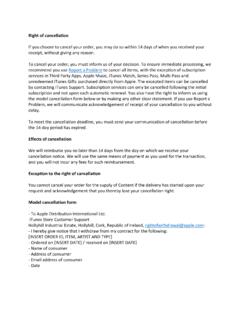
Right of cancellation - Apple
www.apple.comRight of cancellation If you choose to cancel your order, you may do so within 14 days of when you received your receipt, without giving any reason. To cancel your order, you must inform us of your decision. To ensure immediate processing, we recommend you use Report a Problem to cancel all items, with the exception of subscription

Ten Reasons to Cancel Student Loan Debt - CLASP
www.clasp.org10. Higher education should be a right, not an expensive privilege. Student loans should be cancelled because higher education should be a . right. to all, not a luxury only accessible to those who can afford it. Student loans for higher education should not be the second most expensive purchase a person will make after buying a house.

SC-108 Request to Correct or Cancel Judgment and Answer ...
www.courts.ca.govIf you are the person asking the court to correct or cancel a judgment, fill out – on this page, then file it at the clerk’s office. The clerk will mail a copy of the form to all other plaintiffs and defendants in your case. The court will give the other plaintiffs and defendants at least 10 days to answer this . …
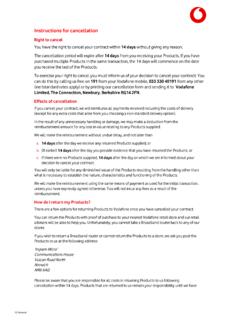
Instructions for cancellation - Vodafone
www.vodafone.co.ukRight to cancel You have the right to cancel your contract within 14 days without giving any reason. The cancellation period will expire after 14 days from you receiving your Products. If you have purchased multiple Products in the same transaction, the 14 days will commence on the date you receive the last of the Products.