
Getting started with Citrix Workspace for PC
Citrix Getting started with Citrix Workspace for PC 5 Step 1 From the Home screen, click on the Apps tab on the left navigation bar. From there, you can choose All Apps or Favorites. Step 2 To “Favorite” an app, select the star. Then, click on the application card to open it an access the app. How to access your apps Step 1
Download Getting started with Citrix Workspace for PC

Information
Domain:
Source:
Link to this page:
Documents from same domain

Deploying Oracle Weblogic Server with NetScaler …
www.citrix.comOracle WebLogic Server 12c is one of the industry's best application servers for building and deploying enterprise Java EE applications with support for new features for lowering cost of operations, improving performance,

Securing Oracle WebLogic Server with NetScaler …
www.citrix.comSecuring Oracle WebLogic Server with NetScaler AppFirewall Solution Guide Configure the profile’s settings as shown above by clicking on the Profile Settings tab. Bind the signatures to the profile in the Bound Signatures drop down (here, we have selected a default copy that was made earlier).

CITRIX DATA PROCESSING AGREEMENT This Data …
www.citrix.comthe collection, processing and/or use of Personal Data may relate to the following categories of data o Personal information: first name, last name, date of birth,

END USER SERVICES AGREEMENT - Citrix.com
www.citrix.comlast revised: march 1, 2018 end user services agreement this is a legal agreement between customer and citrix. by accessing and/or using the services, customer is agreeing, on behalf of an individual and/or a legal entity, to be

Administrator’s Guide - Citrix
www.citrix.comAdministrator’s Guide Published 10 December 2012 Edition 1.0.1 . 2 ... XenApp Manager is a light weight administration app, available from the Windows App Store, that ... Administrators with “View Only” privileges will be able to view server and session

Deployment Guide - Citrix
www.citrix.comOracle Hyperion Financial Management provides financial consolidation and reporting that enables rapid con - solidation and reporting of financial results, meeting global regulatory requirements, reduces the cost of compli -

FlexPod Datacenter with Citrix XenDesktop
www.citrix.comFlexPod Datacenter with Citrix XenDesktop Desktop virtualization from NetApp, Cisco, and Citrix for on-demand growth ... prominent role in the IT strategy for meeting critical business goals. ... foundation to scale out and up, easily manage our virtual desktop deployment, and ...

Best Practice Guide, Dragon Medical Enterprise Network ...
www.citrix.comData\Nuance\ NaturallySpeaking10\Dragon.log Whattolookforinthedragon.logfilewhenauser ... Best Practice Guide, Dragon Medical Enterprise Network Edition vSync, L-3422 ... Subject: L-3422 Dragon Medical Enterprise Network Edition vSync Best Practice Guide Keywords: DNS, DNSNE, Created Date: 3/5/2012 5:45:45 PM ...

Improving documentation in a virtualized environment - Citrix
www.citrix.comNuance Healthcare Solutions White Paper Dragon® Medical Edward-Elmhurst Health, made up of three hospitals, has more than 50 outpatient locations across a

5BEST PRACTICES TO MAKE SECURITY EVERYONE’S BUSINESS
www.citrix.comBEST PRACTICES TO MAKE SECURITY EVERYONE’S BUSINESS Menaced by an ever-expanding array of increasingly potent threats, today’s highly mobile employees are front-
Related documents
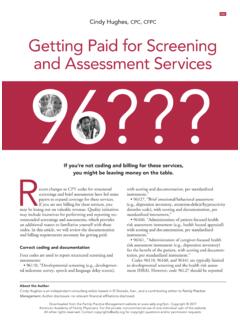
Getting Paid for Screening and Assessment Services
www.aafp.orgGetting paid for screenings and assessments Although the fee-for-service payment for screening and assessments may be small, it can add up to significant income across a patient

What to Expect After Getting a COVID-19 Vaccine
www.cdc.govWhat to Expect after Getting a COVID-19 Vaccine The COVID-19 shot may cause side effects in some people. Side effects should go away in a few days. On the arm where you got the shot: • Pain • Redness • Swelling If you are sore where you got the shot: • Apply a clean, cool, wet washcloth over the area • Use or move your arm gently

Getting Started Financial Affidavit (Family & Divorce Cases)
ilcourtsaudio.blob.core.windows.netGetting Started Financial Affidavit (Family & Divorce Cases) IMPORTANT: This getting started guide and the instructions are not legal advice. They are only meant to help you learn how to complete a Financial Affidavit (Family & Divorce Cases). Your use of the forms does not guarantee you will be successful in court.
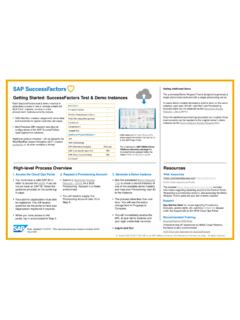
Getting Started: SuccessFactors Test & Demo Instances
hcmcloudops.successfactors.comGetting Started: SuccessFactors Test & Demo Instances You must have a valid SAP-ID in order to access the portal. If you do not yet have an SAP-ID, follow the guidance provided on the portal log-in page. Your partner organization must also be registered. You will receive guidance via the portal to have your organization registered if required.
Getting Started with Classroom - Apple
images.apple.comGetting Started with Classroom | A teacher’s guide to the Classroom app for iPad | March 2016 2 Introducing Classroom Classroom is a powerful new iPad app that helps you guide learning, share work, and manage student devices. It supports both shared and one-to-one environments. You can launch a specific app, website, or textbook page
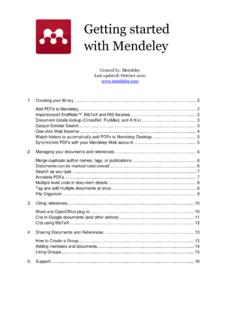
Getting started with Mendeley
desktop-download.mendeley.com2 1. Creating your library Add PDFs to Mendeley You can add PDFs to Mendeley by clicking the Add Document button on the far left of the toolbar. Alternatively, you can drag and drop PDFs into the content pane. Mendeley
Getting Started with OneDrive
download.microsoft.comThe easiest way to get started is to drag and drop files into OneDrive. After you install the app, find the OneDrive folder on your PC or Mac.
Getting Started With - Massachusetts Institute of Technology
resources.scratch.mit.eduhttp://scr atch.mit.ed u 1 S S t a a r r t t t M M oo v v i i n ngg Drag a MOVE block into the Scripts area. Click on the block to make the cat move.

Getting proof of your COVID-19 vaccination
www.digitalhealth.gov.auGetting proof of your COVID-19 vaccination Your immunisation history statement shows all vaccinations you’ve had that are recorded on the Australian Immunisation Register, including your COVID-19 vaccinations. Your vaccination provider needs to record your vaccinations on the AIR for them to appear on your statement. This can take up to 10 days.