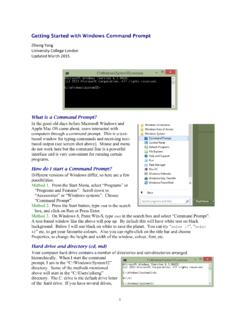
Getting Started with Windows Command Prompt
structure at once. An absolute path starts with a slash, which means we begin from the root of the hard drive. Without the leading slash, the directory is relative to your current directory. In the example here, “cd \” takes us to the root directory on the C: drive. We then use two relative steps to go into the directory \Users\ziheng ...
Download Getting Started with Windows Command Prompt

Information
Domain:
Source:
Link to this page:
Documents from same domain
Unix Basics
abacus.gene.ucl.ac.ukUnix Basics History The first version of Unix was developed by Bell Labs (part of AT&T) in 1969, making it more than forty years old and one of the few cases of a computer technology that has survived more than a

MCMCTree tutorials - Ziheng Yang
abacus.gene.ucl.ac.ukcalibration restricts the common ancestor of human-chimp to be between 6-8 Myr ago. Calibration bounds in MCMCTree are soft, and there is a small probability (0.025 by default) that the bounds may be violated. Note that the tree does not have a fossil calibration at the root. MCMCTree always 1

PAML: Phylogenetic Analysis by Maximum Likelihood
abacus.gene.ucl.ac.ukbaseml or codeml as user trees. baseml and codeml. The program baseml is for maximum likelihood analysis of nucleotide sequences. The program codeml is formed by merging two old programs: codonml, which implements the codon substitution model of Goldman and Yang (1994) for protein-coding
Related documents

GENETIC ENGINEERING - University of Colorado Denver
gs.ucdenver.eduAlso Known as Recombinant DNA technology, gene modification, and gene therapy Glofish Animals . ... PROTEIN FOLDING AND STRUCTURE en.wikipedia.org . ESSENTIAL PROTEINS IN THE BODY-HEMOGLOBIN evolution.berkeley.edu. ESSENTIAL PROTEINS IN THE BODY-HEMOGLOBIN evolution.berkeley.edu.

Structure/function relationship in DNA-binding proteins
www.purdue.eduFunction=control of which gene gets transcribed. ! TATA box is in front of start site of transcription and TBP binding creates a marks for transcription start ! Binding induces significant changes in the DNA structure ! Enables good fit between the protein and DNA bases. ! The binding of TBP directs assembly of

DNA AND IT’ S STRUCTURE, FUNCTION, TYPES, MODES OF ...
www.eagri.orgdiffered radically from one gene to another. Great relief, if not general elation, was thus expressed when the fundamental DNA structure was found to be the double helix. It told us that all genes have roughly the same three-dimensional form and that the differences between two genes

DNA Double Helix KEY - Chandler Unified School District
www.cusd80.com2. What is a gene? a segment of DNA that codes for a particular protein 3. Where in the cell are chromosomes located? nucleus 4. DNA can be found in what organelles in the cell? Mitochondria and chloroplasts 5. What two scientists established the structure of DNA? Watson and Crick 6. What is the shape of DNA? Double helix 7.

From Gene to Protein—Transcription and Translation
www.psd1.orgA gene directs the synthesis of a protein by a two-step process. First, the instructions in the gene in the DNA are copied into a messenger RNA (mRNA) molecule. The sequence of nucleotides in the gene determines the sequence of nucleotides in the mRNA. This step is called transcription.
National Institute of General Medical Sciences Findings ...
www.nigms.nih.govThe16S rRNA gene is present in everyknown bacterium, but in each one,it has a slightly different DNA sequence.Scientists can use the sequenceof this gene to classify thebacteria. ThePetri dish method has uncovered 10different types of skin bacteria. Themethod Grice used revealed morethan a thousand. Her study wasthe first to use the technique for
Study of chromosome structure, morphology, number …
eagri.orgstructure of a class of compounds known as deoxyribonucleic acids (DNA). The Watson and Crick discovery made it possible to express biological concepts (such as the gene) and structures (such as the chromosome) in concrete chemical terms. According to the classical cytological studies, each chromosome structurally consists of a

Types of gene mutations and Genetic Disorders - Weebly
aqu2018.weebly.comgene that determines the structure of fibrillin-1 (a glycoprotein). this gene is localized to chromosome 15 on the long arm (q) at 15q21.1. . 2.- 25% of all Marfan cases are due to a spontaneous mutation at the time of conception >1,300 FBN1 gene mutations were identified