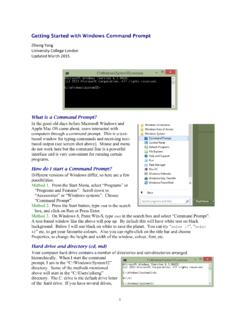
Getting Started with Windows Command Prompt
You run the program by typing the name of the program at the command line. See the discussion above about absolute and relative paths. If you have trouble remembering the full absolute path, you can find the executable file in Windows Explorer and drag it to the command line. This will copy the file name onto the command line.
Download Getting Started with Windows Command Prompt

Information
Domain:
Source:
Link to this page:
Documents from same domain
Unix Basics
abacus.gene.ucl.ac.ukUnix Basics History The first version of Unix was developed by Bell Labs (part of AT&T) in 1969, making it more than forty years old and one of the few cases of a computer technology that has survived more than a

MCMCTree tutorials - Ziheng Yang
abacus.gene.ucl.ac.ukcalibration restricts the common ancestor of human-chimp to be between 6-8 Myr ago. Calibration bounds in MCMCTree are soft, and there is a small probability (0.025 by default) that the bounds may be violated. Note that the tree does not have a fossil calibration at the root. MCMCTree always 1

PAML: Phylogenetic Analysis by Maximum Likelihood
abacus.gene.ucl.ac.ukbaseml or codeml as user trees. baseml and codeml. The program baseml is for maximum likelihood analysis of nucleotide sequences. The program codeml is formed by merging two old programs: codonml, which implements the codon substitution model of Goldman and Yang (1994) for protein-coding
Related documents
SCRIPT USPHS Change of Command Ceremony
dcp.psc.govAppendix B: Change of Command Ceremony Script 3 MC - “insert Position title and Agency,(e.g. Deputy Administrator, HRSA) arriving.” (Person moves to within a few steps of the Side-boys (the Side-boys will be “lining” the aisle).
Permanent Change of Station (PCS) Entitlements
ipps-a.army.milU.S. Army Human Resources Command “Soldiers First” //UNCLASSIFIED// PED LEVEL 2 POC: Military Pay Instructors 4 PCS Types Move from one permanent duty station to another Transfer from one unit to another Change of homeport/permanent duty stations of a unit From home or place ordered to Active Duty (AD)

CLIMATE CHANGE PROFILE OF PAKISTAN
www.adb.orgClimate change raises the prospect that these and other natural hazards will increase in frequency and severity in the coming decades—a stark reminder that Pakistan is one of the countries most vulnerable to the effects of climate change.
ARMY ROTC GREEN TO GOLD POLICY - U.S. Army Cadet …
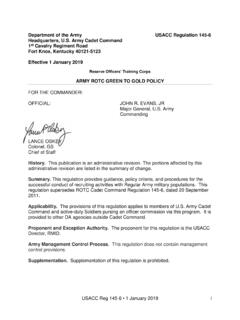
www.cadetcommand.army.milJan 19, 2001 · a. Headquarters, Cadet Command (HQCC): (1) Assign staff and command responsibilities at the Headquarters and Brigade levels. (2) Provide command supervision of Program cadre in the performance of duties outlined in this regulation. (3) Process all waivers that require Commanding General, United States Army Cadet Command (USACC), approval.
DoDD 5205.02E, 'DoD Operations Security (OPSEC) Program ...
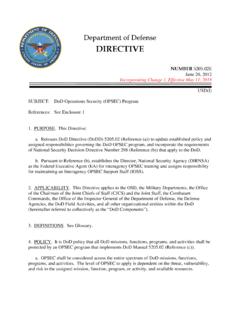
www.esd.whs.milOPSEC assessments of Combatant Command, OSD, Defense Agency, and DoD Field Activity websites. 11. HEADS OF THE DoD AND OSD COMPONENTS. The Heads of the DoD and OSD Components shall establish OPSEC programs with full-time OPSEC program managers and coordinators at appropriate command levels to promote an understanding and practice of …
DoDM 5200.01 Vol 1, 'DoD Information Security Program ...
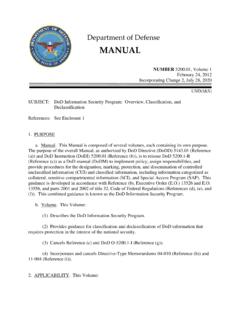
www.esd.whs.mil(f)). This combined guidance is known as the DoD Information Security Program. b. Volume. This Volume: (1) Describes the DoD Information Security Program. (2) Provides guidance for classification and declassification of DoD information that requires protection in the interest of the national security.
Command Senior Enlisted Leader Program
www.secnav.navy.milCommand (NAVPERSCOM) with specific delineation of their status in individual permanent change of station orders. 4. Discussion. The CSEL program is designed to ensure all Sailors are professionally developed and effectively led in the highest levels …

program — Define and manipulate programs
www.stata.comchange or replace results in r(). eclass states that the program being defined returns results in e() or modifies already existing results in e(). This is done using the ereturn command; see[P] return and[P] ereturn. If the program is not explicitly declared to be eclass, it may not directly replace or change results in e()