
How do I configure the wireless printer using a USB or ...
1. Open the Printers folder. Click on Start and Run, type Control Printers, and then click OK. Or click Windows/Start and type Control Printers in the Start Search line then press Enter. 2. Right click on the Brother HL-2270DW Series (Copy 1) driver and select Printer Properties. 3. On the General tab, click Print Test Page. 4.
Download How do I configure the wireless printer using a USB or ...

Information
Domain:
Source:
Link to this page:
Documents from same domain

Recommended Brother Replacement Models
www.brother-usa.comSee footnotes on paes - Recommended Brother Replacement Models Discontinued Product Recommended Replacement Product(s) Mono Laser Multi-Function (All-in-One) Models

Recommended Brother Replacement Models - …
www.brother-usa.comSee footnotes on paes - Recommended Brother Replacement Models Discontinued Product Recommended Replacement Product(s) Mono Laser Multi-Function (All-in-One) Models
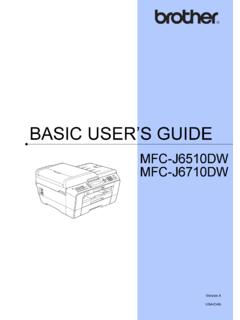
BASIC USER’S GUIDE - brother-usa.com
www.brother-usa.comBasic User's Guide LX7144001 (English for USA and Canada) LX7144002 (French for Canada) iv Notice - Disclaimer of Warranties (USA and Canada)

BASIC USER’S GUIDE - brother-usa.com
www.brother-usa.comNetwork User's Guide This Guide provides useful information about wireless network settings and security settings using the Brother machine. You can also find

Brother Laser Printer USER’S GUIDE
www.brother-usa.comBrother Laser Printer HL-2230 HL-2240 HL-2240D HL-2242D HL-2250DN HL-2270DW ... covered under any Brother warranty or service agreement. 1 1. Printing Methods 7 1 Envelopes 1 ... The machine will print on most types of labels designed for use with a laser printer. Labels should have an

ADVANCED USER’S GUIDE - brother-usa.com
www.brother-usa.comAdvanced User's Guide Learn more advanced operations: Fax, Copy, security features, printing reports and performing routine maintenance. PDF file / Documentation CD-ROM Software User's Guide Follow these instructions for Printing, Scanning, Network Scanning, PhotoCapture Center™,

SOFTWARE USER’S GUIDE - BrotherUSA
www.brother-usa.comSOFTWARE USER’S GUIDE Not all models are available in all countries. For DCP users; This documentation is for ... Your machine will receive print commands in a printer job language or emulation. Different operating systems ... For technical information about PostScript ...

DCP-J140w Color Inkjet Multi-Function Center
www.brother-usa.comThe DCP-J140w is ideal for the home or student user. Print, copy and scan with this Print, copy and scan with this affordable, stylish and easy-to-use color inkjet All-in-One.
Pacesetter BES 4 Dream Edition Instruction Manual
www.brother-usa.comThis BES4 Dream Edition Instruction Manual documents all the features of the product, including those that are only available to customers who have purchased the BES4 Dream Edition Power ... Send multiple designs to Dream Machine from both desktop and cloud with one action

FAX • PRINTER • COPIER • SCANNER • PC FAX
www.brother-usa.comDIGITAL COPIER A fast, full function copier, chock full of options. Reduce or enlarge, from 25% to 400% in 1% increments. Crisp laser-quality copies, at up
Related documents

DATA DICTIONARY NEW YORK STATE DEPARTMENT OF …
www.health.ny.gov1=Open to all new and existing 86 2=Open to existing only 3=Closed 9=NA (for non-PCPs) PACE Panel Status 1 A/N ALL PACE PCPs YES 1=Open to all new and existing 87 2=Open to existing only 3=Closed 9=NA (for non-PCPs) FIDA Panel Status 1 A/N ALL FIDA PCPs YES 1=Open to all new and existing 88 2=Open to existing only 3=Closed
Use of Social Media By US Extremists - UMD
www.start.umd.eduto-face extremist relationships and participation in closed, offline extremist networks (Figure 2). Of the 295 extremists in PIRUS from 2011-2016, 50 relied primarily on social media as a means of radicalization (16.9%), indicating a substantial rise in the …

Governmentwide Dismissal and Closure Procedures
www.opm.govsafely travel to an approved work location may result in “closure” of a Federal office (i.e., closed to the public and non-emergency employees) for the full day or authorization of a delayed arrival. Authorization of early departure may be based on unsafe conditions at the work location

MAX481/MAX483/MAX485/ MAX487–MAX491/MAX1487 Low …
datasheets.maximintegrated.comguarantees a logic-high output if the input is open circuit. The MAX487 and MAX1487 feature quarter-unit-load receiver input impedance, allowing up to 128 MAX487/ ... Industrial-Control Local Area Networks ... Figures 5 and 11, CRL = 15pF, S2 closed Figures 5 and 11, CRL = 15pF, S1 closed Figures 5 and 11, CRL = 15pF, S2 closed

LM4562 Dual High-Performance, High-Fidelity Audio ...
www.ti.comAVOL Open Loop Voltage Gain –10V<Vout<10V, RL = 2kΩ 140 dB (min) –10V<Vout<10V, RL = 10kΩ 140 RL VOUTMAX Maximum Output Voltage Swing RL RL IOUT Output Current RL = 600Ω, VS = ±17V ±26 ±23 mA (min) +53 IOUT-CC Instantaneous Short Circuit Current mA –42 fIN = 10kHz ROUT Output Impedance Closed-Loop 0.01 Ω Open-Loop 13

ECE 410: VLSI Design Course Lecture Notes
www.egr.msu.eduECE 410, Prof. F. Salem Lecture Notes Page 2.8 CMOS Technology Trends • Variations over time – # transistors / chip : increasing with time – power / transistor : decreasing with time (constant power density) – device channel length : decreasing with time

Diffusion Probabilistic Models for 3D Point Cloud Generation
openaccess.thecvf.com(VAEs), generative adversarial networks (GANs), normal-*Corresponding author: Wei Hu (forhuwei@pku.edu.cn). This work was supported by the National Key R&D project of China under contract No. 2019YFF0302903 and National Natural Science Foundation of China under contract No. 61972009. Figure 1. Top: The diffusion process that converts noise to some

10.3 CMOS Logic Gate Circuits - ITTC HOME | ITTC
www.ittc.ku.edu11/14/2004 CMOS Device Structure.doc 3/4 Jim Stiles The Univ. of Kansas Dept. of EECS Thus, the PUN and the PDN essentially act as switches, connecting the output to either V DD or to ground: * Note that the key to proper operation is that one switch must be closed, while the other must be open. * Both switches closed or both switches open would cause an