
How to Use Microsoft Project 2016 - Engineering Selection
Microsoft Project Tutorial Microsoft Project doesn’t have a Timeline template, so you’ll need to enter data manually to build a Microsoft Project Timeline. It’s probably because it’s the most basic feature and a template isn’t needed to get started. 1. Create a Task List You’ll need to build a list of required tasks.
Download How to Use Microsoft Project 2016 - Engineering Selection

Information
Domain:
Source:
Link to this page:
Related documents
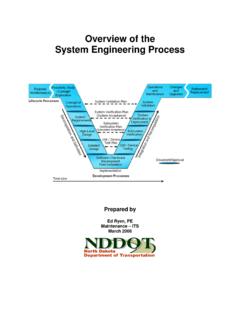
Overview of the System Engineering Process
www.dot.nd.govcompeting interests and project complexities begin to dominate the day-to-day work. Stakeholder Involvement is Key Successful projects involve the customer, users, operators, and other stakeholders in the project development. Systems engineering is a systematic process that includes reviews and decision points
Construction Project Management Handbook
www.transit.dot.govmanagement. Gannett Fleming, Inc., a national engineering and construction firm, developed this Handbook under contract to and with guidance from the FTA Office of Technology. The project managers consisted of Henry Nejako, FTA Program Management Officer; and Kam Shadan, P.E., Author, and Project Manager, Gannett Fleming, Inc.
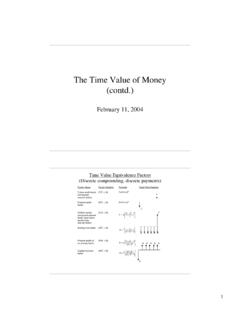
The Time Value of Money (contd.) - MIT OpenCourseWare
ocw.mit.eduinvestment in the project that would be justified by the expected savings? (Assume that the required rate of return on investments (before taxes) is a nominal rate of 20%/ year, continuously compounded.) 11 “Funds flow” time value factors for continuous cash flows and

Engineering Economics - MIT OpenCourseWare
ocw.mit.eduDepartment of Materials Science & Engineering Randolph Kirchain Engineering Economic Analysis: Slide 10 Return on Capital • Why consider return on capital? – For most engineering projects, capital must be tied up for some period of time • Purchase a piece of equipment • Fund a research project – Revenues from the use of capital
Friction Experiment - NYU Tandon School of Engineering
engineering.nyu.eduScience and Mechatronics Aided Research for Teachers 2003—2005 The National Science Foundation Division of Engineering Education & Centers where m is the mass of the object and g is the free-fall acceleration. This value is only an approximation because the magnitude of g depends on the altitude of the object as well as the latitude of the location.

ASCE Guidelines for Engineering Grades
www.asce.orgSenior Engineer, Project Manager, Associate Professor Experience 0+ years 1+ years 3+ years 4+ years 8+ years Education Bachelor’s degree in engineering from an ABET/EAC accredited program Bachelor’s degree in engineering from an ABET/EAC accredited program, master’s degree or equivalent, engaged in life-long learning to maintain
AFFILIATED INSTITUTIONS B.E. COMPUTER SCIENCE AND ...
cac.annauniv.edu2 11. Project management and finance: Demonstrate knowledge and understanding of the engineering and management principles and apply these to one’s own work, as a member and leader in a team, to manage projects and in multidisciplinary environments.