
Instructions for Using Microsoft Teams
Click the Video or Audio button to start a call with the person/persons. For optimal experience, use external headphones and mic. Audio and Video calls will be conducted through the internet and not use a phone line. How to receive audio and video calls 1. Make sure Microsoft Teams is open in your browser and the tab is active.
Download Instructions for Using Microsoft Teams

Information
Domain:
Source:
Link to this page:
Related documents

Grading Rubric: Audio/Video Presentation - ISTE
conference.iste.orgGrading Rubric: Audio/Video Presentation ACTIVITY Level 1 Level 2 Level 3 Level 4 Content (40%) The multimedia element lacks a clear point of view and logical sequence of information. Missing requirements. Does not address aspects such as one objective focus, visual images, written words, and self-contained. The multimedia element is vague

Parental Consent to Use E-mail for Personally Identifiable ...
www.health.ny.govidentifiable information concerning my child with each other using unencrypted e-mail. Early intervention team members who I give permission to use unencrypted e-mail to communicate with each other about my child include: (1) _____ with the e-mail address _____
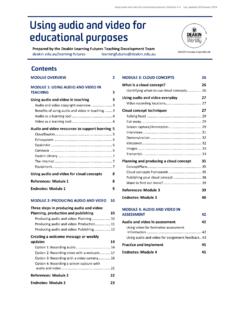
USING AUDIO AND VIDEO FOR EDUCATIONAL PURPOSES …
www.deakin.edu.auUsing audio and video in CloudDeakin is simple; inbuilt tools allow you to embed many types of media or record directly to the platform. CloudDeakin should be used as a central point for embedding audio and video for educational purposes. For more information on how to use CloudDeakin , visit the .

Analyzing Qualitative Data using NVivo
csass.ucsc.eduusing NVivo: An introduction Presented by Erin Toolis, Social Psychology Ph.D. student Co-Sponsored by CSASS. Workshop overview ... image files, web content, audio, and video
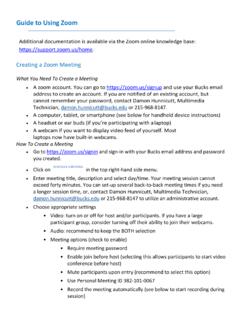
Guide to Using Zoom - Bucks County Community College
www.bucks.eduMute/unmute your audio (not the audio of the participants) 2. Stop/start your video 3. Configure your settings for items such as audio and video 4. Invite more people to join by email, IM , SMS (mobile users) or meeting ID 5. View a list of participants 6. Share your desktop (everything you have open) or select a specific

Classroom Rules while using Zoom
www.ddces.orgMar 20, 2020 · Audio/Video Controls 11 To turn on/off your audio, click on the microphone. To turn on/off your video, click on the camera. Using the Chat Box 12 • If you would like to communicate privately with your teacher while in the class, click on “Chat” to open the Chat Box.

IMPORTANT - Boss Audio
www.bossaudio.comDo not operate mobile video equipment while driving a motorized vehicle – always be your highest priority. , or ear discomfort. o the power and consult your dealer or the nearest authorized BOSS AUDIO SYSTEMS Service Center. Boss Audio Systems does not recommend to install the product yourself. Always consult with a professional installer .

Zoom Basics: Audio & Video + Other Icons
irp-cdn.multiscreensite.comZoom Basics: Audio & Video + Other Icons 1. To log-into Zoom using your computer, click on the URL link that was sent. If a password was provided for the meeting, follow the prompt and enter it. 2. Once you’re logged in, you should see a tool bar at the bottom of your Zoom screen that looks something like this: