Introduction to Microsoft PowerPoint
Introduction to Microsoft PowerPoint By the end of class, students should be able to: Identify parts of the work area. Create a new presentation using PowerPoint’s design templates. Navigate around a presentation. Add slides to a presentation Add text and clip art to a slide
Download Introduction to Microsoft PowerPoint

Information
Domain:
Source:
Link to this page:
Documents from same domain
Intermediate Microsoft Excel
www.lfpl.orgIntermediate . Microsoft Excel . Class learning objectives . By the end of class, students should be able to perform the following tasks in Microsoft Word:
Introduction to Microsoft Excel 2007
www.lfpl.orgIntroduction to . Microsoft . Excel 2007 . Class learning objectives . 1. What is Excel? • Spreadsheet uses & samples • Touring the Excel window • Learning important definitions
Introduction to Microsoft Publisher
www.lfpl.orgIntroduction to Microsoft Publisher . Class learning objectives . By the end of class students should be able to perform the following tasks: 1. Publisher Basics
Introduction to Microsoft PowerPoint
www.lfpl.orgIntroduction to Microsoft PowerPoint By the end of class, students should be able to: Identify parts of the work area.
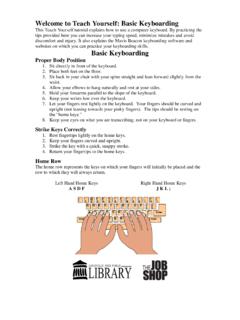
Welcome to Teach Yourself: Basic Keyboarding
www.lfpl.orgWelcome to Teach Yourself: Basic Keyboarding This Teach Yourself tutorial explains how to use a computer keyboard.By practicing the tips provided here you can increase your typing speed, minimize mistakes and avoid
Contact List for Government Officials City of …
www.lfpl.orgContact List for Government Officials City of Louisville Mayor Greg Fischer (502-574-2003) Metro Hall 4th Floor 527 West Jefferson St.
Introduction to Microsoft Word 2007
www.lfpl.org0 . Introduction to Microsoft© Word 2007 . Class Learning Objectives By the end of class, students should be able to perform the following tasks in
The Art of Small Talk: How to Get the Conversation Rolling ...
www.lfpl.orgThe Art of Small Talk: How to Get the Conversation Rolling with Practically Anyone Basic Philosophy “Every great relationship, be it romance, professional, or personal, begins with a

Coming of Age
www.lfpl.orgWelcome! •Introductions (name & why you chose to attend this short course) Roadmap: •Goals for our session & this month of sessions •Overview of coming of age genre •Approaches for interpreting literature •Review and discussion of short pieces from “House on Mango Street” •Questions for active reading in preparation for our next ...
Introduction to Microsoft Publisher
www.lfpl.orgUnlike the other programs in Microsoft Office 2007, Microsoft Publisher 2007 uses the Microsoft Office Toolbar and a Menu system in place of the Microsoft Office Ribbon. ... Each publication is composed of different frames, such as text frames, picture frames, table frames, and shape/object frames. ...
Related documents

Introduction to Microsoft Office PowerPoint 2010
himmelfarb.gwu.eduIntroduction to Microsoft PowerPoint 2010 : Open PowerPoint 2010 Double-click on the : PowerPoint: icon on the desktop. About the Editing Screen : 2 : Ribbon : The ribbon, which spans across the top of the PowerPoint screen, replaces the …

Introduction to Excel, Word and Powerpoint
www.gfmer.chPowerpoint – for presentations • What you need to know – Create a new presentation • using the wizard, design-template, or blank-presentation • Using blank-presentation is the most flexible for you! – Understand the tools inside of powerpoint – Moving from slide to slide – …
Introduction to Theology - Bible
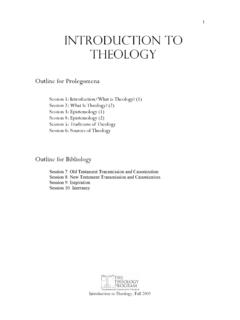
bible.orgIntroduction to Theology, Fall 2003 2 Prolegomena Deut 29:29 “The secret things belong to the LORD our God, but the things revealed belong to us and to our sons forever, that we may observe all the words of this law.” Session 1 & 2: What Is Theology? Outline I. What Is Theology? II. Who Is a Theologian? III. Categories of Theology I. What ...

Microsoft Office PowerPoint 2016 for Windows
apps.kennesaw.eduIntroduction Microsoft Office PowerPoint 2016 is a presentation software application that aids users in the creation of professional, high-impact, dynamic presentations. Slides are the building blocks of a PowerPoint presentation. By using slides, the focus is not only on the speaker, but on the visuals (slides) as well.
Introduction to Microsoft PowerPoint
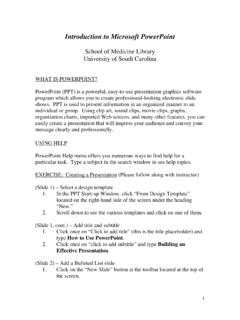
uscm.med.sc.eduIntroduction to Microsoft PowerPoint School of Medicine Library University of South Carolina WHAT IS POWERPOINT? PowerPoint (PPT) is a powerful, easy-to-use presentation graphics software program which allows you to create professional-looking electronic slide shows. PPT is used to present information in an organized manner to an individual or ...
Introduction to Microsoft PowerPoint 2016
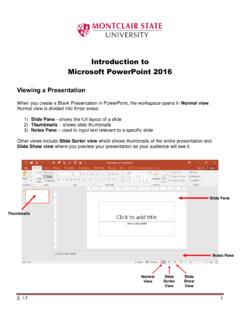
www.montclair.eduIntroduction to Microsoft PowerPoint 2016 Viewing a Presentation When you create a Blank Presentation in PowerPoint, the workspace opens in Normal view. Normal view is divided into three areas: 1) Slide Pane - shows the full layout of a slide 2) Thumbnails – shows slide thumbnails 3) Notes Pane – used to input text relevant to a specific slide
Microsoft PowerPoint 2013 Fundamentals Manual
www.technology.pitt.eduMicrosoft PowerPoint 2013 is a presentation application that enables an individual from any technical level to create a dynamic and professional-looking presentation. This is a hands-on workshop to help University of Pittsburgh faculty and staff with the fundamental features of PowerPoint and will teach them how to

Introduction to Labview - Michigan State University
www.egr.msu.eduIntroduction to Labview • Creating your first Virtual Instrument • A simple Input/Output VI. Start Labview Create a Blank VI. You should see the Front Panel. Close any open palettes or menus to simplify the look. Use the View menu to display the Tools Palette. Notice it is

PowerPoint Project
www.chino.k12.ca.usPowerPoint Project “ALL ABOUT ME” This PowerPoint project is a presentation that describes you, your family, and anything else you want to tell about yourself. Your grade will be determined by the neatness of your presentation, correct spelling and grammar, and by meeting all the requirements for the presentation.