Introduction to Microsoft PowerPoint
Microsoft Office Ribbon is above the main work area. The content and choices shown on the ribbon change depending on which tab is active and what tasks you are performing. Creating a New Presentation From Design Template 1. Click on the Microsoft Office Button and click new. 2.
Download Introduction to Microsoft PowerPoint

Information
Domain:
Source:
Link to this page:
Documents from same domain
Intermediate Microsoft Excel
www.lfpl.orgIntermediate . Microsoft Excel . Class learning objectives . By the end of class, students should be able to perform the following tasks in Microsoft Word:
Introduction to Microsoft Excel 2007
www.lfpl.orgIntroduction to . Microsoft . Excel 2007 . Class learning objectives . 1. What is Excel? • Spreadsheet uses & samples • Touring the Excel window • Learning important definitions
Introduction to Microsoft Publisher
www.lfpl.orgIntroduction to Microsoft Publisher . Class learning objectives . By the end of class students should be able to perform the following tasks: 1. Publisher Basics
Introduction to Microsoft PowerPoint
www.lfpl.orgIntroduction to Microsoft PowerPoint By the end of class, students should be able to: Identify parts of the work area.
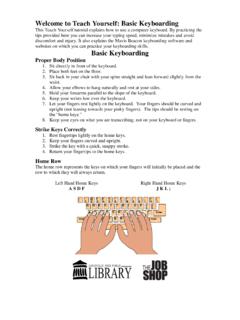
Welcome to Teach Yourself: Basic Keyboarding
www.lfpl.orgWelcome to Teach Yourself: Basic Keyboarding This Teach Yourself tutorial explains how to use a computer keyboard.By practicing the tips provided here you can increase your typing speed, minimize mistakes and avoid
Contact List for Government Officials City of …
www.lfpl.orgContact List for Government Officials City of Louisville Mayor Greg Fischer (502-574-2003) Metro Hall 4th Floor 527 West Jefferson St.
Introduction to Microsoft Word 2007
www.lfpl.org0 . Introduction to Microsoft© Word 2007 . Class Learning Objectives By the end of class, students should be able to perform the following tasks in
The Art of Small Talk: How to Get the Conversation Rolling ...
www.lfpl.orgThe Art of Small Talk: How to Get the Conversation Rolling with Practically Anyone Basic Philosophy “Every great relationship, be it romance, professional, or personal, begins with a

Coming of Age
www.lfpl.orgWelcome! •Introductions (name & why you chose to attend this short course) Roadmap: •Goals for our session & this month of sessions •Overview of coming of age genre •Approaches for interpreting literature •Review and discussion of short pieces from “House on Mango Street” •Questions for active reading in preparation for our next ...
Introduction to Microsoft Publisher
www.lfpl.orgUnlike the other programs in Microsoft Office 2007, Microsoft Publisher 2007 uses the Microsoft Office Toolbar and a Menu system in place of the Microsoft Office Ribbon. ... Each publication is composed of different frames, such as text frames, picture frames, table frames, and shape/object frames. ...
Related documents
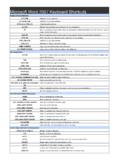
Microsoft Word 2007 Keyboard Shortcuts
shortcutmania.comMicrosoft Word 2007 Keyboard Shortcuts Display and use windows ALT+TAB Switch to the next window. ALT+Shift+TAB Switch to the previous window. CTRL+W or CTRL+F4 Close the active window. ALT+F5 Restore the size of the active window after you maximize it. F6 Move to a task pane from another pane in the program window (clockwise direction). You ...
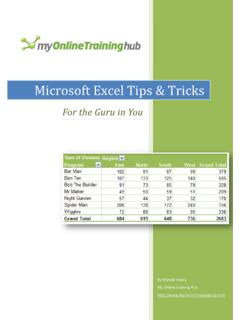
Microsoft Excel Tips & Tricks
d13ot9o61jdzpp.cloudfront.netYou can find more Microsoft Office training (including Excel, Word and Outlook video tutorials) and ... change > For Excel 2007+ use the formatting tools on the Home tab of the ribbon or for Excel 2003 use the formatting icons on the toolbar. Move, insert and copy columns, rows and cells using the Mouse + SHIFT or CTRL. ...

WORD BASICS: MICROSOFT OFFICE 2007 - University of …
ils.unc.eduThe Microsoft Office Button The Microsoft Office Button appears at the top of the Word window. When you click the button, a menu appears. From this menu you can create a new document, open existing files, save files in a variety of ways, and print. You can also add security features, send, publish, and close files.
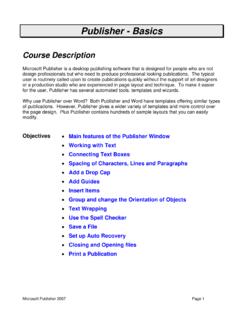
Publisher - Basics - Des Moines University
www.dmu.eduPublisher starts in the Getting Started with Microsoft Office Publisher 2007 window. You can select a template from this gallery or start with a blank “canvas”. There is also an option to create types of Word Documents.
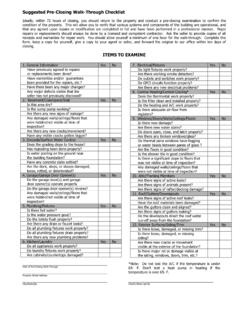
Microsoft Word - Pre-Closing Checklist
www.homegauge.comform, keep a copy for yourself, give a copy to your agent or seller, and forward the original to our office within ten days of closing. ITEMS TO EXAMINE 1. General Information Yes No Have previously agreed to repairs or replacements been done? Have warranties and/or guarantees been provided for the repairs, etc.? Have there been any major changes?