iVMS-4200 Client Software
User Manual of iVMS-4200 Client Software 7 network. If the WinPcap is not installed, the SADP software cannot be used. After the driver has been installed, continue the following steps.
Download iVMS-4200 Client Software

Information
Domain:
Source:
Link to this page:
Documents from same domain

61 系列布控球 - download.hikvision.com
download.hikvision.com61系列布控球 用户手册 ii 前 言 本节内容的目的是确保用户通过本手册能够正确使用产品,以避免操作中的危险或财产
Why Hikvision?
download.hikvision.comWhy Hikvision? First Choice For Security Professionals www.hikvision.com • Hikvision designs and manufactures a full line of Analog and IP DVRs, NVRs, Cameras, Encoders and Decoders in our 1 million sq. ft. facility. • Hikvision’s investment into R&D in ... Network Camera ...
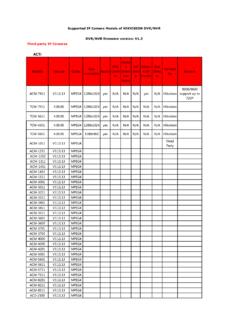
ACTi - Hikvision
download.hikvision.comACTi Models Version Codec Max resolution Audio PTZ Contr ol Motio n Detec tion Setup I/O Setu p Motio n I/0 Handle Sub ... Supported IP Camera Models of HIKVISION DVR/NVR DVR/NVR firmware version: V1.3. Arecont Models Version Codec Max resolution Audio PTZ Contr ol ... network cameras/Fixe d dome network cameras/PTZ network …

Network Dome Camera Installation Manual - Hikvision
download.hikvision.comThank you for purchasing our product. If there are any questions, or requests, please do not hesitate to contact the dealer.

Network Box Camera Installation Manual
download.hikvision.comThank you for purchasing our product. If there are any questions, or requests, please do not hesitate to contact the dealer.

Network Cube Camera Installation Manual - Hikvision
download.hikvision.comDS-2CD8133F-E(W)(I) and DS-2CD8153F-E(W)(I) Network Camera. This manual may contain several technical incorrect places or printing errors, and the content is subject to change without notice.

Network Mini Dome Camera Installation Manual - Hikvision
download.hikvision.comDS-2CD7133-E and DS-2CD7153-E Network Camera. This manual may contain several technical incorrect places or printing errors, and the content is subject to change without notice.

iVMS-4500 (iOS) Mobile Client Software User Manual (V2.0)
download.hikvision.comiVMS-4500 (iOS) Mobile Client Software 8 Favorites Define specific channels to your favorites Channel Config Configure camera’s stream type, resolution, frame rate and bit rate Alarm Manage Arm/disarm the device, receive and view the alarm information of device Local Config Configure the auto login, saving path, access point and speed of PTZ control
Related documents

How to Download & Install the SADP Tool - Hikvision USA
hikvisionusa.come SADP Total number of online devices: Device Type Security Active Inactive Active IPv4 Address 192.16803 192.0.0.64 192.168.0.98 Software Version
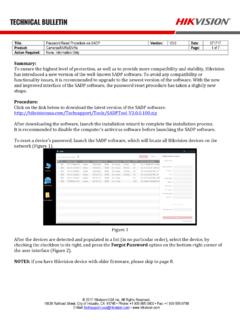
Password Reset Procedure via SADP Version: Date: Product: …
hikvisionusa.comTitle: Password Reset Procedure via SADP Version: V3.0 Date: 071717 Product: Cameras/NVRs/DVRs Page: 1 of 7 Action Required: None, Information Only © 2017 Hikvision ...
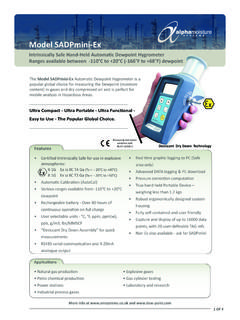
Model SADPmini-Ex - Dew point
www.dew-point.comThe SADP mini-Ex has been specifically designed to be Intrinsically Safe in hazardous environments and because of this it can be used in a wide range of applications including natural gas production, petrochemical production and explosive gases.

How to Restore Default Password User Manual - Hikvision USA
www.hikvision.comThe SADP tool and iVMS4200 client software (Fig. 1) can be used for restore default password (12345) of DVR’s, NVR’s and IP Cameras. In case of the administrator-admin password has been missed or forgotten you may contact us at
SADP Software - Hikvision
www.hikvision.comUser Manual of SADP Software 3 password to log into the device. To save the information of searched devices, please click Save as Excel and set the file name and file path in the pop-up window to save the information as excel file.