
Kronos Clock Instructions Quick Reference Guide
EMPLOYEE RECORD, just press Enter in each field. Otherwise, follow steps 2-4 under To clock in to another department, job code, or position. 4. Swipe your badge to Enter Badge ID. To clear an activity (such as callback, charge, education, etc.) and return to a non-activity position: 1. Press the blue key next to the More… menu option. 2.
Download Kronos Clock Instructions Quick Reference Guide

Information
Domain:
Source:
Link to this page:
Documents from same domain

Important information regarding e-documents
welcometosth.comfor more information regarding the criteria and methodology used, the tool’s limitations and key assumptions, and other important information. The role of the onsite Retirement Planning Consultant is to assist you with your savings and investment plan. There are no fees or commissions for meeting with your onsite Retirement Planning …
Related documents
Basic Employee Processes - UltiPro Training
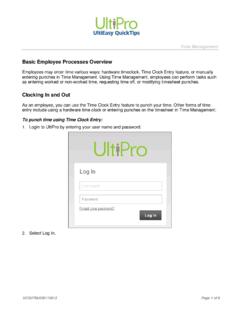
ultipro.cstalent.orgBasic Employee Processes Overview Employees may enter time various ways: hardware timeclock, Time Clock Entry feature, or manually entering punches in Time Management. Using Time Management, employees can perform tasks such as entering worked or non-worked time, requesting time off, or modifying timesheet punches. Clocking In and Out
6 Employee Relations - USPS
about.usps.comJan 30, 1997 · functions of the committee while on the clock, subject at all times to the needs of the Postal Service. 615.33 Responsibilities The employee social and recreational committee represents all employees in the installation. It is responsible for administering social and recreational funds and administering programs for the benefit of all employees ...

First Step Learning Centre Employee Handbook
www.firststeplearningcentre.comEMPLOYEE STATUS: Full-Time employees will work a 40 hour per week schedule. Anything less is considered a Part-Time employee. STAFF SCHEDULES: Each classroom has 2 – 3 staff members. Each staff member has a different schedule to accommodate the room. REQUESTING TIME OFF: Request must be made 7 days in advance.
Paychex TrueShift User Guide
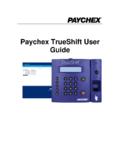
www.trueshifttimeclock.com• Track tips, job numbers, or piece counts with employee entry at the clock • Department tracking with department transfers at the clock • Individual supervisor logins with employee …

Dayforce HCM Employee Access Employee Guide
www.imaginecolorado.orgThe employee time clock displays. Minimize the screen again by clicking on the black rectangle. The top right-hand corner of the time clock displays the current status to indicate whether to clock in or clock out. The current time and date is displayed in the center of the time clock.

Standards of Business Conduct
globalassets.starbucks.com3 Living Our Values 4 Anti-Retaliation Policy 5 The Workplace 6 How We Treat One Another 7 Diversity 8 Wage and Hour Rules 8 Business Practices 10 Conflicts of Interest 11 Gifts and Entertainment 12 International Business 13 Interaction with the Government 13 Sales Practices and Advertising 15 Fair Competition 15 Our Responsibilities 16

State of Nevada Employee Handbook
hr.nv.govEmployee Handbook. Department of Administration Division of Human Resource Management. Blasdel Building. 209 East Musser Street, Suite 101. Carson City, Nevada 89701-4204. Grant Sawyer Building. 555 East Washington Avenue, Suite 1400. Las …
ADP Workforce Now Essential Time & Attendance Employee ...
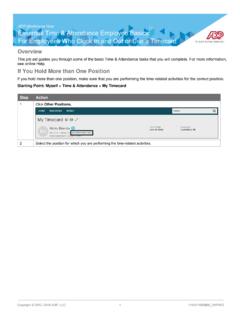
statesecurityagency.net1 Click Clock In or Clock Out as appropriate. Result: A success message and the In or Out time are displayed. Note: Some companies require employees to click the Lunch Out button when they clock out for lunch, while others require employees to click the Clock Out button. If you are not sure which button to use, contact your supervisor.
Employee Guide - Taylor Corporation
taylorcorp.comWorkday User Guide Employee Rev. 9/4/2019 Questions: hrconnect@taylorcorp.com or 1-877-252-9861 Page | 4 . Using Search . Workday makes it easy to search for people, tasks, reports, and business data using the Search Field.
TIME CLOCK PROCEDURES
ualr.eduNo employee may consistently clock in or out more than 7 minutes prior to, or 7 minutes after, his or her shift. However, the 7 minutes before or after the employee’s assigned start time, is just a rounding function in TCP. Employees should not assume that it is acceptable to habitually clock in after their scheduled time to begin work. 5.