
Lesson 1: Introduction
1 Lesson 1: Introduction Transcript Title Slide (no narration) Webcast Tips There are a few things that will assist you in navigating through the webcasts. At the bottom of the viewing pane are the play and pause buttons as well as buttons to go back and forward. There are also buttons to adjust the volume, view the closed captioning and close the
Download Lesson 1: Introduction

Information
Domain:
Source:
Link to this page:
Documents from same domain
OFFICE OF DEVELOPMENTAL PROGRAMS BULLETIN
palms-awss3-repository.s3-us-west-2.amazonaws.comOFFICE OF DEVELOPMENTAL PROGRAMS BULLETIN ISSUE DATE February 5, 2021 EFFECTIVE DATE February 5, 2021 NUMBER 00-21-01 SUBJECT Guidance for Human Rights Teams and Human ... HRT. This can be through an internal HRT, an agreement with another provider, or (with AE approval) through an HRC.

OFFICE OF DEVELOPMENTAL PROGRAMS BULLETIN
palms-awss3-repository.s3-us-west-2.amazonaws.comOFFICE OF DEVELOPMENTAL PROGRAMS BULLETIN ISSUE DATE March 1, 2021 EFFECTIVE DATE July 1, 2021 ... The appropriate toll free number for your provider type Visit the Office of Developmental Programs Web site at ... are delegated or purchased via a contract or agreement. III. Policy, Procedure and Training Requirements . 5 a. Providers and SCOs ...

Incident Management Bulletin: Recognizing Incidents
palms-awss3-repository.s3-us-west-2.amazonaws.comLaws for mandated reporting and protection of care-dependent persons In the Introduction and Overview webinars, you learned some of the drivers for changes in the Incident Management system. The U.S. Department of Health and Human Services

Incident Management Bulletin
palms-awss3-repository.s3-us-west-2.amazonaws.comCarolyn received this award on her own behalf as a victim of crime, and for her efforts to support other victims who have an Intellectual Disability and Autism. ... We ask that you submit comments and questions at any time during the presentation through the Question Pane in your control panel. ... •impact of trauma; and

Attachment 1 Bulletin 00-21-02
palms-awss3-repository.s3-us-west-2.amazonaws.comEach county in Pennsylvania has a program that provides services to victims of crime if the case proceeds through the criminal justice system. These programs are usually located in the county’s District Attorney's Office or the Juvenile Probation Office. Once charges are filed, someone from the county program that provides services to victims of

Incident Management Bulletin
palms-awss3-repository.s3-us-west-2.amazonaws.comEveryone should be encouraged and supported to speak up to protect the health and safety of the individuals that we support. To summarize all this, incident management is critically important because every incident directly ties back to an individual.
Incident Management Bulletin: Recognizing Incidents
palms-awss3-repository.s3-us-west-2.amazonaws.comwww.dhs.pa.gov www.dpw.state.pa.us >> Hello, my name is Dave Maloney with The Columbus Organization. Welcome to this webcast on Recognizing Incidents, Part 1, The Incident Management Process. This webcast series is about our …
Related documents
Capitalization Worksheet Lesson 1
www.centralsoutherntierraen.orgJan 28, 1996 · Name Date. Capitalization Worksheet Lesson 1. Instructions: Circle all the words that have capitalization errors. Rules: • The pronoun “I” should always be capitalized. • Capitalize the names and initials of people and pets. • Capitalize the title that comes before a person’s name. Yesterday, our school had an unusual speaker.

Lesson: Intro Lesson (Ages 3-7) - ESL KidStuff
www.eslkidstuff.comIn later lessons, once your students can recognize their written name, you can have them pick out their own name tags. New Learning and Practice: 1. Play "Ball Pass" and say names Take a soft ball and pass it to your nearest student, saying "Pass". Have each student pass the ball around the circle. Next, hold the ball and say your name. Have each

English for English Speakers - Beginner: Level 1
thuvienso.bvu.edu.vnLesson 1 Introductions To be able to greet others and introduce themselves Pronouns and words of greeting and introduction Speaking, listening Self-study 1. Task Sheet 1. Match the greetings with the answers. 2. Task Sheet 2. ... 1. Hello, I’m Diana. What’s your name? My name’s Peter.

Lesson 1 – Telephone English Phrases
2qdocg2za8g336a8w21fo83z-wpengine.netdna-ssl.comLesson 1 – Telephone English Phrases First let's learn some essential telephone vocabulary, and then you’ll hear examples of formal and informal telephone conversations. There are different types of phones: ... your company name: • "Hello, this is Ryan Bardos."
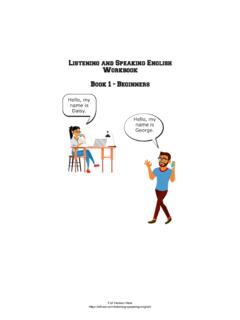
Listening and Speaking English Workbook - Beginner's ...
efl-esl.comLESSON 1 . Daisy and George. Vocabulary - Listen and Repeat . hello yes no name listen a woman woman’s man man’s I am is my Canadian her his . Listen: Hello, my name is Daisy. Hello, my name is George. Daisy is a woman. I am a woman. George is …

NAME: DATE: DAILY ACTIVITIES - All Things Topics
www.allthingstopics.comvary somewhat depending on your own specific group of learners, so be flexible. For the Grammar-in-Context section, make sure that your learners have put away the original reading text before completing the exercise. 6 / 8 = 75 My Notes 3 / 8 = 38 ANSWER KEY Reading Comprehension 1. C 6. C 2. A 7. A 3. C 8. B B 5. B Grammar-in-Context 1. B 5. A ...
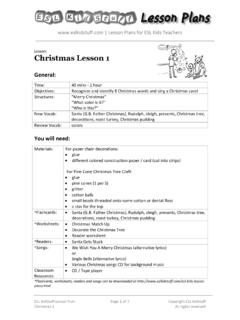
Lesson: Christmas Lesson 1 - ESL KidStuff
www.eslkidstuff.com1. Start the lesson as you usually would (E.g. Hello song, "What's your name?", "How are you?", homework check, etc.). 2. Show a flashcard picture of Santa. Elicit who it is ("Who is this?"). Explain that today and next class we are going to have a Christmas Lesson. Put on some Christmas carol background music to create a Christmas atmosphere.
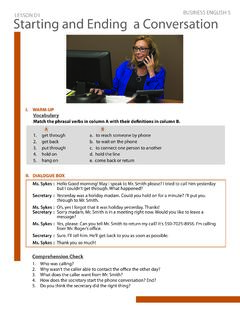
LESSON D1 BUSINESS ENGLISH 5 Starting and Ending a ...
www.qqeng.comLisa Hello, this is Lisa from Speakers International. I’d like to make a follow up on our : reservation for our company’s anniversary party. Mary : Oh, yes! We’ve already reserved the banquet hall under your name. That will be on Saturday at 7:00 to 11:00 p.m., right? Lisa That’s great. But I have few questions.