
M/Connect Troubleshooting Guide - Humanscale
3. Click the Property (should say Device description) and scroll to “Hardware Ids”. 4. If the device is the M/Connect, you should see a value like USB\VID_17E9&PID_XXXX, where XXXX can be any hexadecimcal value (0-9 or A-F). If the VID is not 17E9, then this is not M/Connect. ii.
Download M/Connect Troubleshooting Guide - Humanscale

Information
Domain:
Source:
Link to this page:
Documents from same domain

Healthy Workstation Guidelines - Humanscale
www.humanscale.comHealthy Workstation Guidelines 5 1 90˚ 3 4 6 2 TYPE Position the work surface about an inch below your rested elbow height, allowing your shoulders to be relaxed.
Related documents

Quality Control (QC) Troubleshooting Guide
beckmancoultertraining.csod.comcontrol. Control IDs are required for Auto Generation of Control. Bar Code Assignment 1 Select Control ID F2 from the Define/Edit Controls dialog box to display the Control ID dialog box. 2 You can type up to eight unique control IDs with a maximum of 15 alphanumeric characters. Press after each entry to move between fields.
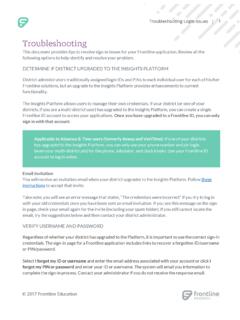
Troubleshooting Login Issues
help.frontlinek12.comTroubleshooting This document provides tips to resolve sign-in issues for your Frontline application. Review all the following options to help identify and resolve your problem. DETERMINE IF DISTRICT UPGRADED TO THE INSIGHTS PLATFORM District administrators traditionally assigned login IDs and PINs to each individual user for each of his/her
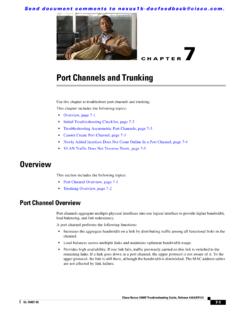
Port Channels and Trunking
www.cisco.comCisco Nexus 1000V Troubleshooting Guide, Release 4.0(4)SV1(1) OL-19427-05 7 Port Channels and Trunking Use this chapter to troubleshoot port channels and trunking. This chapter includes the following topics: • Overview, page 7-1 † Initial Troubleshooting Checklist, page 7-2 † Troubleshooting Asymmetric Port Channels, page 7-3
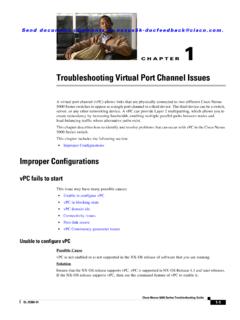
Troubleshooting Virtual Port Channel Issues
www.cisco.comCisco Nexus 5000 Series Troubleshooting Guide OL-25300-01 Chapter 1 Troubleshooting Virtual Port Channel Issues Improper Configurations id Port Status Active vlans -- ---- ----- -----1 Po500 down - The two switches in this example have different vP C domain IDs. The vPC domain IDs of these Nexus switches must be changed to match.
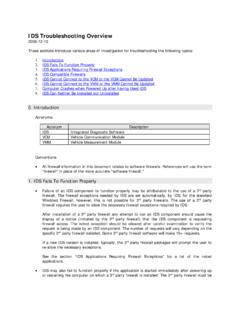
IDS Troubleshooting Guide - Ford Motor Company
www.fordtechservice.dealerconnection.comDec 15, 2008 · IDS Troubleshooting Overview. 2008-12-15. These sections introduce various areas of investigation for troubleshooting the following topics: 1. Introduction 2. IDS Fails To Function Properly 3. IDS Applications Requiring Firewall Exceptions 4. IDS Compatible Firewalls 5. IDS Cannot Connect to the VCM or the VCM Cannot Be Updated 6.

IDS 64-Bit Troubleshooting Guide ENG - Ford Motor Company
www.fordtechservice.dealerconnection.comIDS 64-Bit Troubleshooting Guide_ENG.doc Page 2 of 6 Created on: April 18, 2011 Modified On: April 19, 2011 12:12:52 PM 2. Type CMD in the start menu search box to locate the Command Prompt Program 3.

DICOM Troubleshooting & Related Issues
www.laurelbridge.comPatient IDs, Patient Names, etc. 2. A study was directly copied from a PACS and contains stale header data. The PACS system does not synchronize changes to the stored metadata with the saved DICOM files. 3. I cannot query every item I expected. Getting all the relevant query results out of a PACS when there are more items than the