
Managing Your Basic General Ledger Interface Tasks
QuickBooks Online (QBO) clients will also see the QBO Export Status link under the Process menu. Instructions Step Action 1 Select Process and, under G/L File, select Create G/L File. 2 In the G/L File Name field, enter the name of the G/L file you will create. Note: A best practice is to use the date of the payroll selected, for example, Oct01.
Download Managing Your Basic General Ledger Interface Tasks

Information
Domain:
Source:
Link to this page:
Documents from same domain

Slide Notes Billing Case Management - Learning …
admin.abcsignup.comSlide 19: For more information about Targeted Case Management (TCM) you may also reference the case management requirements for billing Medicaid on the Texas Medicaid & Healthcare Partnership

I. Joint Planning - Learning Stream
admin.abcsignup.comThe Texas ECI Coaching Checklist was developed based on information from Rush, D. & Shelden, M. (2005). Evidence-based definition of coaching practices.

PowerPoint Presentation
admin.abcsignup.comOrgan Failure: respiratory, renal, liver, heart failure ... Geriatric syndromes and related prognostic factors ... Geriatric Failure to Thrive: +Age >= 75, albumin < 3.5 g/dL, dependency in >=2 ADLs, admission to an acute care hospital or skilled nursing facility and 1 or more of conditions
ADP Workforce Now Essential Time & Attendance …
admin.abcsignup.comESSENTIAL TIME & ATTENDANCE SUPERVISOR BASICS FOR ADP WORKFORCE NOW HANDOUT MANUAL 2012 ADP, Inc. 2 V10011280337WFN41 Course Purpose This course prepares you to use ADP Workforce Now® to edit timecards, fix timecard
Using the Recruitment Feature - admin.abcsignup.com
admin.abcsignup.comUsing the Recruitment Feature in ADP Workforce Now Module 1: Creating and Posting Requisitions Handout Manual
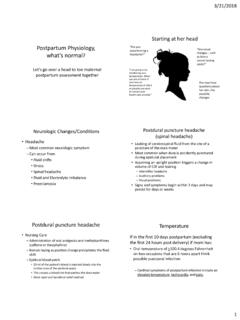
Postpartum Physiology, what’s normal
admin.abcsignup.comPulse: Rapid or increasing pulse rate can indicate hypovolemia Respirations: Return to pre-pregnancy rate soon after birth Respirations: Hypoventilation can be a result of an unusually high spinal block or epidural medication after a cesarean section Blood Pressure : Slight transient return of approx. 5% increase over the first

Medication Aide Skills Assessment Review Guide
admin.abcsignup.comsame time). Accurate within 4mm HG *** Critical Step 14. When sounds are no longer heard, open the valve completely and allow the cuff to completely deflate and remove it from the resident’s arm. 15. If need to retake the BP, allow one minute before re-inflating the cuff. 16. Position the resident. 17. Open the room. 18.

STATISTICAL ANALYSIS 101 - Learning Stream Login
admin.abcsignup.comEXAMPLE: LOGISTIC REGRESSION OR CI p Race White 1 Non-white 8.18 1.39-48.10 0.020 Depression No 1 Yes 8.69 1.19-63.42 0.033 Obesity No 1 Yes 6.45 1.40-29.61 0.016

ADP Workforce Now® Managing Time Off (PTO) Demonstration
admin.abcsignup.com3 Scenario - Hourly Employees • Hourly employees receive a flat amount of hours upon new hire depending on the month they are hired • On an annual basis the amount of paid vacation an

ADP Workforce Now Pay - admin.abcsignup.com
admin.abcsignup.comAutomatic Pay calculates standard pay for salaried employees and for hourly employees with standard hours. You must enter paydata manually if there is …