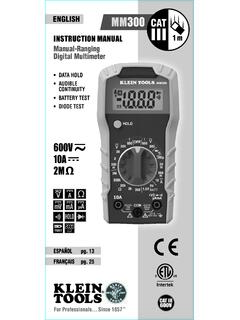
Manual-Ranging Digital Meter - Klein Tools
DC VOLTAGE (LESS THAN 600V) 1. Insert RED test lead into V˚ jack 5, and BLACK test lead into COM jack 4, and rotate function selector switch 2 to the highest V DC ( ) setting (600V). 2. Measure voltage and rotate the function selector switch to successively lower V DC ( ) settings to obtain higher resolution measurements.
Download Manual-Ranging Digital Meter - Klein Tools

Information
Domain:
Source:
Link to this page:
Documents from same domain

INSTRUCTION MANUAL Digital AC/DC Voltage & …
data.kleintools.comINSTRUCTION MANUAL ET250 600V FRANÇAIS pg. 17 ESPAÑOL pg. 9 Digital AC/DC Voltage & Continuity Tester • AUTOMATICALLY SELECTS MEASUREMENT MODE

Screwdrivers, Nut Drivers and Accessories - Klein Tools
data.kleintools.comScrewdrivers, Nut Drivers and Accessories Offering a variety of tip types, hex sizes, shaft lengths, and handle designs, Klein has the screwdrivers

CABLE STRIPPERS - data.kleintools.com
data.kleintools.com• wire stripper/crimpers • cable strippers • pliers • nut driver • folding jab saw • knives • hybrid multi-tool • pocket thermometer

INSTRUCTION MANUAL Digital Circuit Breaker Finder
data.kleintools.comThe Klein Tools ET310 is a digital circuit breaker finder used to locate the correct circuit breaker in a panel to which an electrical outlet or fixture is connected. The transmitter is connected to the electrical ... the frequency of the audible beeps will increase. When located, the audible beep will sound continuously, the circuit status ...
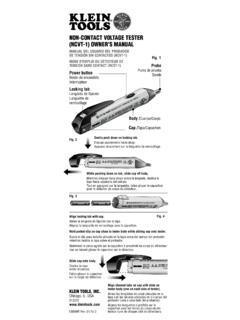
NON-CONTACT VOLTAGE TESTER (NCVT-1) OwNER’S …
data.kleintools.com• A blinking or steady red glow and an audible beep indicate voltage present. If no indication, voltage could still be present. • Before and after each use, verify operation by testing a known working circuit that is within the rating of this unit. • Never assume neutral or ground wires are de-energized. Neutrals in multi-wire

Test & Measurement - Klein Tools
data.kleintools.comvoltage, resistance, continuity, frequency, capacitance, and tests diodes via test-leads, and temperature via a thermocouple probe. It features a super bright high visibility dual-line OLED display screen that optimizes viewability in dark or bright environments and when viewed at indirect angles Features CL110 CL210 CL310 CL330

FIG. 1 INSTRUCTIONS – Dual-range Non-Contact Voltage ...
data.kleintools.comINSTRUCCIONES – Probador de voltaje sin contacto de rango dual (Español: página 3) INSTRUCTIONS – Testeur de tension sans contact à double plage (Français : page 4) DURABILITY / DURABILIDAD / DURABILITÉ Drop Protection Protección ante caídas Protection contre les chutes 6.6 ft. (2 m) Safety Rating Clasificación de seguridad Cote de ...

Wrenches - Klein Tools
data.kleintools.com7-Piece Combination Wrench Set - Metric 68500 Cat. No. Set Contains Weight 68500 1.2 lbs. (0.54 kg) Cat. No. Size Length Box End Point 68507 7 mm 5-1/8" (130.2 mm) 12

Auto-Ranging Digital Multimeter True RMS Technology
data.kleintools.com5 ELECTRICAL SPECIFICATIONS OTHER MEASUREMENT APPLICATIONS Maximum Input: 100V RMS in Voltage setting, 600V DC or 600V AC RMS in all other settings • Diode Test: 1.5 mA max, open circuit voltage 3.0V DC • Continuity Check: Audible signal when resistance <50Ω, max test current 0.35mA

Auto-Ranging Digital Multimeter - Klein Tools
data.kleintools.comAudible Continuity Diode Capacitance Hz Frequency % Duty-cycle Double Insulated Class II °F/°C Temperature (Fahrenheit / Celsius) Ground Fuse (with rating below symbol) Warning or Caution To ensure safe operation and service of this meter, follow all warnings and instructions detailed in this manual. Risk of Electrical Shock
Related documents

The Complete Guide to Electrical Insulation Testing
www.instrumart.comThe Megger insulation tester is essentially a high-range resistance meter (ohmmeter) with a built-in direct-current generator. This meter is of special construction with both current and voltage coils, enabling true ohms to be read directly, independent of …
Guide To Electrical Safety Testing
go.hipot.comHipot tester with the output voltage ON. The HIGH VOLTAGE warning symbol illuminate RED when the tester is outputting. This indicates that the tester is in a dangerous state. 2. Determine the nominal voltage of an electrical circuit by reading drawings, signs and labels. Know how to use the equipment. Every tester should come with a user’s
NON-CONTACT VOLTAGE TESTER (NCVT-1) OwNER’S …
data.kleintools.comtester near an AC voltage. If the tester detects voltage, the “power on” LED in the tip of the tester changes color from green to red and a continual beeping sound is generated. Voltage Range 50 TO 1000 VOLTS AC Audible High-pitched continuous beeping sound Visual Green LED Turns OFF and Red LED illuminates continuously Low battery indication:
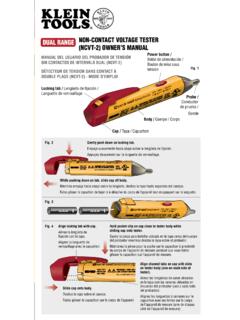
DUAL RANGE NON-CONTACT VOLTAGE TESTER (NCVT-2) …
www.kleintools.comVOLTAGE RANGE: 12-1000 Volts AC TESTER TYPE: Non-Contact Voltage Detector UL CERTIFICATION E321008 3TMV FREQUENCY RANGE: 50-500Hz STANDARDS: UL 61010-1 2nd edition, CAN/CSA C22.2 No. 61010-1-04, EN 61010-1 2nd edition, IEC 61010-1:2001 2nd edition, ISA-82.02.01 (IEC61010-1 MOD) CAT IV RATED DOUBLE INSULATED POWER ON …

The Dielectric Voltage Withstand Test
code-authorities.ul.comThe Dielectric Voltage Withstand Test page 4 Electrical and electronic devices also exhibit current analogous to leakage current during dielectric testing. However, since the dielectric test voltage is much higher, the current will be higher as well because the capacitive charging current increases in proportion to the increased voltage.

TESTING FOR VOLTAGE DROP
drivcat.comVoltage Drop testing is a method of electrical diagnosis that can quickly locate high-resistance problems in a circuit. Digital Volt/Ohmmeters (DVOM's) can be used to measure the voltage drop across a load device or conductor. Voltage Drop is the loss of voltage caused by the flow of current through a resistance.

The Transistor Tester user manual - Banggood
img.banggood.comcapacitor the offset voltage of the analog comparator will be compensated for better measurement of capacity values. special using hints: Normally the Tester shows the battery voltage with every start. If the voltage fall below a limit, a …

An inexpensive, easy to build diy valve tester
valveheaven.comvariable voltage supply can be used (and was successfully in the "Sussex" valve tester design), I was looking for a simpler solution. While thinking about this a while ago, it occurred to me that the voltage multipliers that are used in my Lamington amp designs already generate several voltages

Multi-function Tester (TC-V2.12k)
www.circuitspecialists.com2.8 Built-in Li-ion Battery voltage measurement The built-in Li-ion Battery voltage is measured before detection, when the battery voltage is less than 3.0V will force shutdown, then please charging. 2.9 Charging the Battery The tester has a standard Micro USB interface, please use an external 5V power supply or USB power charging.