
Microsoft Excel 2007 Basics For Windows
• Double-click the Excel program icon or an existing Excel worksheet. Excel 2007 program icon • Choose Microsoft Excel from the Microsoft Office Manager. • Click on the Windows XP Start button, choose Programs, MS Office, MS Excel . Start button. Creating and Opening Workbooks Creating a new workbook . 1) On the Office button menu, click New.
Download Microsoft Excel 2007 Basics For Windows

Information
Domain:
Source:
Link to this page:
Documents from same domain
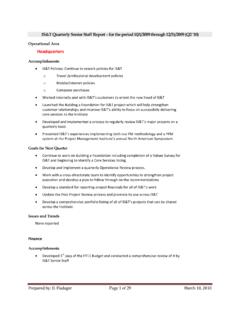
DRAFT Quarterly Report Template
ist.mit.eduCollaborated with HR to develop monthly position roster reporting that will aid in the development of the quarterly financial ... PWC Audit report response: ...

BI Analyst Position Description
ist.mit.eduBusiness Intelligence Analyst Position Description February 9 ... Title Business Intelligence Analyst I Business Intelligence Analyst II ... data analytics.
Business Continuity Position Description
ist.mit.eduBusiness Continuity Position Description February 9, 2015 . Version 4 February 9, 2015—Page iBusiness Continuity Position Description ... implementing the Institute-wide business continuity and disaster recovery management programs, including maturity models, methodologies, sourcing

Architecture Position Description
ist.mit.eduEnterprise Architect (EA) — The Enterprise Architect provides guidance, road maps, principles, standards and best practices. They must They must be focused on enabling business and IT leaders to make investment decisions that balance and prioritize current operational demands,
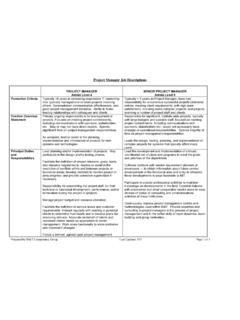
Project Manager Job Descriptions
ist.mit.edugood project management discipline. Ability to foster trusting relationships with colleagues and clients. Typically > 3 years as Project Manager; have had ... IS&T Director and/or Senior Project Manager reviews goals, accomplishments, and overall team performance at key stages.
Related documents

HP Pavilion PC User™s Guide
h10032.www1.hp.comGuide provides an easy way to start using your HP Pavilion PC. It offers easy access to a variety of on-screen tutorials and multimedia demos that will help you get up and running quickly with your new computer. Start Personal Guide by double-clicking its icon on the Windows 95 desktop. To explore a Personal Guide category, click its

7 Steps to Perfect Program Planning - Purdue Agriculture
ag.purdue.edu7 Steps to Perfect Program Planning Janet Bechman Purdue University. 2008. Purdue University is an Equal Opportunity/Equal Access institution. ... It may be that some participants are planning to open a bank account, b對ut are not planning to start saving money monthly, or vice versa. Separate the questions in cases similar to this.

HYSYS : An Introduction to Chemical Engineering Simulation
eprints.utm.mySelect File/New/Case or press Crtl+N or click on the New Case to start a new case. In HYSYS, your simulation is referred to as a “case”. This will open up the Simulation Basis Manager which is where all of the components and their properties can …

Programming Stata
www.stata.com6[U] 18 Programming Stata 18.3 Macros Before we can begin programming, we must discuss macros, which are the variables of Stata programs. A macro is a string of characters, called the macroname, that stands for another string of characters,

KOFAX POWER PDF ADVANCED QUICK START GUIDE
www.kofax.comSep 23, 2020 · 4. Cci k l ht e Start converting button to create the PDF. Create a PDF from Windows Explorer or desktop by drag-and-drop Drag-and-drop one or more files onto the Power PDF icon. The program starts and creates one PDF file for each dragged document. The files can also be gragged onto an empty window in Power PDF. If files are dragged onto a
Scholastic Literacy Pro User Guide
www.scholastic.comScholastic Literacy Pro™ is a browser-based program that assesses students’ ... students start the test, the difficulty level of questions change according to students’ performance. When the computer has enough information to generate ... saving changes). The Home Screen appears again, with the new Reading

WESTERN WASHINGTON JUDGING PROGRAM 2022 WINTER …
baray-production-storage.s3.us-west-2.amazonaws.comNo roping off or saving of grooming areas. Show Committee reserves the right to rearrange crates etc., in the non-reserved grooming area in order to make more room. Grooming equipment left in day grooming area after Best in Show will be confiscated. • Grooming and Crating area aisles must remain open at all times.