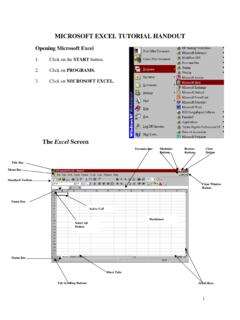
MICROSOFT EXCEL TUTORIAL HANDOUT - nisdtx.org
double headed arrow 2. Click and drag to the border to the right or left. 3. Release the mouse at the desired width. OR 1. Move the mouse pointer to the right of the column heading border until it turns into a double headed arrow. 2. Double-click. The column is automatically resized to fit the widest entry. Adjust the width of Multiple Columns: 1.
Download MICROSOFT EXCEL TUTORIAL HANDOUT - nisdtx.org

Information
Domain:
Source:
Link to this page:
Documents from same domain

2020-21 COMPREHENSIVE SCHOOL COUNSELING PLAN
p10cdn4static.sharpschool.comdevelopment must surpass what are perceived to be predominantly “counseling related” services activities. Program delivery consists of the many ways that professional school counselors provide services to students including individual and group counseling, large and small group guidance,

PracticePractice PuzzlesPuzzles
p10cdn4static.sharpschool.comDivision Bingo 39 Mixed Practice (addition, subtraction, multiplication, and division) Decimal Fun 40 Follow the Arrows 41 Baseball Trivia 42 Fractions and Decimals Decimal Match 43 Match It 44 Super Challenge 45 ANSWER KEY 46 Multiplication and Division Practice Can Be Super Fun! Table of Contents

Northwest ISD Instructional Calendar - nisdtx.org
p10cdn4static.sharpschool.comNorthwest ISD Instructional Calendar 2021-2022 School Year *Calendar is subject to change July 2021 August 2021 September 2021 Su M Tu W …
Related documents
RUGGED TIGER EYE SYSTEMS - Samtec
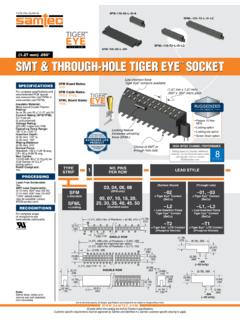
suddendocs.samtec.comdouble row –lc –ds –dh –a –sh surface mount through-hole lead style a b –01, –l1, –t1 (3.05) .120 (0.51) .020 –03, –l3 (1.91) .075 (0.41) .016 gbps 3.2 8 amps max f-221. created date:
Chapter 5: JOINT PROBABILITY DISTRIBUTIONS Part 1 ...
homepage.stat.uiowa.edurow x= length totals 129 130 131 y=width 15 0.12 0.42 0.06 0.60 16 0.08 0.28 0.04 0.40 column totals 0.20 0.70 0.10 1 y 15 16 fY(y) 0.60 0.40 Because the the probability mass functions for X and Y appear in the margins of the table (i.e. column and row totals), they are often re-ferred to as the Marginal Distributions for Xand Y.

Two-Dimensional Arrays
www.cs.cmu.eduSummer 2010 15-110 (Reid-Miller) Two-Dimensional Arrays • Two-dimensional (2D) arrays are indexed by two subscripts, one for the row and one for the column.
Summaries of 46 Cases in Which Mistaken or Perjured ...
files.deathpenaltyinfo.orgATTACHMENT A Summaries of 46 Cases in Which Mistaken or Perjured Eyewitness Testimony Put Innocent Persons on Death Row Adams, Randall Dale (convicted 1977, exonerated 1989) — Mr. Adams was sentenced to death for the murder of a police officer in Dallas County, Texas.
Lifestyle Series Double-Hung
media.pella.comLifestyle Series Double-Hung Product Selection Guide ... Traditional, Prairie, Top Row, Cross, Custom - Equally Divided. Screens — Full-Size InView™ screens; Features and Options. Pella 2021 Architectural Design Manual Division 08 – Openings Windows and …
Central American Migration: Root Causes and U.S. Policy
sgp.fas.orgOct 27, 2021 · https://crsreports.congress.gov Updated October 27, 2021 Central American Migration: Root Causes and U.S. Policy Recent Trends According to a model developed by academics at the

Quotes within Quotes: When Single (‘) and Double ...
support.sas.comRegardless of whether double quotes are within the single quotes or the single quotes are within the double, if a macro variable is ... routine is used inside of the REPORT step’s compute block to conditionally change attributes associated with the row, column, or report item. These can include changes to style attributes and many of these ...
SPSS Instruction Manual
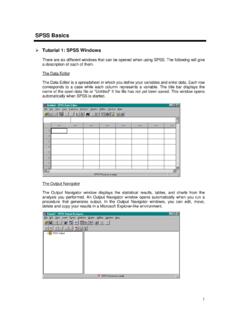
www.westga.eduEach row corresponds to a case while each column represents a variable. The title bar displays the ... To access the Define Variable dialog box, double-click on the top of a column where the word var appears or select Define Variable from the Data menu. Variable Name: This field describes the name of the variable being defined. To change the