
MICROSOFT TO DO - Getting Things Done
with Outlook desktop. Think of To Do as a viewer of Outlook Tasks. The data is one and the same. Tasks you create in Outlook should sync seamlessly to To Do, and vice versa. There are some differences to be aware of: y In our GTD & Outlook for Windows Setup Guide, we instruct you to create Task folders. These folders become lists in To Do.
Download MICROSOFT TO DO - Getting Things Done

Information
Domain:
Source:
Link to this page:
Documents from same domain

Mastering Workflow PROCESSING & ORGANIZING
gettingthingsdone.comMastering Workflow PROCESSING & ORGANIZING THE DAVID ALLEN COMPANY www.davidco.com © 1996-2004 David Allen & Co. All rights reserved. ˘ˇ ˆ˙ ˆ

GTD Processing & Organizing
gettingthingsdone.comTitle: GTD Processing & Organizing Created Date: 10/16/2009 5:06:37 PM

GTD Weekly Review - Getting Things Done
gettingthingsdone.com© 1990-2006 The David Allen Company. All rights reserved. www.davidallengtd.com For additional information and educational resources visit davidco.com, gtdtimes.com ...
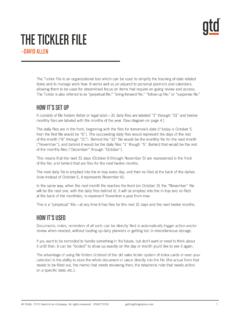
THE TICKLER FILE - Getting Things Done
gettingthingsdone.com1. Regular reports that need to be done on a standard cycle, e.g., weekly, monthly, quarterly. Put a “dummy” or blank form in the file for the day/ month it needs to be handled, and continue to re-file it as a reminder for the next one. Status reports, evaluations, payroll taxes, etc. 2.
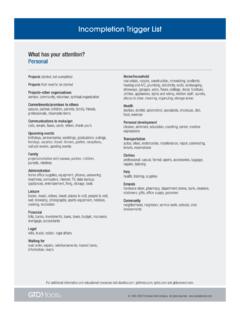
Incompletion Trigger List - Getting Things Done
gettingthingsdone.cometc.), things ordered Professional development training, seminars, things to learn, things to find out, skills to develop or practice, books to read, research, formal education (licensing, degrees), career research, resume Wardrobe professional

OUTLOOK - Getting Things Done
gettingthingsdone.comOutlook to To-Do through Exchange online accounts. The guide is based on the latest version of Outlook 2016 on the Windows desktop, as of July 2018. If you are using an earlier version of Outlook, particularly Outlook 2013, some of the instructions and screenshots will be different for you. But the 2013 and 2016 versions are
TABLE OF CONTENTS - Getting Things Done
gettingthingsdone.comtable of contents (continued) applying gtd to onenote (continued) 25 using quick notes 28 reviewing your lists 28 using due dates 30 marking items complete 31 using shortcut keys 31 sharing from onenote email 35 integrating actionable email with onenote 35 two options for managing actionable email ...
Related documents

How to Access a Public Folders on the Outlook Web ...
www.oet.udel.eduHow to Access a Public Folders on the Outlook . Web Application (OWA) ... password, and the Microsoft Multi-Factor Authentication (MFA) code using the authenticator app on your phone. 2. Right-click Favorites, and then choose Add public folder to Favorites. 3. Navigate the Public Folder tree, and locate the public folder you need to

Zoom - Outlook Plugin - Mac
www.etsu.eduThe Zoom Microsoft Outlook Plugin allows you to quickly and conveniently schedule and start instant Zoom meetings, as well as make existing meeting events Zoom meetings. Download the Zoom Microsoft Outlook Plugin 1. Go to https://etsu.zoom.us/download 2. Click the …

Flank Speed Outlook Guide - thecacsite.com
thecacsite.comForce a GAL sync so that "US Navy" shows up in the Address Book List. 1. Navigate to the following file using "File Explorer" c:\Program Files (x86)\Microsoft Office\GlobalDirectory\GALSYNCU.exe 2. When at the file location, double click the …