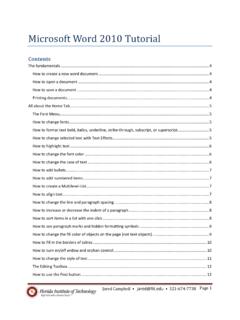
Microsoft Word 2010 Tutorial - Information Technology
2. Give the presentation a name and save it into a memorable location. Printing documents 1. Select the number of copies you would like to print by adjusting the number to the right of the print button. 2. Select the printer that you would like to print to from the drop down menu. 3. By clicking the Print All Pages button dropdown arrow, you ...
Download Microsoft Word 2010 Tutorial - Information Technology

Information
Domain:
Source:
Link to this page:
Related documents

Using bookmarks and cross-references in Word
www.docs.is.ed.ac.ukLocating a specific bookmark To move to a specific bookmark location in your document: Â Choose Insert – Bookmark. Â Click on the name in the list of bookmarks and on Go To. If you have a lot of bookmarks, you can sort them first by Name or Location. You can also use Word’s Find and Replace option to navigate to a bookmark.

Online Diagnosis Submission Tutorial
choicehomewarranty.comspecific to the claim, as some of the items are not always applicable. The name and cell phone number of the on site tech will always be requested. Outcomes of the claim will be texted to this number, and this number will be called if clarification is needed.
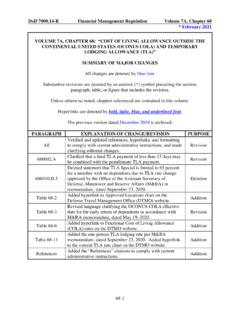
* February 2021 VOLUME 7A, CHAPTER 68: “COST OF LIVING ...
comptroller.defense.govAdded hyperlink to Approved Locations chart on the Defense Travel Management Office (DTMO) website. Addition . Table 68-3 : Revised language clarifying the OCONUS COLA effective date for the early return of dependents in accordance with M&RA memorandum, dated May 19, 2020. Revision . Table 68-6 : Added hyperlink to Fractional Cost of Living ...
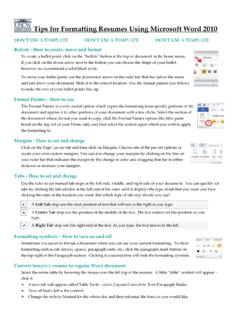
Tips for Formatting Resumes Using Microsoft Word 2010
uncw.eduYou can create a hyperlink within your document to link to specific web pages, etc. You may want to link to an online work sample, LinkedIn profile, etc. Right-click a desired word or portion of document you want to link, and select Hyperlink. The menu screen will show your selected word or phrase in the Text to Display field.
9 Works Made for Hire Circular
www.copyright.govdone at the employer’s location, and provides equipment or other means to create the work. 2 Control by employer over the employee. For example, the employer controls the employee’s schedule in creating the work, has the right to have the employee perform other assignments, determines the method of payment, or has

Creating Tables and Relationships
www.exeter.ac.ukHyperlink Stores a hyperlink address which is a path to an object, document, Web page, or other destination. Attachment Allows you to attach specific files to an individual record in a table. Calculated Allows you to add a calculation based on values from other fields and/or other values. It is also possible to use functions. Lookup wizard

CHAMPS FAQ - Michigan
www.michigan.govlocate the location step, select the primary practice location hyperlink, under the address list, select the remittance advice hyperlink, add an end date, click save. Continue with any other enrollment modifications that are needed and submit the modification to the state for review.