
MODULE III: NAVIGATING AND FORMULAS
8 Navigating and Formulas, continued EXCELiii Jumping to a Named Range You can use the Name Box (next to the formula bar) to jump to a named range. If the formula bar is not displayed, on the View tab in the Show/Hide group, you can select the Formula Bar check box (or use the View menu to check the Formula Bar check box to display it). Steps: 1. Click the arrow for the Name …
Download MODULE III: NAVIGATING AND FORMULAS

Information
Domain:
Source:
Link to this page:
Related documents
DCPDS Guide For Managers/Supervisors - hawaii.gov
dod.hawaii.govDCPDS Guide For Managers/Supervisors People First, Mission Always Published by the National Guard Bureau Office of Technician Personnel

CHOOSING A THEME FOR YOUR MEETING - …
getswitchedon.comCHOOSING A THEME FOR YOUR MEETING Choosing your theme’s tagline is critical because it provides the centerpiece idea from which the meeting presenters will focus on.
BMC Remedy Change Management User Guide
klslconsulting.comBMC Remedy Change Management User Guide Supporting BMC Remedy Change Management version 7.6.04 January 2011 www.bmc.com
Edge Touring - Garmin
static.garmin.comNOTICE To prevent corrosion, thoroughly dry the mini-USB port, the weather cap, and the surrounding area before charging or connecting to a computer.
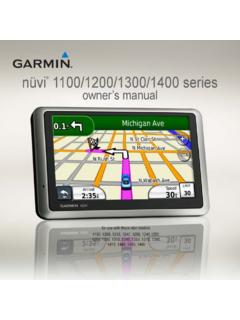
nüvi 1100/1200/1300/1400 series owner’s manual - …
static.garmin.comiv nüvi 1100/1200/1300/1400 Series Owner’s Manual nüvi 1200/1300/1400 Series Models nüvi 1100/1200/1300/1400 Series Models Model Bluetooth® Technology

Microsoft Volume Licensing Volume Licensing …
www.enpointe.comMVLC User Guide MVLC User Guide 6 Navigating the Microsoft Volume Licensing Center The MVLC dashboard is designed for easy access to your …

PASSPORT USER GUIDE - Euromonitor International
www.portal.euromonitor.comPASSPORT USER GUIDE Passport is a global market research database providing insight on industries, economies and consumers worldwide, helping our clients
Student Portal Training Guide - LACCD
www.laccd.eduTraining Guide . Student Portal Introduction to the New Student Portal and the My Profile Menu . Logging into the Student Portal and Changing Your Password