
MODULE III: NAVIGATING AND FORMULAS
7 EXCELiii Navigating and Formulas, continued Editing and Deleting Range Names Steps: 1. On the Formula tab in the Defined Names group, click the Name Manager button as shown in Fig. 4-4 (or select the Insert menu, then the Name command, then Define… 2. Use the New, Edit, or Delete buttons in the Name Manager dialog box as necessary to edit or delete a range name.
Download MODULE III: NAVIGATING AND FORMULAS

Information
Domain:
Source:
Link to this page:
Related documents

Successfully Navigating the Stages of Doctoral Study
ijds.orgSuccessfully Navigating the Stages of Doctoral Study 10 completion of coursework, on schedule for comprehensive exams, etc. While such responses are

Navigating Mexico's Energy Reform: The Natural Gas Market
www.ey.com4 · Navigating Mexico’s Energy Reform The model of operation of Pemex as a sole hydrocarbons producer in Mexico has been modified by a new competitive model.

Navigating the Houston Ship Channel - publisher
www.galvestonpilots.com4 The Houston Ship Channel consists of a main channel with a project depth of 45 feet, width of 530 feet, and barge lanes on either side between the Gulf Intracoastal Waterway and Morgan’s Point.
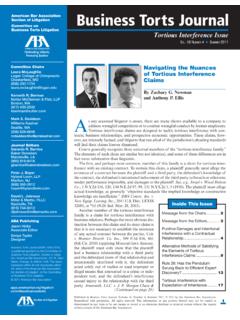
Business Torts Journal - Hahn & Hessen
www.hahnhessen.comBusiness Torts Journal • SuMMER 2011 Published in Business Torts Journal Inc.,
TMA BEST PRACTICE GUIDELINES – NAVIGATING SAFE …
www.turnaround.org.auDisclaimer: this content is provided on an "as is" basis for general information purposes only and is not intended to constitute or substitute legal or other professional advice.

NAVIGATING A MENTAL HEALTH CRISIS - nami.org
www.nami.org1 NAVIGATING A MENTAL HEALTH CRISIS | A NAMI resource guide for those experiencing a mental health emergency N AMI developed this guide to support people