NETWORK INFRASTRUCTURE STANDARDS
Apr 14, 2016 · Network Facilities are, however, standards for choosing material and products to be installed. These specifications and standards are a general guide for contractors to follow when installing, testing, and documenting structured wiring systems.
Download NETWORK INFRASTRUCTURE STANDARDS

Information
Domain:
Source:
Link to this page:
Documents from same domain
Lecture Notes in Macroeconomics - University of …
www.uh.eduCONTENTS v Stochastic Calculus 133 Introduction Course Mechanics † Requirements: Two exams, each 50% of grade, each covers half of material in class. First exam: on Tuesday, March 12th.
1 Granger Causality. - University of Houston
www.uh.eduECONOMICS 7395, Spring, 2005 Bent E. S¿rensen March 1, 2005 1 Granger Causality. 1.1 Linear Prediction. Assume that you want to predict the value of yt+k based on the information set Ft.How do
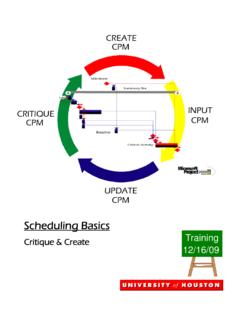
Microsoft Project Scheduling Manual UH FINAL
www.uh.eduPage 5 Scheduling Terminology Scheduling Terminology: Critical Path: Longest Path To Complete The Project Baseline Plan: Original Schedule Milestone: A Significant Point In A Project Which Has No Duration
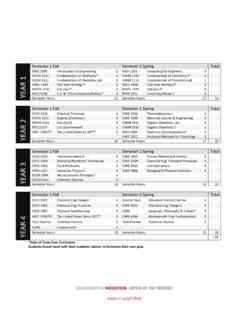
COLLEGE OF ENGINEERING - uh.edu
www.uh.eduBachelor of Science, Chemical Engineering Four-Year Academic Map 2018 ... CHEM 1111 Fundamentals of Chemistry Lab 1 CHEM 1112 Fundamentals of Chemistry Lab 1

Achieving Operational Excellence at University of ...
www.uh.eduAchieving Operational Excellence at University of California, Berkeley Final Diagnostic Report –Complete Version April 2010
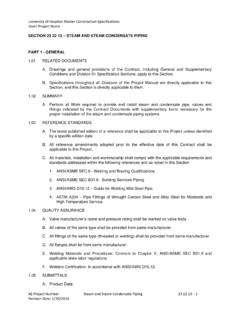
23 22 13 Steam and Steam Condensate Piping …
www.uh.eduInsert Project Name ... SECTION 23 22 13 – STEAM AND STEAM CONDENSATE PIPING PART 1 - GENERAL ... Conditions and Division 01 Specification Sections, ...
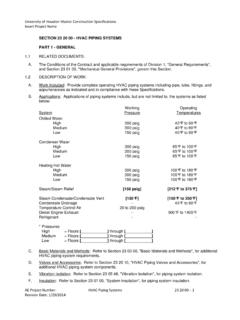
23 20 00 HVAC Piping Systems (012914)
www.uh.eduUniversity of Houston Master Construction Specifications Insert Project Name AE Project Number: HVAC Piping Systems 23 20 00 – 3
A Sample Research Proposal with Comments
www.uh.eduA Sample Research Proposal with Comments A research project or thesis will take at least two semesters to complete. Prior to starting a research, i.e.
Section 09 PARKING 01 2014
www.uh.eduUniversity of Houston Campus Design Guidelines and Standards Parking Lot Design Standards Print Date: 1/29/2014 Page 2 of 47 Section 9.0 Last Section …
if - University of Houston
www.uh.eduTitle: if.PDF Author: Administrator Created Date: 3/1/2001 4:05:37 PM
Related documents
Activate and Access Network Camera
enpinfo.hikvision.comActivate and Access Network Camera User Guide 9. Note The router should be the same one which your mobile phone has connected to. 8. Tap Add in the nex t interface to finish adding. For detailed information, refer to the user manual of the Hik-Connect app. 3.4 Initialize Memor y Card via Hik-Connect

WiFi Camera (V380) Installation Manual iPhone IOS Android
images-na.ssl-images-amazon.comWiFi smart link installation (with WiFi Network) 1. Open Apple App Store, search, download, and install V380 2. Connect the power plug to the camera and place the camera “right next” to your WiFi router. Camera sound: “System is starting” Camera sound: “System startup completed” 3. Press and hold the reset button on the back of the ...

Miniature 1080p WiFi IP Camera User Manual
s3-ap-southeast-2.amazonaws.comClick to go online camera appears as shown, click Skip to watch videos. IV. Connect camera to WiFi router In point-to-point mode, tap the gear icon to enter Device Settings, then go to WiFi config. Select the WiFi and input the WiFi password. Confirm reset then after booting up, camera will be online for remote access.

Arlo HD Security Camera System User Manual
www.arlo.comA blue LED on the camera blinks slowly when the sync process starts. The blue LED blinks rapidly to confirm sync. After the camera syncs, the Power LED on the base station might start blinking. This indicates that the camera’s firmware is updating. For information about firmware updates, see Arlo Camera Firmware Updates on page 12. 5.

CCTV Technology Handbook
www.dhs.govFigure 4-2. Telephone Network Example 38 Figure 4-3. Types of Antennas for RF Transmission 41 Figure 4-4. Typical Microwave Installation 42 Figure 4-5. IP-Based CCTV System 42 Figure 5-1. Storage Area Network 45 Figure 5-2. Network Attached Storage 46 Figure 7-1. Integrated Security System 47

How to add IP camera with custom protocol - Hikvision
www.hikvision.com1. Connect the cameras, NVRs and the computer to the switch. And make sure the network is reachable. 2. Login the webpage of NVR, and go to Configuration->system-> camera Management-> IP Camera, click Custom Protocol. 3. Select Custom Protocol 1, type in the Protocol Name and Stream Path of Main stream: streaming/channels/101.

DS 2CD2183G0 I(S) 8 MP IR Fixed Dome Network Camera
www.hikvision.comApr 16, 2020 · DS-2CD2183G0-I(S) 8 MP IR Fixed Dome Network Camera L/3D DNR/ROI /HL IP67, IK10 uilt-in micro SD/SDH/SDX card slot, up to …

Camera Serial Interface - MIPI Alliance
www.mipi.org– Integration in network architectures • In-band interrupts • RGB, YUV, RAW, JPEG • Embedded Data • Notification channels for metadata, audio, etc. ... Network Example Page 25 Camera 1 Host CSI-3 UniPro M-PHY UniPro CSI-3 M-PHY Camera 2 CSI-3 UniPro M-PHY UniPro M-PHY UniPro M-PHY UniPro M-PHY Memory UniPro UniPro M-PHY M-PHY Switch