
NX Drafting Commands II - CAE Users
NX Drafting Commands II We will examine, using the views shown above, how to modify views to show hidden lines, how to control the visibility of the “smooth edges” produced by adding fillets and rounds to the model, how to insert centerlines, how to create an auxiliary view and how to create and modify the display of various section views.
Download NX Drafting Commands II - CAE Users

Information
Domain:
Source:
Link to this page:
Documents from same domain
Chapter 14-DESIGN CONSIDERATIONS FOR …
homepages.cae.wisc.eduDESIGN CONSIDERATIONS FOR WELDING A part from resistance spot welding (RSW), three processes are most commonly used for welding metal stampings and fabrications: gas metal arc welding (GMAW) or MIG; gas tungsten arc welding (GTAW) or
Introduction to SystemC Tutorial - CAE Users
homepages.cae.wisc.eduIntroduction to SystemC Tutorial SystemC is essentially a C++ library used for modeling concurrent systems in ... C++ implements Object-Orientation on the C language.

Finite Element Analysis Why FEA? - CAE Users
homepages.cae.wisc.edu1 Finite Element Analysis • Numerical method of solving engineering problems. • May be applied in: – structural – heat transfer –fluid flow

Principles of Dimensioning - CAE Users
homepages.cae.wisc.eduDIMENSIONING ROUND HOLES Rules: 19. Holes are specified by a local note and placed in the view where the hole appears as a true circle. The leader line should extend radially from the circle, touching its
xxx xxx App 879605 - CAE Users
homepages.cae.wisc.eduAppendix C 8 Appendix C In the United States, the governing body responsible for the standards established for tech-nical and engineering drawing is the American National Standards Institute (ANSI).
Fastener Handout - University of Wisconsin–Madison
homepages.cae.wisc.eduFastener Handout Introduction: Engineering Design ... in one revolution is referred to as pitch or lead. ... Class fit is a specification of how tightly mating ...
S-Domain Analysis - CAE Users
homepages.cae.wisc.edus-Domain Circuit Analysis Time domain (t domain) Complex frequency domain (s domain) Linear Circuit Differential equation Classical techniques Response
Product Design Specifications - University of Wisconsin ...
homepages.cae.wisc.eduProduct Design Specifications The product design specification (PDS) is a document created during the problem definition activity very early in the design process. It details the requirements that must be met in order for the product or process to be successful. The document lays the

Failure Modes and Effects Analysis (FMEA) - CAE Users
homepages.cae.wisc.eduFailure effect is defined as “the effect of a failure mode on the product/process function as perceived by the customer.” 6) Identify the causes for each failure mode.
Common Mechanical Engineering Terms
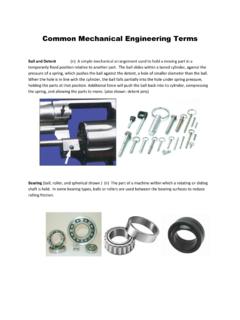
homepages.cae.wisc.eduCommon Mechanical Engineering Terms Ball and Detent (n) A simple mechanical arrangement used to hold a moving part in a temporarily fixed position relative to another part. The ball slides within a bored cylinder, against the